Microsoft account recovery - How do I reset
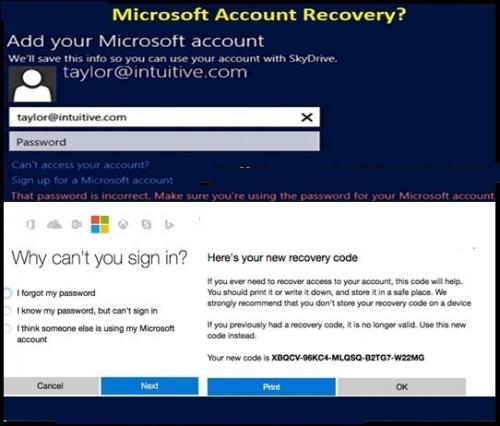
Account hacking or forgot password is one of the most common
things faced by the users in these days. We can help you reset your password
and security info. First, enter your Microsoft account and follow the
instructions below. These are some messages a user faces while accessing
Microsoft account when unable to login. Even
Microsoft also has policies that can help you to keep your account via
using strong passwords, security contact information, encryption, etc
Expert’s steps for
Microsoft account password recovery
Facing retry message to Microsoft account and forgot password
or someone hacked it and change it which unable you to log in and want to do Microsoft account recovery but
don't know the procedure using the phone number or alternate email address or
account recovery form so follow here
- Step1: First of all, go to https://account.live.com/password/reset by using a web browser.
- Step 2: Enter your username.
- Step 3: Click on Forgot Password.
- Step 4: Now you will be asked to verify your identity. For this you will be given two options, through mail or through phone number. You have to select any one of them.
- Step 5: Click on Next after selecting your verification option
- Step 6: You will receive a verification code on your selected option. You need to check for the code.
- Step 7: Enter the verification code in the space given for the code.
- Step 8: Click on Next.
- Step 9: Password reset page will appear on the screen.
- Step 10: Enter a new password and confirm your password. Note: Try to keep your password strong by adding capital letters, symbols and characters to your password.
- Step 11: Click on Next.
Now try logging in with your new password to see if the new
password is working or not.
Avail Microsoft account
recovery via Microsoft recovery form
If your password is not working then there is no need to
worry about it. You can still recover your Microsoft account by filling a form.
This is known as recovery form, which allows you to prove your identity to get
your account back.
Steps for Microsoft account recovery through Recovery form
You can follow the steps given below to recover your
Microsoft account:
- Step 1: Visit the https://account.live.com/acsr .
- Step 2: Enter your email address so that the Microsoft team can contact you.
- Step 3: You will be shown a short video which will give you further instructions. You just need to follow them to recover your account.
If you are still not able to get your account back then you
can contact the customer care service of Microsoft.
Post Your Ad Here
Comments