The Hard Part of Building E-Learning Apps (and How Design Solves It)
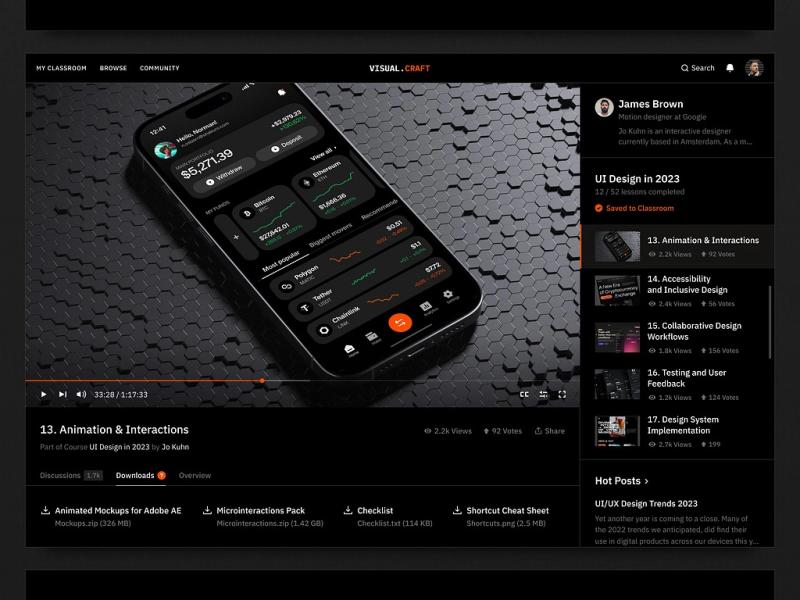
If you’ve ever tried to design an e-learning product, you know the stakes are high. Unlike entertainment apps, where the user might forgive a few rough edges, an education app has zero tolerance for confusion. Learners are already stretching their attention spans. If you give them friction, they’re gone. That’s why responsive e-learning app design isn’t just a nice-to-have—it’s the foundation of whether the product succeeds or quietly fades away.
Why Responsive Design Matters
The logic is simple: if the app isn’t intuitive, people can’t focus on the content. A learner shouldn’t have to wonder how to reach the next module or where to find the quiz. Design decisions—layout, typography, feedback loops—directly affect retention, motivation, and outcomes. Done well, design keeps users engaged longer, improves accessibility, and makes the platform scalable when you need to expand features later.
The truth is, functionality and aesthetics are inseparable. Good UI means you don’t distract from the material. Good UX means you reinforce the learning process itself. Ignore either, and you’re building an obstacle course instead of a classroom.
Choosing the Right Type of E-Learning App
The education sector is fragmented, and so are the products:
-
LMS platforms (Moodle, Blackboard) for course management.
-
MOOCs (Coursera, edX) for massive reach.
-
Mobile-first learning apps (Duolingo, Khan Academy) for on-the-go study.
-
Corporate training apps for compliance and upskilling.
-
Gamified learning tools like Quizlet or Kahoot! to keep users motivated.
Each comes with its own design expectations. Knowing which model you’re targeting determines everything—from the onboarding flow to how you structure feedback loops.
The Design Process
A responsive e-learning app doesn’t start with a pixel-perfect screen in Figma. It starts with objectives: who’s learning, and why? Once you define the target group, you can:
-
Do the research. What are your competitors doing well, and where are they frustrating users? Reviews in app stores are a goldmine.
-
Build a content strategy. Balance videos, quizzes, and interactive activities. Variety keeps learners engaged.
-
Move into UI/UX. Wireframes first, then interactive prototypes. Don’t overcommit too early—use testing to see if your assumptions hold. (If you need a partner for this stage, UI design services can save you time and rework.)
-
Develop with agility. Launch a minimum viable product. Let feedback dictate what’s next, not your feature wishlist.
-
Test relentlessly. Usability tests reveal friction points far more effectively than any internal debate.
-
Iterate. Post-launch, keep updating. Apps that stagnate don’t survive.
Best Practices That Actually Work
-
Design for psychology. Show progress indicators, micro-goals, and rewards. People need a sense of achievement to stay motivated.
-
Keep educators in mind. Don’t overwhelm them with advanced tech without offering familiar tools and clear onboarding.
-
Adapt for age. Kids want gamification; professionals want clarity and structure.
-
Support microlearning. Bite-sized lessons fit into modern routines better than hour-long modules.
-
Stay minimal. More features ≠ more value. Every additional button risks confusing the user.
-
Focus on accessibility. Adjustable text sizes, audio support, and alternative formats aren’t optional. They widen your user base and improve inclusivity.
-
Think about gamification. Points, badges, and levels can turn passive learning into an engaging habit.
Trends to Watch
The future of learning apps blends pedagogy with technology. Personalization through AI, immersive AR/VR modules, and social learning communities are no longer “nice experiments”—they’re becoming user expectations. Combine those with responsive, mobile-first design, and you’ve got a platform that feels alive and relevant.
Wrapping Up
E-learning apps are reshaping education at every level. But good intentions aren’t enough. If your design doesn’t align with user needs and learning goals, the app fails before it starts. Focus on clarity, accessibility, and motivation, then adapt continuously. And if you’re serious about building something that lasts, investing in strong UX design services can be the difference between a product people forget and one they return to daily.

Comments