User manual of Opel Tech 2 USB Car Diagnostic interface
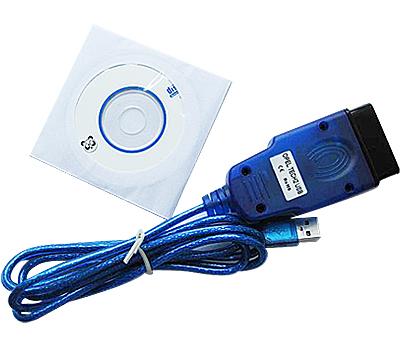
OPEL Tech2 USB can perform diagnosis of Engine, Transmission, Chassis, and Body systems for OPEL vehicles from year 1997 to 2004. How to use Opel Tech2 USB?
Here obd diagnostic center will share with you how to use OPEL Tech2 USB Car Diagnostic interface.
1. Plug the Device and install the usb driver.
2. Right-click"My computer"-- click "properties"
3. Click the options "Hardware"-- "Device Manager"
4. Double-click "Communications Port(COM1)"

5. "Device usage" select "Do not use this device(disable)" and click "OK"

6. There is a red "X" flag in front of "Communitions Port(COM1)", show that it is disable.

7. Double-click "USB Serial Port (COM3)",(Tip:the (COM3) is possible show as COM4,COM5 or other number.)

8. Click "Port Settings" and click "Advanced" option.

9. Change the "COM Port Number" option -- choose "COM1(in use)" and click OK .

10. Click "OK"
11. Pull out opel tech usb device form computer and plug it again, you will see that "USB Serial Port (COM1)", as picture:

12. Open the the software Opel Diagnistic for Windows and click "Settings".
13. Select COM1, and click "save configuration".
Post Your Ad Here
Comments