How to solve the Low Voltage of FGTech Galletto EOBD2
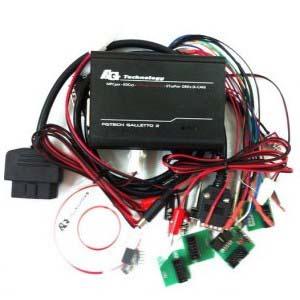
FGtech Galletto is a hot-selling product in obd diagnostic center. FGTech Galletto update soon. Not long ago, some customers feedback they have encountered problem about low voltage when they use FGTech Galletto EOBD2.

Fgtech Galletto 2 master v51 with BDM function
When you install Fgtech Galletto software, if appear as following picture, however, you meet same problem.

FGtech Galletto EOBD2 Low Voltage Problem Solution
Now, OBD Diagnostic Center share with you solution.
1. Have to use windows xp 32bit system
2. Pls try to connect FGtech Galletto main head with the car, and make sure power LED light is on when you connect to the car.
Then do as follows:
Firstly, connect Fgtech Galletto EOBD2 main head with car.
Secondly, connect pc via usb
Note: pls use laptop without power line.
3. Pls check carefully and ensure you install the software correctly.
Above solution is applicable to all Fgtech Galletto EOBD2 items such as FGtech Galletto 2 v51, FGtech Galletto 2 v53, FGtech Galletto 3.
Advertise on APSense
This advertising space is available.
Post Your Ad Here
Post Your Ad Here
Comments