How to solve the FGTech Galletto 2 Master EOBD2.exe can't open
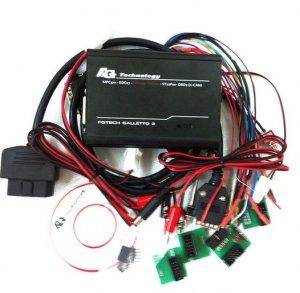
FGTech Galletto 2 Master is famous auto obd2 chip tuning tool. So many customer meet some problems, when they use it. FGTech Galletto 2 Master V51 EOBD2.exe can't open. Now, obd diagnostic center sharing how to solve it.
Fgtech EOBD2 can't open

Pls try it:
After the fgtech galletto 2 master have be actived, and can't open eobd2.exe
need the software: FGTech-FT232

Free download FGTech-FT232.rar
1. Open the Mprog 3.0.exe, and setup

If the hardware drive of fgtech have be installed, just click the search button( ), will show:
), will show:

If you use the window 7 operation, need the new hardware drive, pls check it:
Click the open button, and choose g2_eep.bin,

then click the programmer buttion ( )show okay, close it, will try it
)show okay, close it, will try it
open the FTReadWrite_v3.exe, choose Write EE option

choose g2_eep.bin, show okay, will try it

then, open the eobd2.exe, will be okay
More information, pls visit FGTech Galletto.
Advertise on APSense
This advertising space is available.
Post Your Ad Here
Post Your Ad Here
Comments