How Professional Services Teams Are Losing Productivity Without Mobile Scheduling
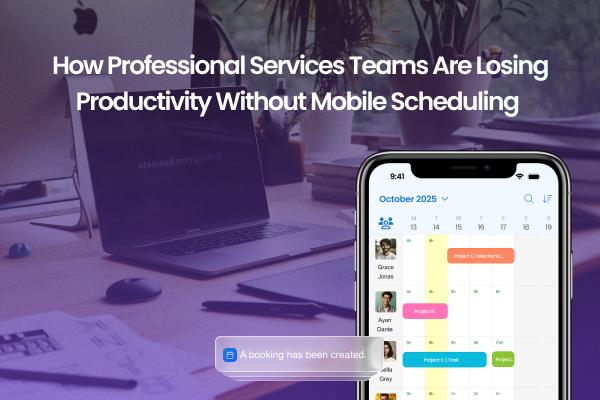
In today’s fast-moving professional services world—think consulting firms, engineering services, legal teams—the old way of doing things just isn’t cutting it. Teams are increasingly mobile, remote, and juggling shifting demands. Yet many firms are still using outdated scheduling practices—manual spreadsheets, email chains, or desk-bound scheduling tools that don’t adapt to the moment. As a result, productivity is slipping. One major culprit: the absence of a robust employee scheduling app that fits how people actually work now.
In this article, we'll explore why professional services teams are losing productivity when they don’t embrace mobile scheduling, dive into trends, and offer tangible insights and examples you can apply.
Why scheduling matters in professional services
The mobile/hybrid reality
Professional services teams (reporters, field engineers, legal professionals) don’t always sit in one location; they move between client sites, remote work, and office hubs.
When scheduling doesn’t reflect that mobility, i.e., when the tool assumes everyone is “on-site” or tied to one calendar, it creates mismatches: resources allocated incorrectly, missed client meetings, over- or under-utilization of staff.
Scheduling isn’t just “who works when”
It’s about aligning people, skills, location, client demand, and time. For professional services firms, this matters because:
Billable hours versus non-billable time matter both for margin and for client satisfaction.
Delays, travel inefficiencies, and mismatched resources reduce utilization.
Employee experience matters: unpredictable shifts or excessive rescheduling reduce morale.
What happens when mobile scheduling is missing
Here are several tangible productivity drains when teams lack mobile-friendly scheduling tools:
1. Reactionary scheduling and wasted time
When schedule changes, illnesses, travel disruptions, or client demands shift, firms relying on static tools struggle. Multiple studies of mobile workers found that scheduling chaos remains the top productivity killer: nearly 90% of technicians experienced mishandled appointments, changes took 15-17 minutes each, and many lost large chunks of time just resolving schedule issues.
For a professional services team, that means:
Time is wasted by staff and administrative resources just rearranging work instead of doing it.
Billable work is delayed while someone searches for the right person, adjusts travel, etc.
Increased overtime or rescheduling (both costly).
2. Poor work-visibility and utilization gaps
When schedules are managed via email or offline tools, visibility falls. For example, mobile workforce scheduling challenges include a lack of schedule visibility and manual processes hindering productivity.
In a services firm that leads to:
Under-utilized staff whose schedule capacity isn’t apparent in real-time.
Over-booking some people and under-using others, which reduces overall productivity and increases burnout risk.
Difficulty responding quickly to client demands or reallocating resources when priorities change.
3. Travel, hybrid work, and location inefficiencies
Professional services often require staff to work from various locations. If scheduling tools don’t incorporate mobile access, travel/time-loss creeps in:
Schedules made before factoring in site-based or remote work conditions might lead to inefficient travel or idle wait-time.
Without mobile updates, a field consultant might show up expecting one thing, find it’s changed, and have to wait or shift tasks.
4. Employee frustration, turnover, and burnout
Scheduling pain isn’t just an operational issue—it impacts people. Lost visibility, frequent changes, and lack of autonomy lead to frustration.
Research shows that unpredictable scheduling and lack of control are major drivers of disengagement. For example, poor scheduling practices result in hidden costs: excessive overtime, manager time spent resolving conflicts, and missed opportunities.
In services firms, this means:
Consultant or professional turnover rises, meaning more training, lost institutional knowledge, and lower productivity.
When staff feel their time is mismanaged, morale and engagement drop, which indirectly lowers output.
Burn-out risk increases when staff are constantly reacting to schedule changes rather than being able to plan.
5. Client experience suffers, margin hit
When your team isn’t optimally scheduled, you end up with:
Delayed deliverables because resources weren’t lined up correctly.
Higher un-billable time (travel, waiting, schedule conflicts) / reduced “productive hours”.
Potentially higher costs (overtime, last-minute reassignments) that eat into margins.
Service Firm Use Cases in Action
Example A: A consulting firm with field teams
Imagine a consulting firm where associates spend part of the week onsite at client locations, part remotely, and part in the office. Without mobile scheduling:
The office administrator uses spreadsheets to allocate travel and client assignments.
An associate gets reassigned midday because a client needs extra work, but the change was emailed and the associate didn’t check until the next day. Travel time wasted.
Because the schedule wasn’t updated in real-time, another consultant with free capacity stayed idle.
Result: lower billable hours, heightened frustration, and client deliverable delay.
Example B: A legal services firm with hybrid staffing
In a legal services firm:
Attorneys are sometimes in court, sometimes remote, sometimes in the office.
Scheduling hearing days, depositions, and support staff must reflect those shifts. Without mobile access:
Mistakes in scheduling support staff cause duplication or gaps.
Switching remote/in-office days becomes laborious, requiring back-and-forth emails.
Staff morale suffers, and non-billable time increases.
Example C: Engineering/project services with site-based teams
Engineering firms often send teams to construction or client sites. Without mobile scheduling capabilities:
Travel vs. assignment timelines get misaligned.
Re-allocating staff due to weather/site delay is managed by phone/email, causing lag.
Idle on-site waiting time creeps up because the scheduling tool didn’t account for variable factors (travel, site access, equipment delays).
That idle time is non-productive and eats margin.
What a modern mobile scheduling framework does differently
When a services firm adopts an employee scheduling app, they are able to address many issues, like:
Real-time visibility: Employees and managers can view, update, and swap assignments via mobile devices. That means quicker reaction to change.
Mobile access and alerts: When things shift, staff know instantly, no lag from email chains or desktop-only tools.
Better matching of skills, location, availability: Mobile scheduling tools often allow filtering by skill, preference, and location—reducing mis-assignments.
Reduced administrative drag: Less time spent manually rearranging schedules means more time doing client work.
Improved employee experience: Workers feel more in control, have more transparency, and are less bogged down by scheduling chaos.
Better utilization and productivity: Fewer idle hours, fewer overtime surprises, better alignment of staff to demand.
Conclusion
Professional services teams are operating in an increasingly mobile, dynamic environment. When scheduling remains rooted in manual, desk-bound, disconnected tools, productivity loss is almost inevitable: wasted travel or idle time, scheduling conflicts, lower utilization, weakened employee morale, and degraded client service.
The modern workforce demands flexibility and visibility, and so does the bottom line. By integrating scheduling practices with an employee scheduling app, services firms can reduce friction, reclaim productive hours, and improve both employee experience and operational efficiency. The takeaway: scheduling isn’t just a back‐room admin task; it’s a strategic operational lever.
Frequently Asked Questions
Q1: What is an employee scheduling app?
An employee scheduling app refers to a mobile-friendly platform that allows staff and managers to view assignments, update availability, swap tasks, see location/skill matches, and receive notifications, all from a smartphone or tablet rather than desktop spreadsheets.
Q2: How much productivity loss is attributable to poor scheduling?
While exact numbers vary by firm and industry, one study found mobile workers wasted about 18% of working hours on inefficient or unproductive tasks due to scheduling chaos. In services firms, idle hours, travel mismatches, or rescheduling delays directly reduce billable time.
Q3: Are scheduling issues only a concern for “deskless” workers?
No. Even professional services teams in office or hybrid roles face scheduling inefficiencies like confusing calendar assignments, manual shift swaps, travel between sites, and hybrid/remote transitions. Mobile scheduling tools assist regardless of seat location.
Q4: What are the main barriers to adopting mobile scheduling?
Common barriers include legacy tools (spreadsheets, desktop-only solutions), resistance to change, concerns about mobile access or privacy, lack of training, and integration issues with existing systems. It’s also crucial to align technology with process and culture.
Q5: How quickly can firms see benefits from mobile scheduling implementation?
It depends on scale and change management, but many firms see noticeable improvements within a few months (lower scheduling conflicts, fewer last-minute changes, higher utilization). Measuring key metrics before and after helps quantify gains and justify further investment.
Post Your Ad Here
Comments