Low Budget and Space; No more a challenge to manage storage with StoneFly SCVM
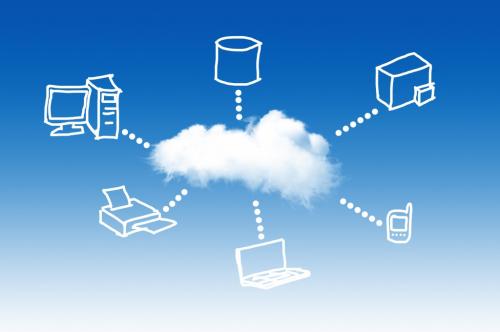
Virtualization is the term we often hear and it is trending with time, as it makes storage easy for the enterprises. The cloud based services have given a kick to the trend of virtual machines. Virtualization has made the lives of software developers much easier by streamlining the process to deploy software so what's virtualization anyway? Virtual machines are also known as virtual servers, they are fully fledged computers with CPU memory and storage but it’s all virtual, not physical. They have operating systems files and applications, they don't necessarily live inside of a physical server on a one-to-one ratio, in fact, several virtual machines can live within a single physical server.
Difference between Physical Server and Virtual Sever:
Both the physical server and a virtual server can serve up websites host applications and contain data. So what’s the difference between two:
Physical Servers:
The physical servers are the desktops computers attached to the data storage. The physical servers are larger in size. They require separate rack space in the server rack. You also require a big IT team to look after the physical servers. The physical servers are expensive and harder to manage especially in the case of failures. They allow limited storage and they are not scalable. They lack featuring things like redundant power supplies, raid controllers, multiple network cards etc.
Virtual Servers:
You can spin up a virtual machine on a desktop PC on a server or in the cloud. There is a Hypervisor which is the operating system or software within the operating system that simulates the computer environment where the virtual machines are created and run from.
Virtualization means that you place multiple “virtual servers” on a physical equipment. This then allows the physical server resources to split between the multiple workloads. This makes maximum efficiency and cost savings. Virtualization occurs in the cloud or on servers that are owned, maintained and located offsite.
Why would you want to use virtual machines?
Let’s take a look that why you should use virtual machines.
•Virtual machines will allow you to manage your workloads quickly and securely.
•You can also run single purpose virtual machines to support a database authentication services or log aggregation.
•You can use virtual machines to create high availability clusters and minimize downtime.
•By using virtual machines you can allow for the redundancy and failover that was previously possible only with the purchase of additional hardware.
The major benefit of virtual machines is that, it reduces the rack space requirements. Many enterprises spend millions of dollars on the maintenance of multiple hardware, still they are vulnerable to disasters and fear data loss. With enterprise cloud storage you acquire virtual machines for your data storage and it simplifies your workloads and simplifies the management. StoneFly provides you cloud storage solutions for your enterprise.
StoneFly SCVM Virtual Storage Appliance for Your Storage Requirements:
The major fringe benefit in the appliance is that, you don’t require a separate box or hardware for your storage and you save money. You can create a network IP storage for your virtual machines on your same hardware platform.
Benefits of SCVM:
- · Increase productivity.
- · Simplify management.
- · Reduce power.
- · Rack space requirements.
- · Data Security.
- · Unlimited Performance for Cloud and on-prem Workloads.
- · Enable Highly Available NFS and CIFS File Sharing in the Cloud.
- · Enjoy the perfect hybrid Structure.
- · Move Petabytes of Data to the Cloud.
If you are facing the issue of increased data and you are worried about storage, then without extra money and space setup your StoneFly SCVM virtual storage appliance and get the smarter solution to store your data in cloud storage.
Post Your Ad Here
Comments