How to Clean Your Inbox Regularly And Be Safe?
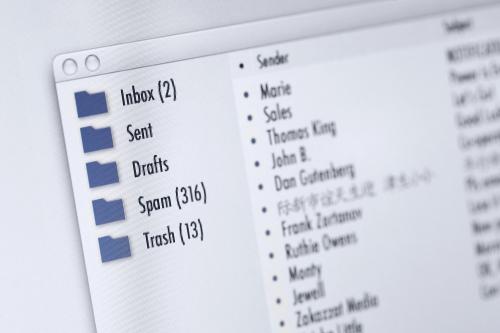
Keeping your mailbox clean is like cleaning up your own house where you expect it to be spic and span. To have a clutter free mail account is the first thing a person who always uses Gmail would wish it to be true. As your mail account gets hoarded with notification of every social media you are in, every newsletter you have subscribed in the past, the awareness you signed in the past, all of this gets piled up in your inbox. It all starts with an ignorant mail and then everything keeps on hoarding up and it gets piled up like a swarm.
Cleaning your inbox saves you from your woes of storage limit. As we know, Gmail provides only 15 GB of storage and which includes not only emails but also your Google Drive and Google photos. So cleaning wisely is the solutions for a space free Gmail.
A regular visit by yourself would not only showcase your impeccable neatness towards something as Gmail but also you must know that deleting up a lot of unwanted content can provide extra space to your account and also it is good for performing better.

Here are few things as to how can you clean your inbox and be safe
An inbox full of unopened email seems really stress full but so is an inbox crammed with messages which you have already read shoot up your stress levels to the maximum. Once you are done with your emails after reading them and replying, you can use Gmail’s send and archive feature so that you can put it out of your sight and out of your mind.
Your chats or say Google hangout which you use on daily basis can be erased. You can navigate left hand column below the inbox message and just scroll view that and you will find chats label below that. Click twice so you open that and then select the checkbox and press the delete icon and delete all by choosing the choice which they say to delete all the files contained in the chat folder. Thereby you created some space and also it’s clean.
You can put emails on your to do list where you can use workflow management or project management to keep up your projects organized. In this case your emails organized. Some clients let you move emails out of your inbox and then into workflow task list. There is a cloud-based email assistance service to clean your inbox known as EmailPet, making use of them you can get out of complex conditions effectively.
Well filtered mailboxes can be cluttered at times. Whether you hit the delete icon or type out a short reply, will keep disarray at bay by taking immediate action. In this way you won’t have to build up piles of emails impinging on your awareness throughout the day.
The gmail web browser automatically classifies your emails into default categories. To know the categories you must go to settings and inbox. The best idea is to delete all the emails which come under the promotions page, so go back to inbox and select promotions and select all the boxes and delete it. These promo emails have newsletters loaded with pics which take up the space. You can check them before deleting.
Thus, by all this tips you can not only clean up your inbox but can ensure safety of your account with a clutter free mailbox.
Post Your Ad Here
Comments