DIY troubleshooting for common cell phone repair issues
Cell phones are practically used for almost every task an individual performs in a day, especially a working individual. From accessing e-mails to storing important documents, cell phone solves all the business and personal purposes for an individual. Hence, a damaged cell phone is a stressful situation for people nowadays. An individual who has undergone cell phone repair technician training is a perfect and ultimate resort to solving all your cell phone related issues and repairs. Although sometimes people are stuck in odd conditions and it is difficult for them to reach the technicians and repair engineers. In such cases, one can also try and solve some common issues by troubleshooting the problem themselves with few of these easy tips mentioned below:
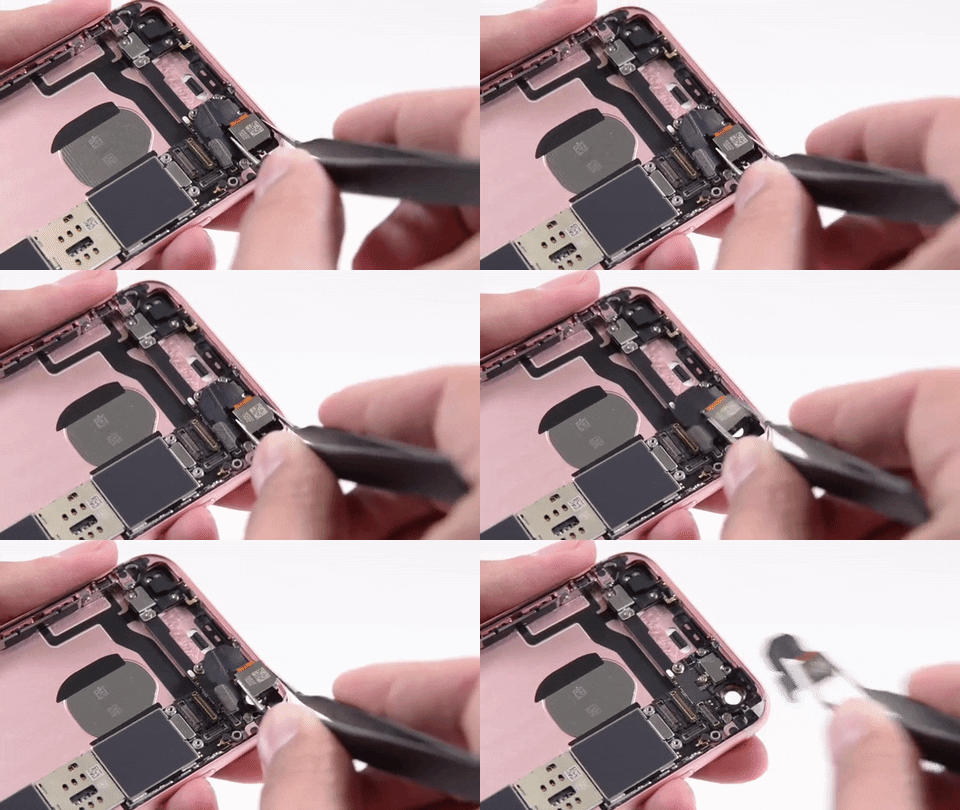
• Cracked Screen –
There are many self-repair kits available for different models of handset available in the market. Also, there are videos on YouTube displaying the process of replacing a screen. But this is not an easy job and a lot of care needs to be taken while replacing the screen as even a small mistake can damage the other internal parts of the device. It is recommended that screen replacement should be get done by a certified mobile technician.
• Home button dysfunction –
Sometimes the home button becomes dysfunctional due to dirt or some sticky substance jamming the proper functioning. In such cases use some rubbing alcohol and a cotton swab to clean the edges of the home button. Wait for 15 minutes to check the functioning of the home button again. If cleaning does not work you need to take it to the mobile repair technician.
• Power button dysfunction –
First step is to make sure that the battery is not dead, by keeping the phone on charge overnight. If the phone does not get switched on then it might be the power button which is damaged. There are self-fix kits available to replace the home button but again, one needs to do it very carefully if they are using these DIY kits to replace home button. It is recommended that power button replacement should be get done by a certified mobile technician.
• Damage due to Water –
Take out the phone as soon as possible from the water and take out the battery, sim card, SD card etc. and keep it separate. Use a hair dryer or vacuum cleaner from a safe distance to remove moisture from the handset. You can also keep the mobile device (battery, sim card, SD card etc. removed) submerged in an absorbent material, such as a bowl of rice, overnight. In some handsets there is a white strip located near the battery; this strip indicates if the phone has been damaged due to water by turning pink or red. If the strip remains white there is nothing to worry about. Even after using all above methods, the phone is not functioning; one needs to consult a certified engineer.
People who are using iPhone can keep an iPhone repair book handy so as to do basic troubleshooting of their phone.

2 people like it


Advertise on APSense
This advertising space is available.
Post Your Ad Here
Post Your Ad Here
Comments (1)
Lisa Handson6
Marketing Manager
This is really helpful. Thanks.