Lightspeed Cash Drawer Setup, Compatibility & Use Cases
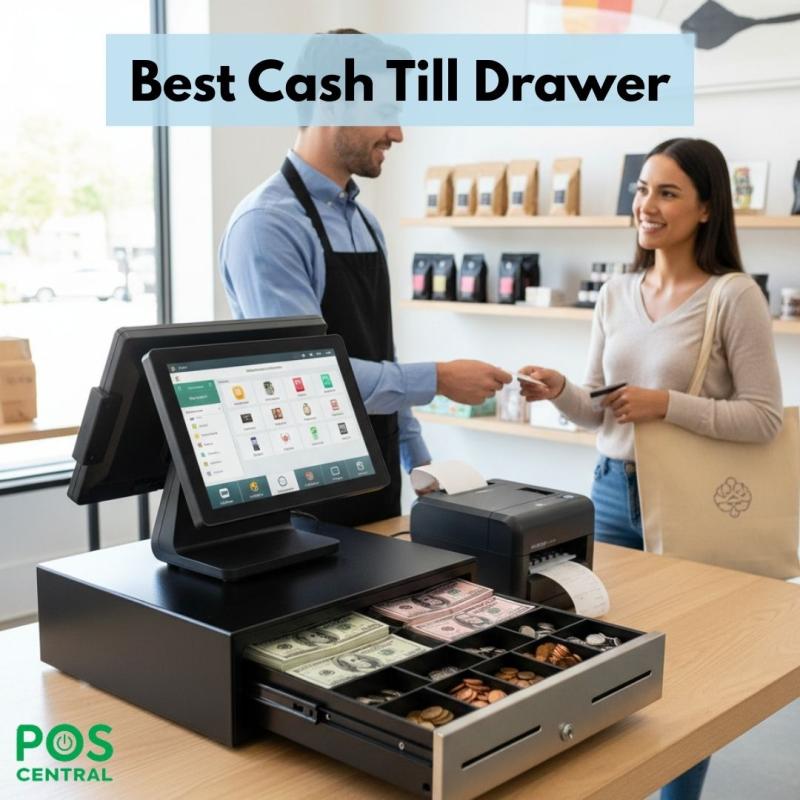
In today’s fast-moving retail and food service world, handling cash smoothly is still an important part of daily business. Even with digital payments growing, many customers prefer paying with notes and coins. This is where a reliable cash drawer becomes essential. When connected to a modern POS system like Lightspeed, it helps store money safely, improves speed at checkout, and keeps daily records organized.
In this guide, we will explore how cash drawers work, how to set up a Lightspeed cash drawer, its compatibility with other systems, and where it fits best in real business situations. This article is written to answer common questions in a clear and practical way.
Understanding Cash Drawers in POS Systems
A cash drawer is a secure box that stores cash during business hours. It usually opens automatically when a sale is completed on the POS system. Inside, it contains sections for notes, coins, and sometimes receipts.
How a Cash Drawer Works
When a customer pays with cash, the cashier enters the amount into the system. The drawer opens, allowing staff to place money inside and return change. Once closed, it stays locked until the next transaction.
A cash till is the part of the drawer where notes and coins are placed. The cash till drawer helps keep money sorted, making counting easier at the end of the day.
Role in Daily Business
In retail and hospitality, well-organized cash drawers help by:
- Reducing mistakes in cash handling
- Speeding up customer service
- Making shift changes smoother
- Supporting accurate daily reports
A good setup saves time and lowers stress for staff.
Lightspeed Cash Drawer: Features & Benefits
A Lightspeed cash drawer is designed to work smoothly with Lightspeed POS systems. It focuses on ease of use, safety, and steady performance.
Key Benefits
- Easy connection: Works with supported receipt printers and systems
- Strong build: Made to handle frequent opening and closing
- Secure lock: Protects money from unauthorized access
- Smooth operation: Opens quickly during checkout
Safety and Reliability
Most models come with metal frames and strong locks. Some also support manual opening with a key, which is helpful during power cuts or system issues.
Because of these features, many businesses trust Lightspeed cash drawers for daily operations.
Setup Guide: How to Install a Lightspeed Cash Drawer
Setting up a cash drawer is usually simple and does not require advanced skills. With the right steps, you can have it ready within minutes.
Step-by-Step Setup
- Place the drawer near your POS counter
- Connect the cable from the drawer to the receipt printer
- Plug in the printer to the POS system
- Turn on the system and check settings
- Test the drawer by making a sample sale
Most cash drawers connect through the printer, not directly to the screen. When a receipt prints, the drawer opens.
Common Setup Mistakes
- Plugging the cable into the wrong port
- Forgetting to enable drawer settings in software
- Using unsupported printers
- Placing the drawer too far from the counter
If the drawer does not open, checking these points usually solves the issue.
Compatibility with Other POS Systems
Many businesses use more than one system or change platforms over time. This makes compatibility an important factor.
Working with Square and Other Systems
Some models also work as a square cash drawer when paired with supported printers. This makes them useful for businesses that use both Lightspeed and Square.
Printer-Based Connections
Most cash drawers rely on receipt printers for power and signals. As long as the printer is compatible, the drawer usually works well.
Cross-System Use
Quality cash drawers often support:
- Lightspeed
- Square
- Vend
- Other POS platforms
Always check printer and system support before buying.
Use Cases in Different Industries
Cash drawers are used in many types of businesses. Let’s look at how they fit into daily work.
Retail Stores
Clothing shops, electronics stores, and gift shops use cash drawers for fast billing. Organized tills help staff return change quickly and reduce waiting time.
Restaurants and Cafés
Food businesses handle many small payments daily. A reliable cash draw speeds up service during busy hours and keeps money secure.
Supermarkets
Large stores use heavy-duty cash drawers that can handle hundreds of transactions daily. These models focus on strength and long-term use.
Mobile and Pop-Up Shops
Temporary stores and market stalls often use compact cash drawers. These are easy to move and work well with portable systems.
Maintenance, Security & Best Practices
Taking care of your cash drawer helps it last longer and work better.
Daily Handling Tips
- Open and close gently
- Avoid forcing the lock
- Keep liquids away
- Clear dust regularly
Theft Prevention
- Assign drawers to specific staff
- Count cash at shift end
- Keep keys secure
- Monitor unusual shortages
These steps build trust and protect your business.
Long-Term Care
Clean the drawer every few months. Check cables and locks. Replace worn parts early to avoid sudden problems.
Buying Guide: How to Choose the Right Cash Drawer
Choosing the right cash till drawer depends on your business size and needs.
Size and Layout
Consider:
- Number of bill slots
- Coin section size
- Counter space
- Mounting options
Busy stores may need larger drawers, while small shops can use compact ones.
Budget Planning
Low-cost models work for light use. High-traffic businesses should invest in stronger drawers to avoid frequent replacements.
Brand Reliability
Look for brands with good reviews and long warranties. Reliable suppliers also offer customer support when needed.
A well-chosen cash drawer plays a major role in smooth daily operations. From fast billing to secure storage, it supports both staff and customers. A Lightspeed cash drawer, when set up correctly and maintained well, helps reduce errors, improve service speed, and build trust in your business.
Before buying, always check compatibility, build quality, and support options. With the right choice, your cash handling process becomes simple, safe, and reliable.
For trusted solutions and professional guidance, businesses across Australia continue to rely on POS Central.
Frequently Asked Questions (FAQs)
1. Does a Lightspeed cash drawer work without a printer?
Usually, no. Most models need a compatible printer to open automatically.
2. Can I use the same drawer for multiple systems?
Yes, if it supports different printers and connections.
3. What should I do if my drawer does not open?
Check cable connections, printer settings, and system setup first.
4. How often should I count cash?
Ideally, at the start and end of each shift.
5. Is a metal drawer better than plastic?
Metal drawers are stronger and last longer, especially in busy stores.
6. Can I open the drawer manually?
Most models include a key for manual opening.
7. How long does a good cash drawer last?
With proper care, many last five years or more.

Comments