How to Choose the Right Barcode Scanner Australia Retailers Trust?
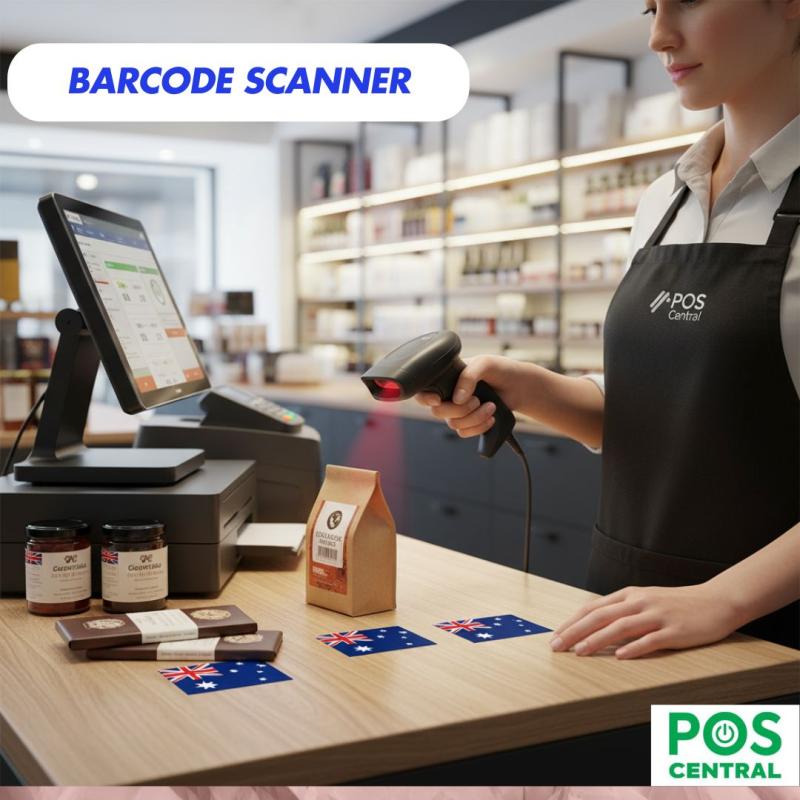
Choosing the right barcode scanner is one of the most important decisions for any retail business in Australia. A good scanner doesn’t just read barcodes—it keeps queues moving, reduces errors, improves stock accuracy, and supports day-to-day operations without slowing you down. Whether you run a small store or manage a busy retail chain, the right tool can make your work simpler, faster, and more reliable.
But with so many options available today—like handheld barcode scanners, cordless scanners, barcode readers, and POS scanners—finding the right one can feel overwhelming. This guide breaks everything down in clear, simple language so you can choose a barcode scanner Australia retailers genuinely trust.
What to Consider Before Buying a Barcode Scanner in Australia
Before selecting any scanner, think about how and where it will be used. Every business has different needs, so the scanner you choose should match your workflow.
1. Scanner Types
Different types are suited for different tasks:
- 2D barcode scanner – Reads both traditional barcodes and QR codes. Great for modern retail systems.
- Omnidirectional scanner – Reads barcodes from any angle, perfect for fast checkout counters.
- Single-line scanner – Simple, affordable, and ideal for small stores with basic scanning needs.
- Handheld barcode scanner – Easy to carry around for shelf scanning, stock checks, or small counters.
- Cordless barcode scanner – Offers freedom to move without worrying about cables.
If you’re unsure which type fits your store, think about how many items you scan daily and whether the scanner will stay in one place or move around.
2. Business Size and Use Cases
Different business sizes need different tools:
- Small stores may prefer a compact handheld scanner.
- Medium stores often need a mix of POS scanners and portable options.
- Large retailers or warehouses require scanners with faster reading speeds, longer battery life, and drop resistance.
3. POS Compatibility
Your scanner should connect smoothly with your POS system. A POS barcode scanner that offers plug-and-play support makes setup simple and avoids technical headaches. USB, Bluetooth, and wireless options are available depending on your POS setup.
4. Durability and Performance
In retail environments, devices are often used throughout the day. Durable scanners withstand accidental drops and frequent handling. Look for options known for reliable performance, quick scanning speed, and consistent accuracy—even with damaged or faded barcodes.
Different Types of Barcode Scanners Explained
Barcode scanners come in different shapes and styles. Understanding each type can help you choose the one that suits your workflow best.
1. Handheld Barcode Scanners
A handheld barcode scanner is the most common and versatile option. It’s easy to use and ideal for everyday checkout and inventory tasks.
2. Wireless Scanners
These scanners allow staff to move freely without tangled cables. Wireless models are excellent for stock rooms, larger stores, or areas where mobility matters.
3. POS Scanners
A POS scanner is designed specifically for checkout counters. These scanners stay fixed in one place and are perfect for fast billing situations where speed matters most.
4. Barcode Readers
Barcode readers can be handheld or fixed. They focus on quick and accurate reading, making them useful for stores with a high volume of scanning.
5. Touchless and Mobile Scanners
Touchless scanners are becoming popular, especially in stores that want a hygienic, hands-free checkout experience. Mobile scanners connect through smartphones or tablets and work well for pop-up stores or small retail spaces.
How to Pick the Best POS Barcode Scanner for Retail
Your checkout counter is where speed and accuracy matter most. Here are the most important features to consider:
1. Speed and Accuracy
A reliable POS scanner reads barcodes instantly, even if they’re slightly scratched or printed poorly. Faster scanning means shorter queues and happier customers.
2. Ergonomics
If your staff uses the scanner all day, comfort becomes important. Lightweight scanners reduce hand fatigue and improve efficiency.
3. Connectivity
Choose a model that easily connects to your POS system. USB is the most common option, while wireless or Bluetooth scanners offer more flexibility.
4. Intended Use
Think about whether your scanner will be used only at the checkout or also for inventory tasks. Many retailers use two different types for different purposes.
Top Features Australia Retailers Look For
When choosing a barcode scanner Australia retailers rely on, these features often stand out:
✔ Plug-and-Play Setup
Retailers prefer scanners that work instantly without complicated setup.
✔ Drop Resistance
Accidental drops happen often in busy stores. A durable scanner saves money in the long run.
✔ Long Battery Life
Wireless or cordless scanners should last throughout the workday without frequent charging.
✔ Multi-Code Reading
A good scanner reads all major barcode types, from product labels to QR codes.
Barcode Scanner Australia Buying Guide for 2025
The market continues to evolve, and retailers need scanners that meet modern demands. Here’s what to expect in 2025:
1. Price Ranges
- Entry-level handheld models: affordable and ideal for small shops.
- Mid-range scanners: suitable for most retail stores and supermarkets.
- High-end scanners: best for warehouses, logistics centres, and stores with heavy scanning needs.
2. Warranty and Support
Look for brands that offer solid warranty coverage and reliable after-sales service. This ensures your investment remains protected.
3. Best Options for Different Store Sizes
- Small stores: single-line or handheld barcode scanners.
- Medium stores: POS scanners with a mix of cordless units.
- Large retailers: high-speed omnidirectional or wireless units with advanced features.
By focusing on needs rather than trends, retailers can choose the right scanner that serves them well for years.
Choosing the right barcode scanner is all about understanding your store’s needs and picking a tool that supports your daily operations. Whether you need a simple handheld scanner or a high-speed POS barcode scanner, the right choice will help improve customer experience, reduce errors, and keep your store running smoothly. For trusted and reliable options, you can always explore expert-recommended solutions from POS Central.
FAQs
1. Which barcode scanner is best for small retail stores?
A basic handheld scanner works well for small businesses that need simple, reliable scanning.
2. Are wireless scanners worth it?
Yes, if mobility matters in your store. Wireless scanners are great for stock-taking and larger retail spaces.
3. How do I know if a scanner will work with my POS system?
Look for plug-and-play compatibility or check if the scanner supports widely used POS software.
4. Can one scanner be used for both checkout and inventory?
Yes, many retailers use a versatile model that works for both purposes, but some prefer separate devices.
5. Do barcode scanners read damaged barcodes?
Most modern scanners can read slightly faded or scratched barcodes thanks to improved accuracy.
6. What’s the difference between a barcode reader and a barcode scanner?
They perform similar functions, but a barcode reader may come in different forms like fixed or mobile versions.
7. Are cordless scanners durable?
Many cordless scanners are designed to handle drops and daily use, making them a good option for busy stores.

Post Your Ad Here
Comments (1)
wanderzil0245
make tools more smarter
Really helpful breakdown — you explained the key differences between scanner types in a way that’s easy to understand, especially for small retailers who may not be familiar with the tech. The points about reliability and compatibility were spot on. Great guide for anyone trying to make a confident buying decision!