PhotoGPT for Photoreal Retail Lookbooks and Seasonal Drops Without Studio Overhead
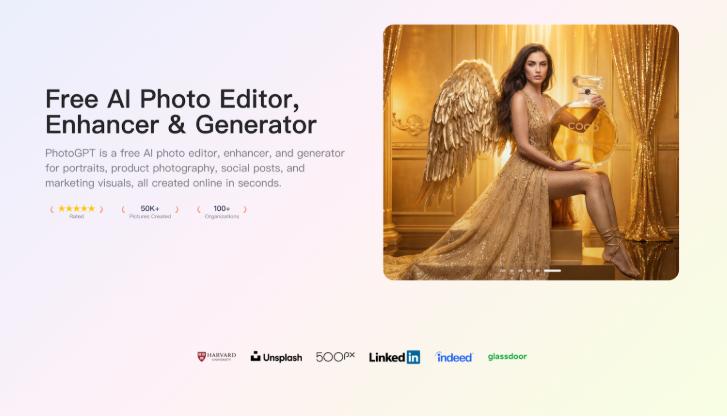
I coordinate visuals for a small retail brand that runs frequent seasonal drops. Each drop needs a tight lookbook, clean product highlights, and lifestyle images that feel consistent across web, email, and social. The problem is not taste, it is bandwidth. We cannot shoot every theme, every colorway, and every variation on demand. PhotoGPT fits this reality because it keeps the workflow online and focused on realistic photo output, with generation, editing, and enhancement in one place. PhotoGPT helps me build photoreal assets that look like they came from a planned shoot.

(Create All Type of Photo in PhotoGPT)
What I need from drop visuals
A seasonal drop only works when the set feels intentional. If visuals look mixed or artificial, the launch loses impact. I need realism, consistency, and enough variety to support multiple placements.
The baseline for a “cohesive lookbook” set
A usable set usually needs:
Consistent lighting across all images
Clean composition that keeps the product or model readable
Realistic textures, especially fabric and skin
High clarity for close crops and detail sections
PhotoGPT aligns with these needs because the outputs lean toward a studio style photoreal look rather than stylized art.
PhotoGPT generation for drop themes and lifestyle scenes
Generation helps when we need a new theme fast, such as a summer outdoor vibe, a minimalist studio look, or a cozy indoor scene for winter. PhotoGPT responds well when prompts describe a realistic photography setup instead of abstract style words.

(Any Photo, Any style, All in PhotoGPT)
How I prompt for a lookbook direction
I keep prompts consistent across the entire drop:
One lighting description, such as soft studio light or warm natural daylight
One background family, such as clean wall, simple gradient, or subtle room blur
One framing direction, such as full body, half body, or product close up
Photoreal cues like shallow depth of field and natural texture
This makes the set feel like it came from one creative direction, which matters in retail branding.
Where generation helps most
I use generation for:
Lifestyle scenes that match a drop mood without new shoots
Variant images for different colorways or features
Detail shots that highlight materials and craftsmanship
Simple campaign visuals for teasers and countdown posts
It gives me enough options to choose winners without slowing the launch.
PhotoGPT editing for style alignment across a full campaign
Even when we have real photos, they often do not match. Some are shot on different days, with different light, or different backgrounds. Editing helps bring the set closer together.
Edits I rely on for retail campaigns
Background cleanup so images stay brand clean
Style alignment so mixed sources feel consistent
Local changes that improve the scene without breaking realism
Variations for different placements while keeping the same core image
The key is that the result still needs to look like a real photo, not a cut out.
PhotoGPT enhancement for premium texture and detail
Retail customers zoom in. They look at fabric texture, stitching, and surface quality. Enhancement helps keep detail crisp after resizing and compression.
When enhancement is most valuable
I use enhancement for:
Cleaner detail on product close ups
Consistent sharpness across a lookbook grid
Better clarity for email crops and mobile previews
This reduces extra retouching work and makes the launch feel higher end.
RoomDesign for retail scenes that need interiors and set mood
Some drops are built around space, such as home goods, decor, or “in room” styling. When the environment becomes the story, RoomDesign becomes useful. RoomDesign focuses on interior concepts and room visuals, which helps generate believable room settings that support a campaign.

(RoomDesign Homepage)
Where RoomDesign supports seasonal drops
RoomDesign is useful for:
Interior scenes that match product styling and season mood
Room concept variations for different customer tastes
Set like visuals for home categories without full staging
Campaign backgrounds that feel cohesive and shareable
It helps present a lifestyle context that makes the product feel more real.
Conclusion
PhotoGPT (https://photogpt.io/) delivers a realistic photo centered workflow for generating, editing, and enhancing images online, making it easier to produce cohesive photoreal lookbook assets for seasonal drops without constant studio shoots. RoomDesign (https://roomdesign.io/) supports fast interior concept exploration and room focused visuals, helping retail brands create believable room contexts that strengthen lifestyle campaigns.
Try PhotoGPT: https://photogpt.io/

Comments