What Is a Stage Plot for Musicians, DJs, and Bands, and How to Create a Stage Pl
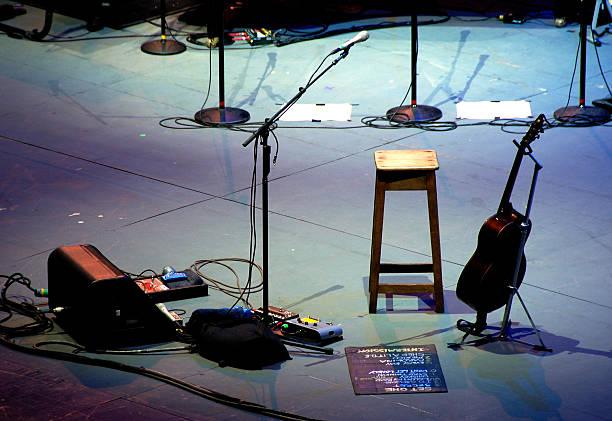
A stage plot is one of the most important planning tools for musicians, DJs, and bands who perform live. Whether you are playing in a small café, a large concert hall, a wedding event, or a music festival, a clear stage plot helps everyone involved understand where equipment and performers should be placed on stage. This simple diagram saves time, avoids confusion, and ensures a smooth and professional performance.
In this article, we will explain what a stage plot is, why it is important, and how to create a stage plot step by step in easy and simple words.
What Is a Stage Plot?
A stage plot is a visual diagram that shows how musicians, DJs, instruments, microphones, speakers, monitors, and other equipment are arranged on a stage. It acts as a map that guides sound engineers, event organizers, and stage crews in setting up the stage properly before the performance begins.
A stage plot usually includes:
Position of each musician or DJ
Placement of instruments
Microphone locations
Monitor speakers
DJ controllers or mixers
Drum kits and keyboards
Power outlets and cable needs
In simple terms, a stage plot explains who stands where and what equipment goes where on stage.
Why Is a Stage Plot Important?
Creating a stage plot has many benefits for musicians, DJs, and bands. Let’s look at why it is so important.
1. Saves Setup Time
A clear stage plot allows the stage crew to prepare everything before the performers arrive. This reduces delays and ensures fast and smooth setup.
2. Avoids Confusion
Without a stage plot, the crew may guess where to place instruments and equipment. This often leads to mistakes, repositioning, and wasted time.
3. Improves Sound Quality
Proper placement of microphones, speakers, and monitors helps the sound engineer produce the best audio quality for both performers and the audience.
4. Ensures Performer Comfort
Musicians perform better when their instruments, monitors, and microphones are placed exactly where they need them.
5. Looks Professional
Providing a stage plot shows professionalism. Event organizers and venue managers appreciate artists who come prepared.
Who Needs a Stage Plot?
Stage plots are useful for:
Bands (rock, pop, jazz, metal, acoustic, etc.)
Solo musicians
DJs
Electronic music performers
Wedding and event performers
Orchestras and choirs
Even a simple setup benefits from a basic stage plot.
What Should a Stage Plot Include?
A good stage plot should contain the following elements:
1. Performer Positions
Mark where each band member or DJ will stand. Label them clearly, such as:
Lead Vocal
Guitar
Bass
Keyboard
Drummer
DJ Booth
2. Instruments
Show where all instruments are placed, such as guitars, keyboards, drum kits, turntables, and controllers.
3. Microphones
Indicate microphone stands and types, such as:
Vocal mic
Instrument mic
Drum overhead mic
4. Monitor Speakers
Show the placement of floor monitors or in-ear monitor systems for performers.
5. Speakers and PA System
Mark main speakers, subwoofers, and side fills if required.
6. Power and Cable Needs
Note where power outlets are required for amplifiers, pedals, laptops, and DJ equipment.
Types of Stage Plots
1. Band Stage Plot
Includes positions for vocalists, guitarists, bassist, drummer, and keyboard player, along with microphones and monitors.
2. DJ Stage Plot
Shows placement of DJ table, controller, mixer, laptop stand, monitor speakers, and power connections.
3. Solo Performer Stage Plot
Simple layout with microphone, instrument, monitor, and small PA setup.
How to Create a Stage Plot – Step-by-Step Guide
Creating a stage plot is simple and does not require advanced design skills. Follow these easy steps:
Step 1: Understand Your Performance Setup
First, list all the equipment and performers involved in your show:
Number of musicians
Instruments used
Microphones required
Speakers and monitors
DJ equipment (if any)
This helps you understand what needs to be included in the diagram.
Step 2: Measure the Stage Size
Ask the event organizer about the stage dimensions. This allows you to design a layout that fits comfortably without overcrowding.
Step 3: Sketch a Basic Layout
Draw a simple rectangle representing the stage. Inside it, start placing symbols or boxes for:
Musicians
Instruments
DJ table
Drum kit
Label each position clearly.
Step 4: Place Key Equipment First
Start with large equipment:
Drum kit
DJ booth
Keyboard stands
Then add smaller items like microphones, speakers, and monitors.
Step 5: Add Microphones and Monitors
Show where each microphone stand and monitor speaker will be placed. This helps sound engineers prepare proper audio mixing.
Step 6: Label Everything Clearly
Use simple labels such as:
Vox 1 (Lead Vocal)
Guitar Amp
Bass Amp
Monitor 1
Drum Overhead Mic
Clear labeling prevents misunderstandings.
Step 7: Use Digital Tools or Templates
You can create your stage plot using:
Microsoft PowerPoint
Google Slides
Canva

Comments