Fax Tips Every Office Should Know for Clear and Reliable Communication
Practical habits that keep document transmission smooth, secure, and stress free
In an era dominated by instant messages and cloud platforms, faxing might seem like an old habit that never quite faded away. Yet across many offices, especially in regions where documentation standards remain strict, fax machines continue to play a quiet but essential role. From legal confirmations to supplier forms and official approvals, faxing remains part of everyday workflows across the GCC. The key difference today is not about clinging to the past, but about using faxing smarter, cleaner, and more reliably.
Reliable faxing does not happen by accident. It comes down to consistent habits, the right setup, and a clear understanding of how to avoid common problems. With a few practical adjustments, offices can dramatically reduce transmission errors, wasted paper, and unnecessary delays while keeping communication dependable.
Why Fax Reliability Still Matters in Modern Offices
Faxing remains valued because it provides secure document transmission, physical confirmation, and dependable delivery even when internet connections are unstable. In sectors like healthcare, construction, logistics, and administration, faxed documents still carry legal and operational weight.
For businesses focused on communication workflows GCC, reliability is not just about convenience. It directly impacts trust, compliance, and productivity. A failed transmission or unreadable page can slow approvals, disrupt timelines, and create avoidable follow up work.
Start With Clean and Clear Documents
One of the most overlooked steps in faxing is document preparation. Clear input leads to clear output.
Always use clean originals without creases, staples, or heavy shadows. Smudged ink or faded text increases the chance of errors during scanning and transmission. When possible, print documents using high contrast settings so text remains sharp.
This simple habit supports reliable document transmission and reduces repeat attempts that waste time and resources.
Check Connections Before Sending
Many transmission failures are caused by overlooked line issues rather than machine problems. Ensure the phone line is securely connected and free from interference. Avoid sharing fax lines with other devices that may interrupt the signal.
In offices managing high volumes of documents, scheduling regular line checks becomes part of good office best practices. These checks prevent last minute surprises during urgent sends.
Use the Right Resolution and Settings
Higher resolution is not always better. Sending at excessively high settings can slow transmission and increase the risk of errors, especially for long documents. Standard resolution works well for most text based materials.
Reserve higher settings for documents with fine details or signatures. Knowing when to adjust settings keeps faxing efficient without compromising clarity.
This approach aligns well with broader business communication tools strategies that focus on balance rather than excess.
Keep Hardware Well Maintained
Fax machines are reliable when they are cared for properly. Regular cleaning of rollers and scanning surfaces prevents streaks and misfeeds. Replace consumables on time and keep spare supplies on hand.
Routine maintenance should be scheduled just like printer servicing. Offices that treat fax hardware as a long term asset experience fewer disruptions and better overall performance.
Schedule Regular Test Transmissions
A quick test fax once a week can uncover issues before they affect important documents. Testing verifies line quality, machine health, and output clarity.
This habit supports fax troubleshooting tips in a proactive way rather than reacting under pressure. It also builds confidence across teams who rely on faxing as part of their daily responsibilities.
Organise Incoming and Outgoing Faxes
Clutter leads to confusion. Designate clear trays or digital folders for incoming and outgoing documents. Label transmissions clearly with dates and reference numbers.
Strong organisation supports office workflow efficiency and reduces the chance of misplaced documents. In offices handling sensitive information, clear organisation also reinforces accountability.
Troubleshoot Common Problems Quickly
When problems do occur, quick diagnosis saves time. Poor print quality often points to low toner or dirty components. Repeated failures may indicate line interference or outdated settings.
Keeping a simple troubleshooting checklist near the machine helps teams resolve minor issues without waiting for technical support. Over time, these habits become second nature.
Choosing the Right Fax Machine for Daily Use
Not all fax machines are built for the same demands. Offices handling frequent transmissions benefit from machines designed for clarity, speed, and consistent output. Features like strong memory capacity, clear display controls, and dependable print quality support smooth daily operations.
When researching options, many businesses explore fax machines for business use that balance simplicity with reliability. Within broader office equipment considerations, choosing dependable hardware reduces long term costs and stress.
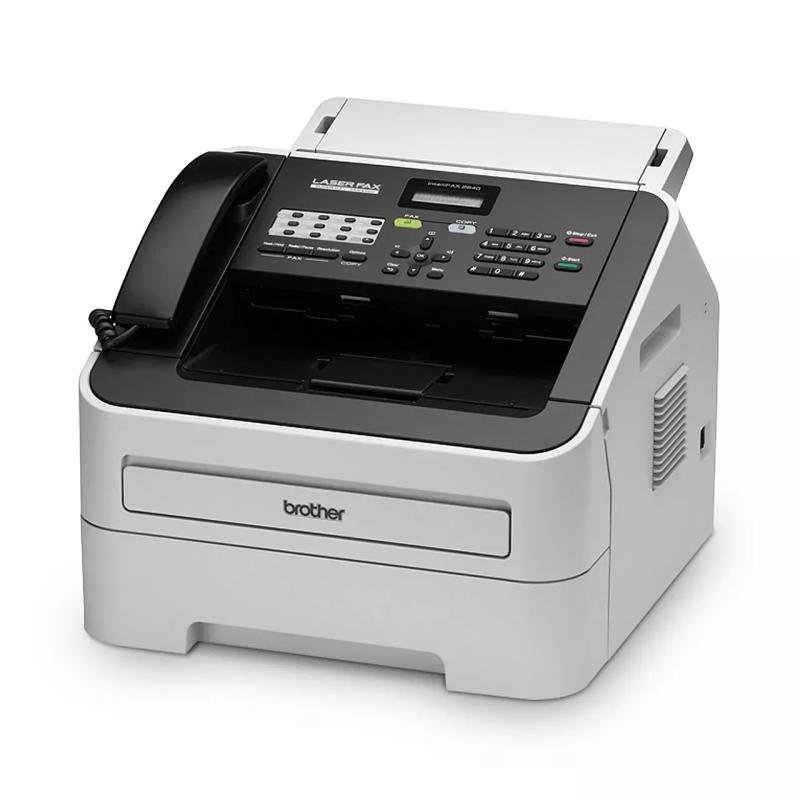
Some organisations also review trusted models like the Brother FAX-2840 Fax Machine, which is often recognised for its fast transmission speed, clear output, and practical design suited to busy offices. While brand loyalty varies, focusing on proven features helps teams make informed decisions without overcomplicating the process.
When assessing fax machines for regular office use, it helps to look closely at how different models handle speed, print clarity, memory capacity, and long term reliability. Offices with steady document flow often benefit from machines built for consistent daily transmission rather than occasional use. Reviewing a range of business focused fax machines allows decision makers to compare practical features side by side and choose equipment that fits their workflow without adding unnecessary complexity.
Building Faxing Into Smarter Office Routines
Faxing works best when it is treated as part of a wider communication system rather than a forgotten corner of the office. Clear procedures, basic training, and regular checks ensure everyone knows how to use the equipment confidently.
These habits support modern fax technology GCC use cases where reliability and compliance remain essential. When combined with digital tools, faxing becomes a dependable backup rather than an outdated burden.
A Practical Conclusion for Today’s Offices
Fax machines may not dominate conversations about workplace innovation, but they continue to earn their place through reliability and trust. With thoughtful practices, regular maintenance, and the right equipment, faxing can remain a low stress and efficient part of office life.
Across the GCC, where documentation standards and operational clarity still matter deeply, faxing supports continuity in a fast changing business landscape. By focusing on smarter routines rather than outdated perceptions, offices can reduce errors, save time, and maintain dependable communication that quietly gets the job done.
Post Your Ad Here
Comments