Are You Making These Critical Mistakes with Your Office Access Control System in Singapore?
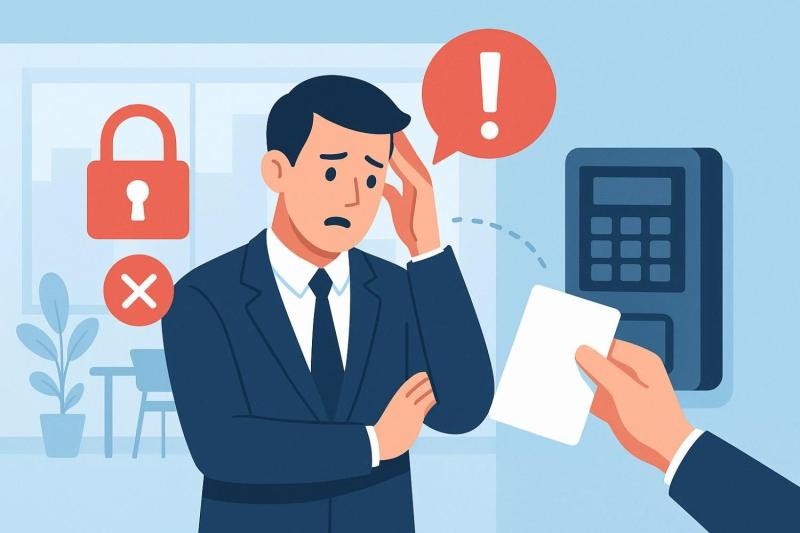
Every office needs strong guards to protect its people, property, and data. Real safety begins at the door, where each entry shapes who steps inside and who stays out. Using an access control system Singapore lets companies can control movement with ease and precision. At Efficient, we craft smart and sturdy security solutions that guide businesses to safer, smoother, and more reliable workplaces built for lasting peace of mind.
Ignoring Regular System Updates
Many offices delay system updates without realizing the danger. Outdated software invites trouble and weakens protection. When teams ignore regular updates, tiny flaws crawl in and spread risk, turning a strong security setup into a fragile, unreliable shield.
Key points:
Plan regular checks and tune-ups
Replace tired cards and worn-out readers.
Try every new feature after each update
Steady upkeep keeps the system strong and alert.
Why Updates Deserve Your Full Attention
Each update seals weak spots and adds sharper tools. Missing one can open doors to danger. Keep your system fresh so it guards your team without fail.
Overlooking Employee Training
Even clever systems fail when people forget how to use them. Some staff share access codes or skip key steps.
Quick fixes:
Teach new staff during orientation
Hold short, clear refresher lessons
Ask everyone to report lost cards at once
Trained workers act fast and keep every corner safe.
Make Learning a Daily Habit
Training shouldn’t fade after one session. Drop short reminders in weekly meetings or share simple tips through messages. Small nudges help habits stick.
Poor Integration with Other Security Tools
A lonely system can’t guard much. When your access control doesn’t link with CCTV or alarms, you leave blind spots.
Consider these actions:
Match entry logs with camera views
Sync alerts across all devices
Follow one clear security rule for all teams
Tied-together tools build a wall of protection that never sleeps.
Creating One Watchful Network
When all systems talk to each other, you see everything in real time. Quick alerts help your team act before danger spreads.
Weak Management of User Permissions
When everyone carries the same access power, order crumbles fast. Poor control of user permissions cracks open hidden paths for errors and misuse. Give each role clear limits to guard private areas and keep your security system steady and strong.
Smart management ideas:
Give access based on job needs
Check permissions after role changes.
Remove access as soon as someone leaves
Clear limits stop confusion and build trust.
When Too Much Access Becomes a Trap
Extra access breeds carelessness. Tight control keeps secrets safe and reminds everyone that safety starts with discipline.
Failing to Embrace Biometric Control
Old cards and codes lose power over time. A biometric access control system recognizes people by face or fingerprint, leaving no room for guessing.
Top benefits:
Fingerprints and faces make each entry unique
Doors open quickly with shorter queues.
No cards to lose or keys to steal
Biometrics blend ease and strength, turning security into a smooth daily routine.
Mixing Biometrics with Other Tools
Blend biometrics with smart cards or phone access to offer choices. The mix keeps work flowing while guarding every door.
Forgetting Regular System Audits
Audits expose weak spots before danger appears. Skipping them lets small cracks grow wide.
Do these often:
Scan logs each month
Update approved-user lists
Study door use to catch odd patterns
Frequent checks sharpen your plan and strengthen trust.
Turning Audits into Smart Action
Use every audit to guide better habits. Adjust training, update rules, and swap failing parts. Fixing small flaws today avoids big messes tomorrow.
Neglecting Emergency Protocols
When trouble strikes, confusion wastes time. Many offices skip building clear emergency rules for their biometric access control systems.
Steps to boost readiness:
Add lockdown buttons for urgent cases
Map safe exits for every team.
Practice drills until everyone remembers them
Prepared people stay calm and act fast when pressure hits.
Linking Access Control to Safety Tools
Join fire alarms, panic switches, and door locks under one system. When danger appears, all parts react together and guide people to safety.
Ignoring Data Privacy Rules
Each access record holds personal details. If you handle them carelessly, you invite legal trouble and lose trust.
Protect privacy by:
Locking data behind encryption
Allowing only key people to see logs
Following local data-safety laws
Guarding privacy shows respect and earns loyalty.
Making Compliance Simple and Clear
Write a short privacy rule for everyone to read. Pick trusted vendors that meet all safety laws. Simple honesty keeps your brand clean and strong.
Forgetting Mobile Access Features
Many offices still clutch old cards and keypads while the world races ahead. Ignoring mobile access features slows progress and blocks comfort. Let phones open doors, trim clutter, and turn your security into a quick, smart, and modern system built for today’s work.
Mobile access wins:
Phones become digital keys
Managers update access from anywhere.
Fewer lost badges to replace
Mobile control makes entry smooth and modern for every user.
Security in Your Pocket
Phones can send real-time entry alerts. Managers can spot odd activity instantly and stop risks before they spread.
Overcomplicating the System
When systems grow too tricky, people give up. Complicated steps and tight locks make users careless.
Simplify by:
Keeping screens clean and easy to read
Cutting useless steps
Testing the process yourself before launch
Simple systems invite steady use and fewer errors.
Finding the Perfect Middle Ground
Blend comfort and safety. A good system feels natural but blocks every wrong move. Ease encourages daily use and careful habits.
Forgetting Visitor Management
Visitors walk in and out daily, yet many offices forget to track them. Loose visitor control creates blind spots in safety.
Better visitor control:
Register guests before arrival
Give time-limited access cards.
Escort them through key areas.
Controlled visits keep strangers from wandering and protect your assets.
Using Digital Visitor Logs
Digital logs record who enters and leaves in seconds. They help trace people quickly during audits or emergencies.
Skipping Regular Backups
If your system loses data, recovering it later may become impossible. Many offices forget to back up access logs or settings.
Stay ready by:
Saving data on cloud storage weekly
Keeping one offline copy as backup
Testing restore functions often
Backups rescue you when errors strike and prevent long downtime.
Keeping Backups Safe
Store backups in locked digital vaults. Give access to only two or three trusted managers. Controlled copies ensure nothing falls into the wrong hands.
Final Thoughts
Strong security grows when you care for it daily. Smart tools and trained people keep every space guarded and calm. Choosing a trusted access control system Singapore helps your office stay alert, organized, and ready for anything. With Efficient, you gain a steady partner who strengthens your safety and fuels smooth teamwork, helping your workplace shine with confidence and control every day.
Frequently Asked Questions
Q 1: How often should an office refresh its security system?
Tune up your system twice a year to keep it strong and alert. Regular checks uncover weak spots early and stop problems before they grow.
Q 2: What should employees do when their access card fails?
They should alert the admin team right away. Fast action blocks misuse and keeps entry records neat and trustworthy.
Q 3: Why does staff training matter for security?
Training teaches employees how each tool works and why rules protect everyone. When people understand the system, safety grows naturally across the workplace.
Post Your Ad Here
Comments