Valorant Game Booster: Enhance Performance and Reduce Lag for Competitive Play
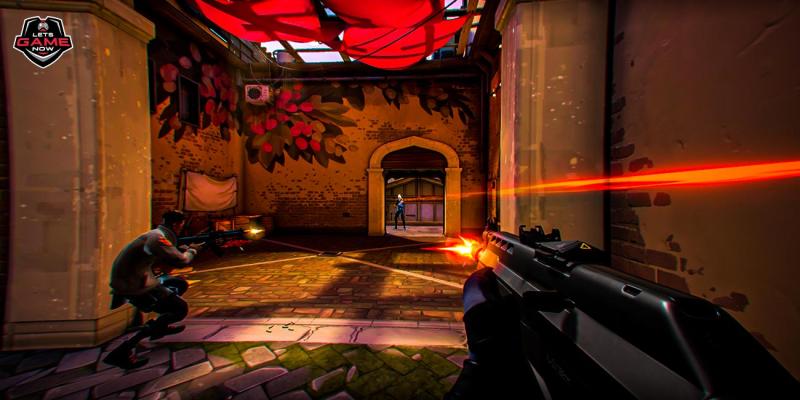
Riot Games’ Valorant has quickly become one of the most popular tactical shooters worldwide. With its combination of sharp gunplay, strategic teamwork, and unique agent abilities, players need not only skill but also smooth performance to succeed. However, performance drops, lag spikes, and frame stutters can easily ruin competitive matches. This is where a Valorant game booster comes in—helping players maximize system performance, reduce lag, and enjoy consistent gameplay.
In this article, we’ll explore what a game booster is, why you need one for Valorant, and how to optimize your setup for the best results.
What Is a Valorant Game Booster?
A game booster is software designed to optimize your computer for gaming by freeing up system resources, reducing background activity, and prioritizing game performance. For Valorant, a game booster can:
Shut down unnecessary apps and processes.
Free up RAM and CPU usage for smoother gameplay.
Optimize network settings to reduce ping and packet loss.
Prevent background updates that may cause lag spikes.
Think of it as a performance assistant that ensures your PC or laptop is running at its absolute best when you load into a Valorant match.
Why Use a Game Booster for Valorant?
Valorant is a competitive shooter where every second matters. Even minor performance issues can decide whether you win or lose a duel. Here’s why a game booster can make a real difference:
1. Improved FPS (Frames Per Second)
Higher FPS means smoother visuals and faster reactions. A game booster reduces unnecessary background tasks, allowing your system to allocate more power to Valorant.
2. Reduced Input Lag
By freeing up CPU and GPU resources, boosters help minimize input delays between your mouse, keyboard, and the game.
3. Lower Ping and Stable Connection
Some boosters include network optimization, giving you a more direct route to Riot’s servers and reducing latency.
4. Less Stuttering and Freezing
Background updates, antivirus scans, or hidden apps often cause stutters. A booster prevents these interruptions while you play.
5. Better Competitive Edge
With stable FPS and lower latency, you can react faster, shoot more accurately, and maintain consistency throughout matches.
Features to Look for in a Valorant Game Booster
Not all game boosters are created equal. When choosing one, consider these features:
One-click optimization – Easy setup without advanced technical knowledge.
RAM and CPU management – Ensures Valorant gets maximum system resources.
Network prioritization – Improves ping stability.
Automatic background process control – Shuts down apps that waste bandwidth or CPU.
Custom game profiles – Save optimized settings specifically for Valorant.
Popular Game Boosters for Valorant Players
Several trusted tools are available to optimize Valorant performance:
Razer Cortex – Frees up memory, prioritizes system performance, and offers FPS boosting.
Wise Game Booster – Simple and lightweight with effective RAM optimization.
MSI Afterburner – More advanced, allowing GPU overclocking for higher FPS.
Game Fire – Optimizes performance and disables background apps.
Windows Game Mode (built-in) – Focuses system resources on active games.
Manual Optimization Tips for Valorant
While a game booster helps, combining it with manual tweaks ensures maximum performance:
1. Update Your Graphics Drivers
NVIDIA and AMD release driver updates specifically optimized for Valorant. Keeping drivers updated can boost FPS significantly.
2. Lower In-Game Graphics Settings
Set Material Quality, Texture Quality, and Detail Quality to low.
Keep V-Sync off for reduced input lag.
Limit unnecessary visual effects for higher FPS.
3. Use a Wired Internet Connection
Switching from Wi-Fi to Ethernet reduces packet loss and ensures stable ping.
4. Disable Background Updates
Turn off auto-updates for Windows, Steam, and other software to avoid sudden lag spikes mid-match.
5. Enable High Performance Mode in Windows
Set your power plan to High Performance so your CPU and GPU run at full capacity during gaming.
Balancing FPS and Visuals
While boosters and settings tweaks improve performance, it’s important to find the right balance between FPS and visuals. Valorant is not graphically demanding compared to other modern shooters, so even mid-range PCs can achieve high FPS with optimized settings. Competitive players typically prioritize performance over visuals, lowering graphics settings to ensure maximum responsiveness.
Do You Really Need a Game Booster for Valorant?
The answer depends on your setup.
High-end PCs may not see dramatic improvements, as they already run Valorant smoothly.
Mid-range and low-end PCs benefit the most, as boosters help free up critical resources and reduce unnecessary lag.
Even on powerful systems, game boosters provide peace of mind by ensuring nothing runs in the background to disrupt your competitive play.
Final Thoughts
In a competitive shooter like Valorant, even the smallest advantage can mean the difference between victory and defeat. A Valorant game booster helps you achieve smoother gameplay by reducing lag, improving FPS, and ensuring stable network performance. Combined with manual optimizations—like updating drivers, lowering in-game settings, and using a wired connection—you can create the best environment for competitive play.
By giving your system the focus it needs, a game booster allows you to concentrate on what truly matters: perfect aim, smart strategy, and teamwork. Don’t let performance issues hold you back—optimize your setup today and step into every match with confidence.
Post Your Ad Here
Comments