Best iPad Repair Near Me: Where to fix:
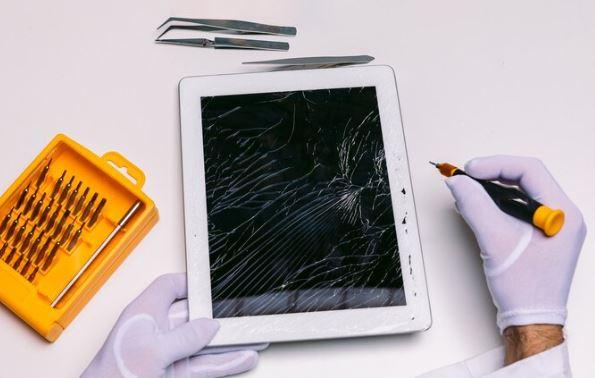
If your iPad screen is not working properly, it might have digitizer damage. The digitizer is the part of the screen that responds to your touch. When it gets damaged, your iPad may not respond well, or the screen might act on its own. This can make it hard to use your device. Many people face this problem when their iPad falls or gets hit. If you are dealing with this issue, you might be looking for a solution. Searching for the Best iPad Repair Near Me can help you find experts who can fix the problem quickly. It is important to get professional help to avoid further damage to your iPad.
What is a digitizer?
The digitizer lies at the heart of the iPad's touch functionality. A complex layer enables touch sensitivity on the display. It consists of a layer of glass with an embedded grid of sensors that detect touch input and translate our taps, swipes, and gestures into actionable commands. When this layer is damaged or malfunctions, users may experience unresponsive or erratic touch behavior.
What are the symptoms of a damaged digitizer?
Unresponsive Touch: One of the most noticeable signs is the iPad not registering touch input, making it challenging to interact with the device.
Ghost Touch: In some cases, the iPad may exhibit ghost touches, unintended taps, or swipes that occur without any user input.
Dead Spots: Certain areas of the screen may become unresponsive, creating frustration when trying to access specific functions or apps.
Reasons that can lead to a damaged digitizer:
The reasons are as follows:
Physical Damage: Drops, impacts, or pressure on the iPad can result in cracks or damage to the digitizer.
Liquid Exposure: Spills or immersion in liquid can damage the digitizer and cause erratic touch behavior.
Manufacturing Defects: Rarely, manufacturing defects may lead to digitizer issues, even without external damage.
You can try some quick fixes that may help you to fix the digitizer issue:
Restart the iPad: A simple restart can sometimes resolve temporary glitches affecting the digitizer.
Check for Physical Damage: Inspect the iPad for visible cracks or damage to the screen. If found, professional repair may be necessary.
Update Software: Ensure that your iPad's operating system is up-to-date, as software issues can contribute to touch problems.
Calibrate Touch Settings: Check if your iPad has touch calibration settings and calibrate the screen to improve accuracy.
Power Off: If liquid exposure is suspected, power off the device immediately and allow it to dry thoroughly before attempting to use it again.
The above-mentioned points may help you to fix the issue. In case of no result, then try to get connected with a skilled technician for Best iPad Repair Near Me.
Here are some of the options for technicians to repair your iPad.
Apple Store or Authorized Repair Provider: The safest and most reliable option is to visit the Apple Store or an authorized repair provider. Their certified technicians can repair your iPad properly and replace the damaged part with a genuine one to ensure it runs smoothly. In case of any problem that can occur in the future. They can offer a warranty on the repair. To give you a piece of satisfaction. Go to the Apple Support app and book an appointment for a satisfactory service experience.
Online Repair Services: Research and choose a reputable repair provider with good reviews. Contact that repair provider for an online repair service that offers iPad repair. You need to be cautious and be sure that the repair provider is reputable and can provide good quality service and genuine parts replacement. Before coming to any conclusion check their policies, read reviews and testimonials, and inquire about the warranty.
Local Repair Shops: It's important to research and choose a reliable shop, especially when it's about your favorite gadget. Before giving the green signal go through the shop's reviews and research its reputation and expertise to ensure they can repair your iPad with the necessary measures. Ask about their experience with iPad repairs. And if there will be any warranty. There can still be an issue of using non-genuine parts by local repair shops. It can surely affect the device's health.
Though it can be cheaper to repair your iPad from any local repair shop, in the long run, it is not a good option to trust any unskilled technician to repair your iPad, it may create more harm, and it can void the warranty. To ensure the safety and security of your device is it a reliable option to contact an authorized repair provider for Best iPad Repair Near Me. Skilled technicians with proper knowledge and experience to deal with Apple products. To maintain the durability of the device the repair provider will only use genuine Apple parts in case of any replacement.
Post Your Ad Here
Comments