8 Step Guide to Boost Wavlink Performance
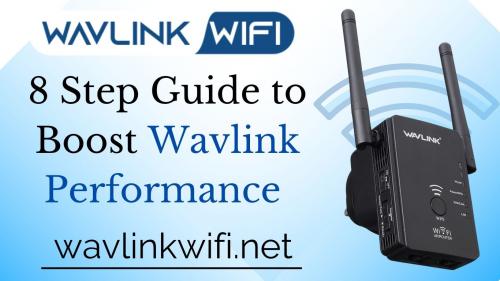 Is the performance of your Wavlink WiFi repeater lacking? With your Wavlink, are you experiencing sporadic internet connectivity issues? No need to worry if you replied "yes" to both questions. The purpose of this article is to help users enhance the performance of their WiFi repeaters. Here, we'll introduce you to tried-and-tested tips for improving the performance of the Wavlink WiFi repeater. Here we go.
How to Boost WiFi Performance of a Wavlink Repeater
Get rid of WiFi Interference
- Change WiFi Channel
If your Wavlink extender is set to a busy WiFi channel, you can potentially experience a slow internet connection. As a result, you need to change your Wavlink repeaters’ WiFi channel by accessing the Wavlink WIFi repeater setup wizard.
By logging into the Wavlink repeater, you can change the WiFi channel of your device. Choose the least-used wireless channel for your device once you are on the setup wizard of your device.
Update Firmware
To make the most of your device and enhance its performance, you need to update the firmware of your device in a timely manner. There are various benefits of doing a Wavlink firmware update. You can bring security improvements to your device along with various bug fixes.
Although updating the firmware of a Wavlink extender is not a cumbersome task, still many users find it tricky. If you are also facing issues while getting success with the firmware update process of your Wavlink repeater, it is suggested to check the user manual beforehand.
- Change Password
You might be wondering how changing the password of your Wavlink can lead to its performance enhancement. Well, this is possible!
If you will not change the password of your Wavlink and stick with the default one, anyone can easily have access to your WiFi and eat up data bandwidth.
Thus, it is important to keep unauthorized users away from the reach of your WiFi. And, this is possible if you set a strong password for your extender.
- Opt For Cable Connectivity
If you have opted for wireless sources to connect your devices, then also you may experience lags in internet usage. Cable connections are more reliable compared to wireless when it comes to getting seamless internet connectivity.
Hence, you are suggested to opt for cable connectivity between your Wavlink repeater and host router. This may help you escalate the performance of your Wavlink in a jiffy.
- Give Your Repeater Some Rest When Needed
Like humans, WiFi devices also need rest from time to time to revive and rejuvenate. Have you ever turned the power button of your Wavlink off? No? Do it now!
Your repeater might need some rest too! Also keep in mind that when there is no need of using the internet on your devices, set the power button of the Wavlink extender to the off position. This will help the repeater cool down and give you desired results.
- Update Your Data Plan
If even after trying all the aforementioned steps your Wavlink is still acting up and performing sluggish then check whether you have sufficient data available.
If not, contact your Internet Service Provider and ask him to upgrade your data package as per your internet needs.
- Reset and Reconfigure Wavlink Repeater
You may be getting slow speed issues with your Wavlink if it is not installed in a proper manner. If that is the case, you are advised to take your repeater back to its factory settings by pressing the Reset button.
Once done, plan to setup Wavlink extender from scratch and see if you can find a difference in the performance of your Wavlink repeater.
Wrapping Up
Let’s wind our 8-step guide on boosting the performance of a Wavlink repeater here. Let us know which trick helped you the most when it comes to escalating your Wavlink’s overall performance.



Post Your Ad Here
Comments