ePub is an open format defined by the Open eBook Forum of the
International Digital Publishing Forum (). It is based on XHTML and XML
along with optional CSS style sheets. Based on Web Standards, ePub is
reflowable to fit the screen of e-book reader no matter how big or smll
size of the display. Nowadays, most portable and e-book reader devices
support ePub format including iPad, iPhone, iPod, Sony, Kobo, and other
companies.
So, do you want to read your downloaded ebooks from other
sources in ePub format? Here, I will introduce three free ways to
convert different formats of ebooks to ePub.
Method 1. Convert ebooks to ePub with Calibre.
Calibre is a free and open source e-book library management application
developed by users of e-books for users of e-books. It supports the
conversion of many input formats to many output formats. It can convert
every input format in the following list, to every output format.
Input Formats: CBZ, CBR, CBC, CHM, DJVU, EPUB, FB2, HTML, HTMLZ, LIT,
LRF, MOBI, ODT, PDF, PRC, PDB, PML, RB, RTF, SNB, TCR, TXT, TXTZ
Output Formats: AZW3, EPUB, FB2, OEB, LIT, LRF, MOBI, HTMLZ, PDB, PML,
RB, PDF, RTF, SNB, TCR, TXT, TXTZ More information about Cablire is here.

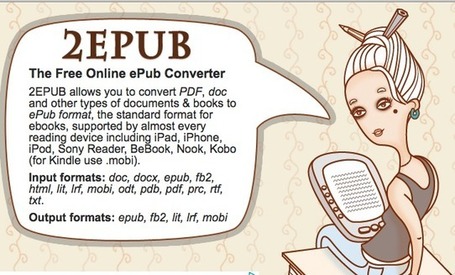
Method 2. Convert ebooks to ePub online with 2epub
2epub
is a free online ePub converter which enables you to convert a large
number of ebook format files to the standard ePub format. The ebook
converted into ePub can be compatible on many ebook readers including
iPad, iPhone, iPod, Sony Reader, BeBook, Nook, Kono (for Kindle use
mobi). It is also one of the most popular tool for converting kindle to ePub free.
Input formats: doc, docx, epub, fb2, html, lit, lrf, mobi, odt, pdb, pdf, prc, rtf, txt.
Output formats: epub, fb2, lit, lrf, mobi
Method 3. Convert ebooks to ePub with iStonsoft ePub Converter.
This converter is a new ePub converter software so you might never
heard before. But don’t be doubtful, it is indeed one of the best ePub
converters.
With iStonsoft ePub Converter, you can build an eBook by
converting multiple formats to ePub: Word to ePub, PDF to ePub, Text to
ePub, HTML to ePub, MOBI to ePub, etc. After finishing your own ePub
eBook, you can check it on your PC with Adobe Digital Editions
immediately, and then publish, share it, or read it on your favorite
e-Readers.

What’s more, it is in instantly development. Now it has been updated to
version: 2.7.27, fixing some bugs. Choose your favorite ePub converter
depending on your need. The above three methods are the most useful and
simple way to convert ebooks to ePub formats and I do hope this article
can help you.
Post Your Ad Here
Comments