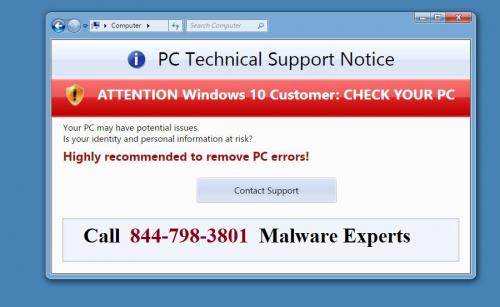
Below are the common signs of malware infection in your
system. However many malware are different
and they operate without alerting you with their presence. They lead to many
internet threats like credit card fraud and identity theft. If you are infected
by malware the first thing you should do is Run Full system scan.
Unusually high network
There
are cases where the user is not connected to the Internet through browser, and
there is no program that connects to online servers to download or upload data
but high network activity can still be observed.
First of all, we need to check the following
- · Is there any windows update
at that moment?
- · Is there any program or
application that’s downloading or uploading
- · Is there any update for a
certain app running at that moment?
- · Is there a large download
that you started and forgot about
New browser homepage, new
tool bars
· Have you noticed that your
home page has been changed and you don’t remember you have changed it yourself?
· A new toolbar pop out of nowhere and landed at
top of your web browser?
· You tried to access your
favorite blog, but you were redirected to a different address?
This often
happens when you visit a website and you accidentally click a link or a pop-up
window. This triggers unwanted software to download and install on your device.
Its repercurssions are not only annoying, but also malicious.
Run a complete scan with your security solution
as soon as it is possible. Because these type of threats don’t go away
easily. Make sure you run additional scans with specialized software, such as
anti-spyware programs as the ones mentioned above.
Unusual messages or program
A few warning signs make you doubtful. If any of these happen, pay
closer attention and try finding the cause
· If you notice strange
windows in the booting process
· If Windows informs you that
you’ve lost access to some of your drives.
· Though the root cause may
be a technical one, it could also be a sign that malware has compromised your
system
Your security system
disabled
If antivirus solution doesn’t seem to work or if the update module
seems to be disabled, then check to see what happened immediately!
You should know that some types of malware are especially designed
to disable security solutions, leaving you without any defense.
If you already tried to reboot your computer, close and open the
security solution and all your troubleshooting efforts were useless, you could
consider the malware infection scenario.
To know more about malware issues you can talk to avast antivirus customer support toll free phone
number





Post Your Ad Here
Comments (1)
Sergey G.9
Web-Chief-Editor of GreatSoftLine
That’s why learning about how your computer works is one of the best things you can do to stay safe. Take the time to understand what phishing is, to learn about how to authenticate websites, and to understand how most unauthorized access occurs.