Precautions to take while conducting free online meeting
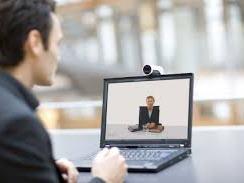
Conduct and attend an online meeting from any part of the world – right from the backseat of your car parked by the Golden Gate Bridge, to the top floor of the Petronas Twin Tower in Kuala Lumpur. Such is the prowess and captivating hold of web conferencing, that one simply cannot afford to ignore its presence and effects on professional businesses.
While there are a multitude of benefits that video conferencing brings to the table, convenience is by far the most important one. There may be times when you are in a situation where it is necessary to take a few days of unplanned leave due to poor health. More often than not, your employer may not accommodate your request and instead may ask you to work from home. To make matters worse, you might have a planned a meeting for that day which cannot be rescheduled. Online meeting software is your savior on days like these.
Consequently, for a professional seasoned in conducting web conferences, participating in one from home will not be an issue. However, for a person, who has little or no experience with virtual meetings, it might pose a challenge. For those of you who could use some assistance, here are some important steps that will help you conduct an online meeting with ease.
Make Your Room a Silent Zone
Nobody likes interruptions or disturbances in the middle of an important conversation. So keep your cell phone on silent mode, close the windows and if necessary, close the door to your room as well. In addition to this, at times a number of notifications including antivirus updates, system upgrades and email alerts inundate your computer screen. Make sure you mute all notification alerts on your system before they have a chance to distract you during your free online meeting.
Dress to Impress
You must have seen a few funny videos online where someone participating in a web conference is caught wearing pajamas. We bet you don’t want to get caught in such an awkward position so before your online meeting, make sure that you are formally dressed, complete with dress shoes and a tie. Looking sharp and dapper will hold you in good stead and help you make a great first impression.
Don’t Take the Light Lightly
Make sure your room is well lit so that your screen does not appear dark. Sit facing the light so that you are visible to viewers. Be careful not to light and illuminate the room to the point where your face is not clearly visible. Use your camera to check how you will appear to the other participants and to make sure your room is lit just right.
Use these basic inputs to simplify video conferencing solutions and processes and to present yourself impeccably during a web conference.
Advertise on APSense
This advertising space is available.
Post Your Ad Here
Post Your Ad Here
Comments