Invite Your Friends
If you want to inform your contacts with Gmail orders APSens benefits from this page: http://www.apsense.com/account/import, you may also happen that the connection fails, do a Google refused to release an application that connects to your Gmail account. Then visit this page to Google: https://support.google.com/mail/answer/14257?p=client_login&rd=1 and follow the instructions that must be made within 10 min.
Google will remember the application and allow it to connect to your account and the next time when you wanted to re-export your contacts about the benefits Apsen networks.
On the Google page will be this text:
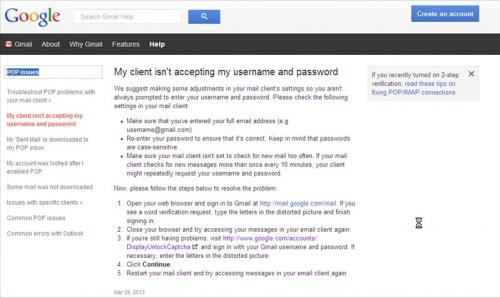
My client isn't accepting my username and password
We suggest making some adjustments in your mail client's settings so you aren't always prompted to enter your username and password. Please check the following settings in your mail client:
Make sure that you've entered your full email address (e.g. username@gmail.com)
Re-enter your password to ensure that it's correct. Keep in mind that passwords are case-sensitive.
Make sure your mail client isn't set to check for new mail too often. If your mail client checks for new messages more than once every 10 minutes, your client might repeatedly request your username and password.
Now, please follow the steps below to resolve the problem:
Open your web browser and sign in to Gmail at http://mail.google.com/mail. If you see a word verification request, type the letters in the distorted picture and finish signing in.
Close your browser and try accessing your messages in your email client again.
If you're still having problems, visit http://www.google.com/accounts/DisplayUnlockCaptcha and sign in with your Gmail username and password. If necessary, enter the letters in the distorted picture.
Click Continue.
Restart your mail client and try accessing messages in your email client again.
Mar 29, 2013
1 people like it

Advertise on APSense
This advertising space is available.
Post Your Ad Here
Post Your Ad Here
Comments