How to check website status/header codes (404, 500, or 403 forbidden)
 If you are trying to access a website and it is taking time to load more than usual then you must check the status code or header response code for that specific website. Because apparently you are facing loading issues with the site but in the back, you can check header response code of that site and be able to know what could be the possible issue.
Header response codes are the key to find out if we are waiting on a dead 404 site or forbidden site having 403 status code which usually means, area restricted. So, yes, to check header response codes we have this website response checker tool that helps you to find out the response codes of any website you enter their.
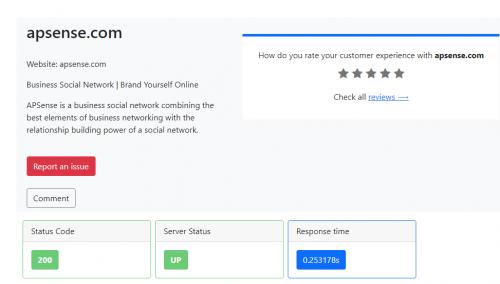
Let's suppose, if apsense site don't work in your area sometime, then you can use the mentioned tool to check the response code of the site and see the status whether is it down or up.
Good news Apsense is up.
Advertise on APSense
This advertising space is available.
Post Your Ad Here
Post Your Ad Here
Comments