Everything you need to know before purchasing a tablet. Tablet Buying Guide.
So if you are reading this post means, if are thinking of purchasing your first tablet or maybe you have already owned a few. Maybe you are looking for a device as a replacement for your laptop that has enough screen to use when you are not able to operate your laptop. Below is a quick guide which will help you selecting the best tablet in your budget.

Figure out your Requirements
What is the purpose of purchasing a tablet? Do you want to watch movies or listening to music or for playing your favorite game or type a document ……….. etc. The first step is to decide why you need a tablet. Make a list of all the requirements that you want in your tablet. Just like laptops and smartphones, there are tons of different sized tablets are available in the market with a varying set of capabilities. Your requirement will determine which size of table or model is fit to fulfill your requirements.
Operating System
Android and iOS are the leader of the tablet world and has dominated the tablet scene in recent few years. Also, the windows tablet category is increasing its popularity among the users. There are many online portals which are offering tablets with the heavily modified versions of Android.
Android
Android was developed by Google has tons of apps and content market called Google Play and offers huge services from Google including Google now, Google Hangout, Gmail, Google maps, Google Calendar, Youtube, Google photos, Chrome Browser, Google Drive Play Music and more.
Android also supports multiple log-ins which are handy if you want a family tablet which can be shared with everyone and is highly customizable.
iOS
The iPad supports iOS. The iPad has approx 725,000 apps built for it and is leading the market in every aspect. iPad can beat any other versions of the tablet in terms of quality and it has the most impressive selection of apps and accessories. The iPad and iOS are more expensive than Android. In spite of that, it is very popular among the users across the globe.
Also Read: Why you should consider an Android tablet
Windows
The popularity of windows tablets has increased a lot in the past few years. Windows tablets offer a traditional computing experience like you find on a laptop or desktop. On Windows tablet, you can run full versions of software like Microsoft office. So purchasing a windows tablet will be perfect for you if you are going to use your tablet for work. Windows have more than 2 lacks apps available in Windows Store. Windows also offer multiple user accounts.
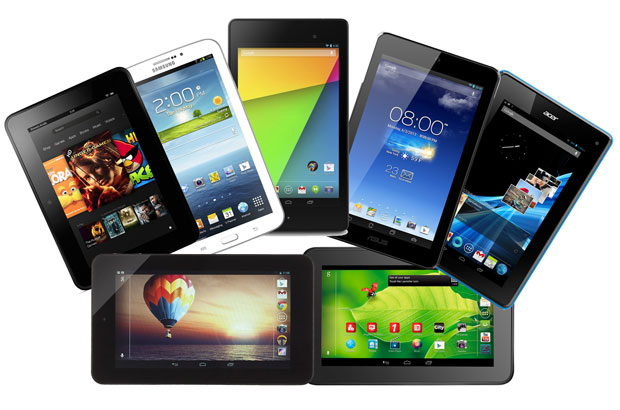
Features you need in your Tablet
If you are looking for a tablet you can see tons of tablet to choose from. You can not rely on the store keeper, as they always brag about their products. Below are some features that you need to care about before purchasing a tablet.
Screen Size
There are a huge variety of tablet’s sizes available in the store ranging from 7 inches to 13 inches. The iPad comes in the category of 10-inches.
Earlier, the 7inch tablet was very popular among the users but nowadays 7 inches are too small and also you will not get the feeling of tablets while using that screen size. The ideal size of the tablet is 9-10 inch. 7inch tablets are for those who want to check their emails and few documents only.
Resolution
While selecting your tablet pay close attention to the resolution. For the entry-level users, you need at least 1280x800 pixel for an average experience. Tablets with 1080p or more than that are much better. You should for PPI (pixel-per-inch) to get an overview of how sharp the image will be.
Updated versions
Always select the tablets with the latest versions. For example, if you are purchasing an Android tablet, you want the one with Android 6.0 Marshmallow or a clear data when any update will arrive.
Battery
Always take care about choosing the battery which offers long battery life. The iPad gives 10 hours of battery life which is the benchmark you are looking for on any other device.
Connectivity
A tablet with more ports and ways to connect comes in the category of best tablets 2017. Make sure that the tablet you are purchasing supports the latest Bluetooth standards. You may wish NFC support, and wireless charging could be worth considering for convenience.
Storage
You can always see that the Android and windows tablets offer expandable storage. Adding more storage using microSD cards is cheap and easy. Amazon and Apple do not support microSD cards in their tablets. So need to put more attention about what model to buy. If you are purchasing a tablet for downloading games and storing movies and audios then you must opt for a tablet which has a storage of 16GB.
Webcam
If you need to use video calling then make sure that the tablet supports both front and rear camera with great pixels. If you do not have a front camera then it will be very painful when you need to have a video chat with your loved ones when needed. So it is preferred to purchase a tablet with front facing the camera.
Advertise on APSense
This advertising space is available.
Post Your Ad Here
Post Your Ad Here
Comments