Computer Running Slow - Do not worry
- Click Start.
- Click All Programs | Accessories | System Tools | Disk Cleanup.
- Select Drive C from the drop-down menu.
- Click OK.
- Disk cleanup will calculate the free space on your computer, which may take a few minutes.
- After the calculation is complete, you should see a dialog box that looks similar to the following:
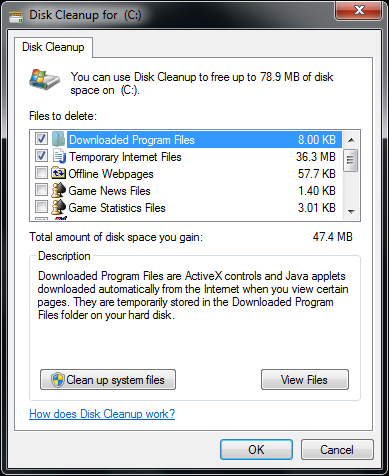
- Confirm that only the following checkboxes are checked:
- Downloaded Program Files
- Temporary Internet Files
- Recycle Bin
- Temporary Files
- Click OK.
- You will see a dialog box that prompts you: Are you sure you want to permanently delete these files?
- Click Delete Files.
- Disk cleanup will delete the files and close automatically.
1 people like it

Advertise on APSense
This advertising space is available.
Post Your Ad Here
Post Your Ad Here
Comments