Computer Workstation: How to Choose the Right One
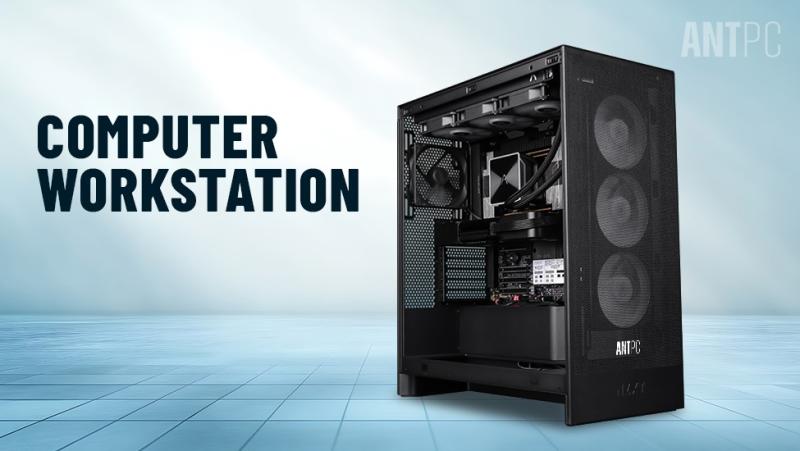
As computing needs grow more complex, the term computer workstation is becoming increasingly common. From engineering and animation to finance and scientific research, workstations are designed for tasks that demand more power and reliability than standard computers. This article explains what a workstation is, how it is used, and how to decide whether you need one.
What Is a Workstation in Computers?
A workstation is a high performance computer specifically built to handle intensive professional workloads. Unlike regular desktop PCs or laptops meant for everyday tasks, workstations are optimized for accuracy, stability, and sustained performance.
Workstations typically feature:
High-core-count processors
Professional-grade graphics cards
Large amounts of RAM
Fast storage options such as NVMe SSDs
They are commonly used in technical and creative industries where errors, slowdowns, or system crashes can be costly.
Which Computer Is Called a Workstation?
A computer is called a workstation when it is purpose-built for demanding applications rather than general use. While the physical design may resemble a desktop PC, the internal components are selected for performance consistency and long operating hours.
Key characteristics that distinguish a workstation include:
CPUs designed for heavy multitasking
GPUs certified for professional software
Support for error-correcting memory (ECC) in some systems
Better thermal and power management
In short, any computer built to run complex workloads reliably for long periods qualifies as a workstation.
What Is the Use of a Computer Workstation?
The primary use of a computer workstation is to run applications that require high computing power and precision. These systems are widely used in industries such as:
3D modeling and animation
Video editing and post-production
Architecture and CAD design
Scientific simulations and data analysis
Financial modeling and trading
Artificial intelligence and machine learning
Workstations allow professionals to work faster, handle large datasets, and maintain accuracy without system instability.
Is a Workstation Better Than a Laptop?
Whether a workstation is better than a laptop depends on the type of work you do.
Workstations are better when:
You need maximum performance
You run heavy software for long hours
You require multiple monitors or expandability
Laptops are better when:
Portability is essential
Tasks are lighter or cloud-based
Power consumption and space matter more
In general, a workstation outperforms a laptop in raw power and upgrade options, but laptops offer flexibility and mobility.
Which Is the Best Workstation Desktop?
There is no single “best” workstation desktop for everyone. The best choice depends on your workload, software requirements, and budget.
When evaluating a workstation desktop, focus on:
Processor performance (core count and clock speed)
Graphics capability (especially for rendering or AI tasks)
Memory capacity and upgrade support
Storage speed and reliability
A workstation for video editing may differ significantly from one designed for data science or engineering simulations.
How Much RAM Do I Need in a Workstation?
RAM requirements vary based on the applications you use:
16 GB RAM: Entry-level professional tasks, light design, basic development
32 GB RAM: Most professional workloads, including editing and 3D modeling
64 GB or more: Large datasets, simulations, virtual machines, AI workloads
Having more RAM allows smoother multitasking and prevents slowdowns when working with large files.
What Is the Difference Between a Workstation and a Regular PC?
The main difference lies in performance reliability and component quality. While a regular PC is designed for everyday use, a workstation is engineered for precision and durability.
Key differences include:
Higher processing power
Professional-grade graphics support
Better cooling and power delivery
Longer lifespan under heavy workloads
This makes workstations ideal for mission-critical tasks where performance consistency is essential.
Do You Really Need a Workstation?
You may need a workstation if:
Your software frequently lags or crashes
You work with large files or complex calculations
Time efficiency directly impacts productivity
For casual use, a standard PC or laptop is sufficient. A workstation becomes valuable when your work demands sustained high performance.
Conclusion
A computer workstation is a powerful tool designed for professionals who rely on performance, stability, and efficiency. Understanding what a workstation is, how it is used, and how to choose the right configuration can help you make informed decisions. Rather than being about brand or promotion, selecting a workstation should always be driven by workload requirements and long-term usability.

Comments