Understanding PC Peripherals and Gaming PC Components: A Practical Guide
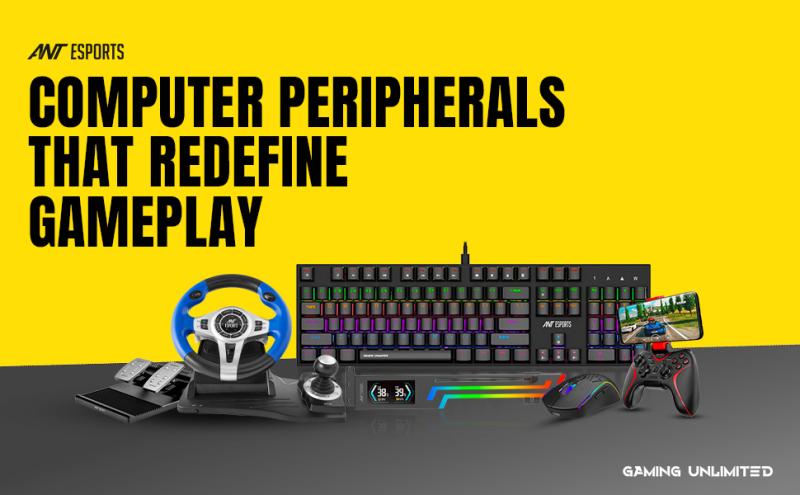
Building or upgrading a PC involves more than just choosing a processor and graphics card. The overall experience depends heavily on two areas that often get grouped together but serve different roles: PC peripherals and gaming PC components. Knowing how they work together helps users create a system that is comfortable, responsive, and well-balanced for both work and gaming.
What Are PC Peripherals?
PC peripherals are the external devices you connect to your computer. They don’t process data directly, but they control how you interact with the system. Common examples include keyboards, mice, monitors, headsets, microphones, webcams, and controllers.
Good peripherals improve comfort, precision, and usability. For example:
A responsive mouse improves aiming and navigation
A mechanical keyboard enhances typing speed and accuracy
A quality headset improves communication and sound clarity
In gaming, these tools directly affect reaction time and control. Even with powerful internal hardware, poor peripherals can limit how well you perform.
What Are Gaming PC Components?
Gaming PC components are the internal parts that make the system run. These include the CPU, GPU, RAM, motherboard, storage drives, power supply, and cooling system. Each component handles a specific task, and together they determine how smoothly games and applications run.
Key components and their roles:
CPU (Processor): Handles game logic, physics, and background tasks
GPU (Graphics Card): Renders visuals and manages frame rates
RAM (Memory): Stores active game data and system processes
Storage (SSD/HDD): Holds the operating system and games
Power Supply (PSU): Delivers stable power to all components
Cooling System: Keeps temperatures under control for stable performance
For gaming, balance matters. A high-end GPU won’t perform well if paired with slow memory or an underpowered CPU.
How Peripherals and Components Work Together
PC peripherals and gaming PC components serve different purposes, but they’re closely connected. Components determine what your system can do, while peripherals determine how well you can use it.
For example:
A powerful GPU enables high frame rates
A high-refresh-rate monitor lets you actually see those frames
Fast storage reduces loading times
A comfortable keyboard and mouse let you react quickly and accurately
When both areas are matched properly, the system feels smooth and responsive rather than uneven or frustrating.
Choosing the Right Setup
When planning a PC build or upgrade, it helps to prioritize based on your main use case:
For gaming:
Focus on GPU, CPU, and RAM first
Then choose a responsive mouse, keyboard, and headset
For work and productivity:
Prioritize CPU, RAM, and storage speed
Choose comfortable input devices and a good display
For streaming or content creation:
Add more RAM and faster storage
Use quality audio and camera peripherals
This approach ensures you don’t overspend in one area while neglecting another.
Ergonomics and Long-Term Comfort
Peripherals also play a major role in comfort and health. A well-designed keyboard and mouse reduce wrist strain. A properly positioned monitor helps maintain good posture. A supportive chair and stable desk setup prevent fatigue during long sessions.
Even the best gaming PC components can’t fix discomfort caused by poor ergonomics. A balanced setup considers both performance and physical well-being.
Maintenance and Compatibility
Both peripherals and components require attention over time:
Keep drivers and firmware updated
Clean dust from internal components regularly
Check cable connections and mounting stability
Make sure peripherals are compatible with your operating system
Upgrading becomes easier when your system is well maintained and organized.
Final Thoughts
A great PC experience is built on two foundations: strong gaming PC components for performance, and reliable PC pheripherals for control and comfort. Neither works well in isolation. When they’re chosen carefully and balanced correctly, the result is a system that feels fast, responsive, and enjoyable to use every day.
Understanding the difference—and the relationship—between peripherals and components helps users make smarter decisions, whether they’re building a new PC or refining an existing setup.


Comments