How to Crop Images for Social Media in Bulk with Batch Image Crop
Social media platforms all have their own image size requirements. Cropping images one by one to match these formats can be slow and frustrating, especially when you’re working with a batch of photos. Batch Image Crop makes this process simple by letting you crop multiple images at once, directly in your browser.
No uploads, no accounts, and no complicated editing tools—just fast, consistent results.
Why Batch Cropping Matters for Social Media
Consistency is key on social platforms. Using the same aspect ratio and framing across posts helps your content look more professional and cohesive. Batch Image Crop helps you:
-
Apply the same crop to multiple images
-
Use social media presets or custom sizes
-
Maintain quality without re-uploading images
-
Save time when preparing posts in bulk
Everything happens locally in your browser, so your images never leave your device.
Step-by-Step: Cropping Images for Social Media
Below is a simple example of preparing images for a social media feed.
Step 1: Upload multiple images
Select all the images you want to crop and load them into the tool.
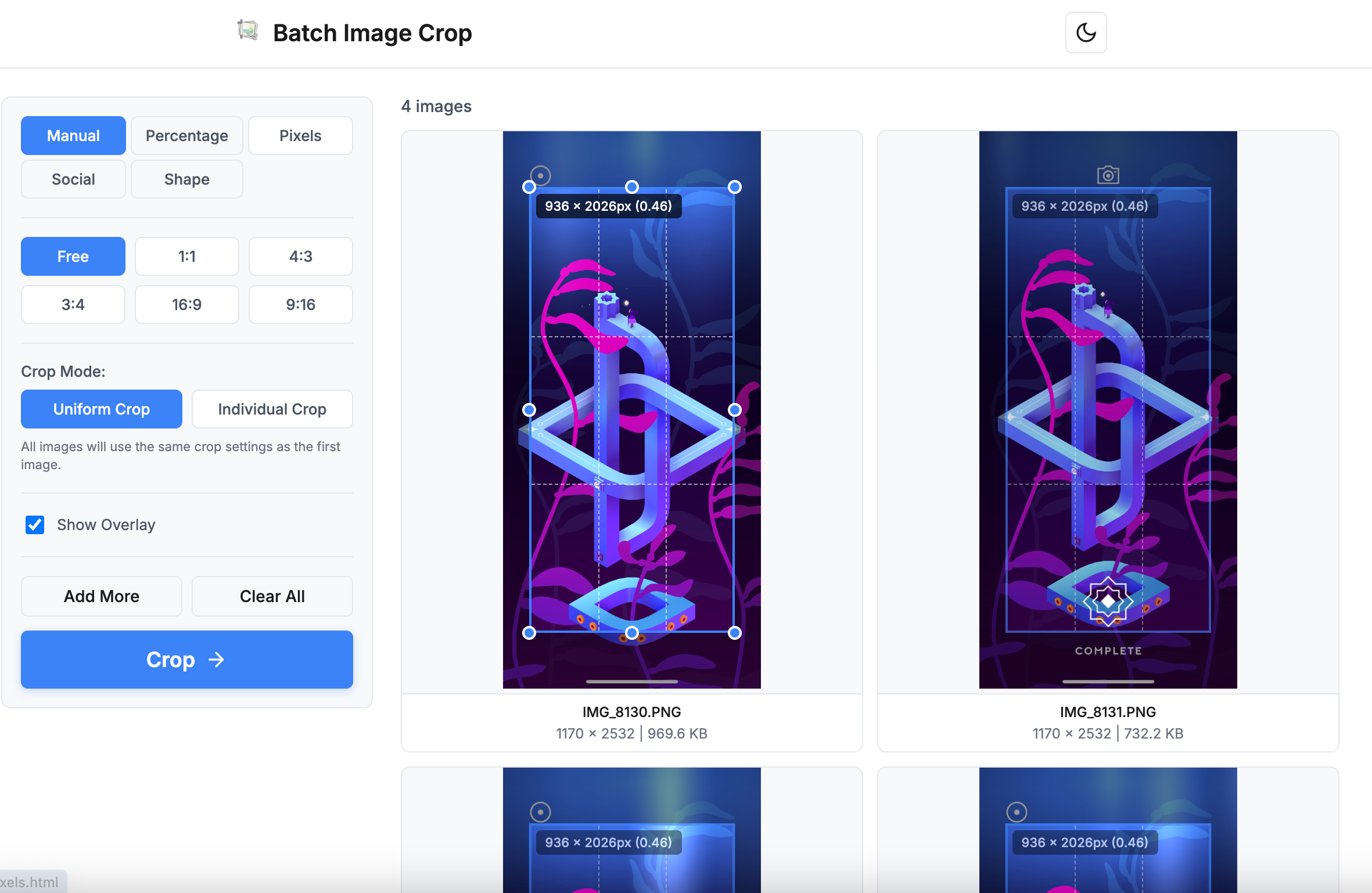
Step 2: Select a social media preset or size
Choose a preset like 1:1 or 4:5, or enter a custom resolution such as 1080 × 1350.
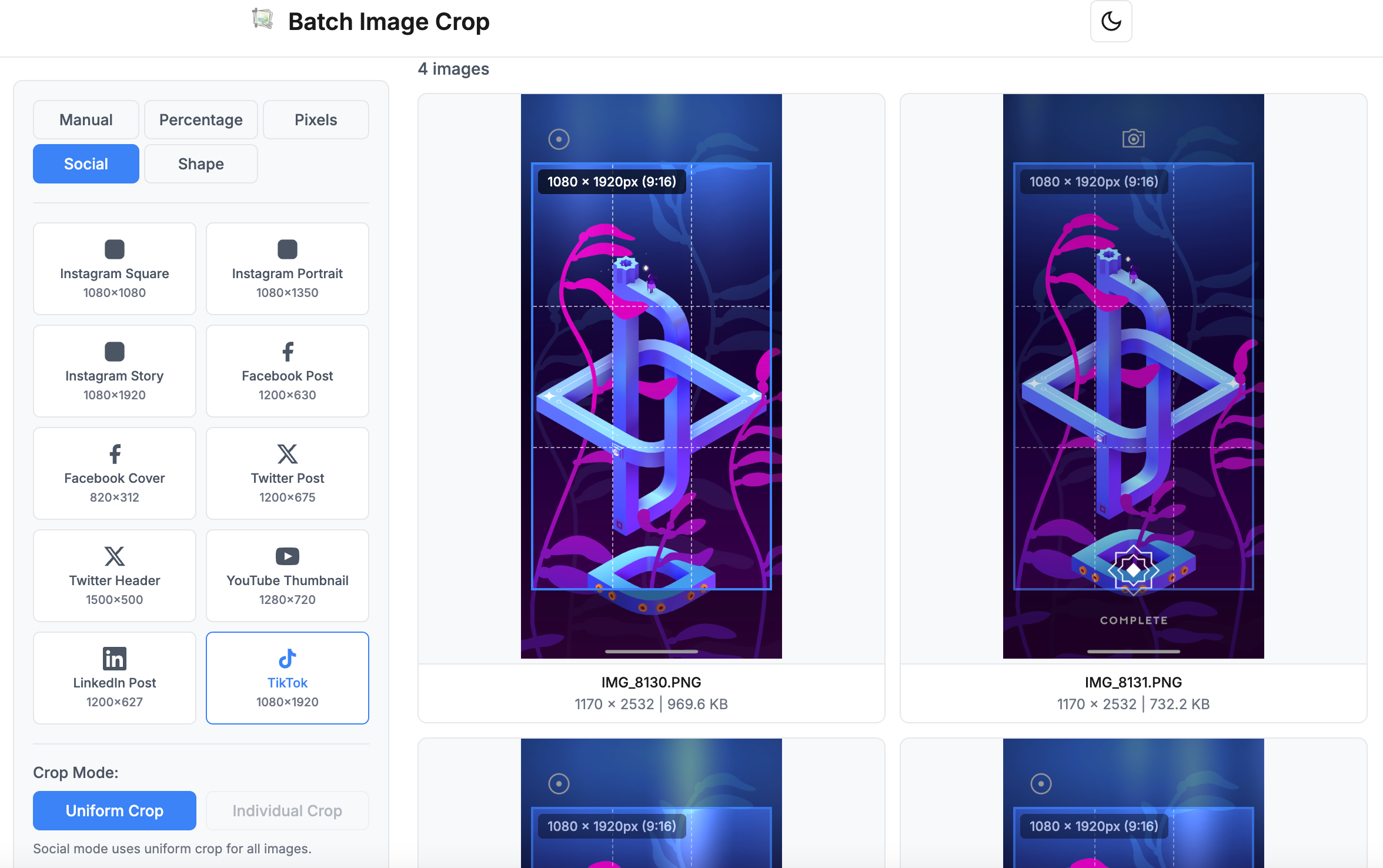
Step 3: Adjust the crop area
Position the crop box so the main subject stays centered and looks good across all images.

Step 4: Apply crop and download instantly
Once you click apply, the crop is processed and the images are automatically downloaded in one action—no extra steps required.

Designed for Speed and Simplicity
Batch Image Crop is ideal for:
-
Social media creators posting daily content
-
Marketing teams preparing campaign visuals
-
Small business owners managing their own feeds
-
Anyone who wants fast, repeatable image edits
Because the tool focuses on one clear task—batch cropping—it stays fast, intuitive, and easy to use.
Final Thoughts
If you regularly prepare images for social media and want a quicker, cleaner workflow, Batch Image Crop helps you get the job done with minimal effort. Upload, crop, apply—and your images are ready to post.

Post Your Ad Here
Comments