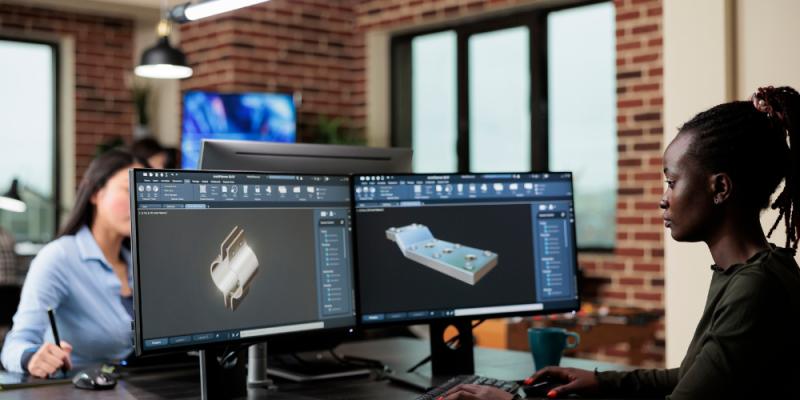
In today’s world, where design and technology are evolving rapidly, 3D modeling has become a key skill for engineers, architects, product designers, and hobbyists alike. One of the main tools that makes this possible is CAD 3D Modeling Software, which allows you to turn your ideas into detailed, digital models. Unlike traditional 2D sketches, 3D CAD modeling gives you a clear, realistic view of how an object will look and work in real life. It makes designing easier, more accurate, and faster while allowing collaboration across teams.
For beginners, 3D CAD modeling might seem complicated at first. There are many tools, features, and technical terms to learn. But with the right approach, learning how to use CAD 3D Modeling Software becomes manageable and even exciting. This beginner’s guide will walk you through the basics of 3D CAD modeling, explain why it’s so useful, and give practical tips to help you get started confidently.
What is 3D CAD Modeling?
3D CAD (Computer-Aided Design) modeling is the process of creating digital, three-dimensional versions of objects. Unlike flat 2D drawings, 3D models show height, width, and depth, making it easier to visualize the final product. With 3D CAD models, designers and engineers can rotate the object, inspect it from different angles, and test how parts fit together before building anything physically.
There are many types of CAD 3D Modeling Software, each suited for different purposes. For example, AutoCAD and SolidWorks are commonly used for mechanical and industrial design, while SketchUp or Rhino are often preferred in architecture and product design. These programs allow users to design objects, modify them, test their function, and even create realistic visualizations for presentations or marketing.
Why You Should Use CAD 3D Modeling Software
Using CAD 3D Modeling Software comes with several key benefits:
Precision: You can create designs with exact measurements, reducing errors that often happen with hand drawings.
Better Visualization: Seeing a 3D model makes it easier to understand how the object will look and function.
Time-Saving: Changes and updates can be done quickly without starting over from scratch.
Testing Before Production: Many CAD programs allow you to test strength, movement, or durability digitally, saving time and materials.
Collaboration Made Easy: Digital files can be shared easily, so multiple people can work on the same project at once.
Documentation: CAD software automatically generates technical drawings, parts lists, and assembly instructions, which are essential for manufacturing.
These benefits make learning 3D CAD modeling valuable whether you’re pursuing a career in design or simply want to bring your ideas to life.
Key Concepts in 3D CAD Modeling
Before you start using CAD 3D Modeling Software, it helps to understand a few basic concepts:
Sketching: Most 3D modeling starts with 2D sketches. These sketches define the shape and size of your object.
Extrusion and Revolve: Sketches are turned into 3D shapes using tools like extrusion (pulling a flat sketch into a 3D shape) or revolve (rotating a sketch around an axis).
Assemblies: You can combine multiple 3D parts to create a full assembly, helping you check how pieces fit and work together.
Constraints and Relationships: These control how parts interact. For example, if you move one part, related parts adjust automatically.
Parametric Design: Many CAD programs allow you to link dimensions and features, so if one measurement changes, the rest update automatically.
Rendering: Once the model is done, you can make realistic images or animations for presentations or marketing purposes.
Grasping these concepts first will make learning the software itself much easier.
Choosing the Right CAD 3D Modeling Software
There are many options when it comes to CAD 3D Modeling Software, and choosing the right one depends on your goals, industry, and skill level. Here are some popular choices for beginners:
AutoCAD: Great for both 2D and 3D design, widely used in engineering and architecture.
SolidWorks: Perfect for mechanical design, with strong assembly and simulation tools.
Fusion 360: Cloud-based software that combines design, engineering, and collaboration tools. Beginner-friendly and versatile.
SketchUp: Easy to learn and popular for architecture and interior design projects.
Rhino: Great for complex surfaces and industrial design, allowing freeform modeling.
For beginners, it’s best to start with software that balances ease of use with powerful tools. Most programs offer free trials, student licenses, and plenty of online tutorials.
How to Get Started With 3D CAD Modeling
Learning 3D CAD modeling takes practice, but a structured approach can help you progress faster:
Start with Simple Shapes: Practice making cubes, cylinders, and spheres. Experiment with creating, moving, and combining them.
Follow Tutorials: Step-by-step guides and video tutorials help you understand the software and basic design techniques.
Learn Shortcuts and Commands: This speeds up your work and reduces frustration.
Try Small Projects: Create simple objects like a phone stand, a chair, or a toy. Real projects help reinforce learning.
Join Online Communities: Forums and social media groups provide support, tips, and feedback.
Focus on Fundamentals: Before diving into advanced tools, make sure you understand sketching, extrusion, and assembly basics.
By following these steps, beginners can gain confidence and gradually take on more complex projects.
Applications of 3D CAD Modeling
3D CAD modeling is used in many industries:
Mechanical Engineering: Designing machines, tools, and parts.
Architecture: Planning buildings, landscapes, and interiors.
Product Design: Developing consumer products, electronics, or furniture.
Animation and Gaming: Creating 3D characters, props, and environments.
Automotive and Aerospace: Designing cars, airplanes, and spacecraft with precision.
Medical: Modeling implants, prosthetics, and surgical tools.
The wide range of applications shows why learning 3D CAD modeling is valuable and opens doors to many career paths.
Common Challenges and Tips to Overcome Them
While learning CAD can be exciting, beginners often face challenges:
Complex Interfaces: Don’t try to learn everything at once. Focus on the main tools first.
Steep Learning Curve: Regular practice is key. Mistakes are part of the learning process.
File Management: Organize your files with clear names and folders to avoid confusion.
Computer Performance: 3D modeling requires a strong computer. Make sure your system meets the software requirements.
By approaching challenges with patience and practice, beginners can steadily improve their skills.
The Future of 3D CAD Modeling
3D CAD modeling is constantly evolving. New features like AI-assisted design, cloud collaboration, and virtual reality visualization are making modeling faster and more interactive. Modern CAD 3D modeling software often includes simulation tools, generative design options, and real-time feedback, allowing designers to create smarter, more efficient, and more innovative products. Staying updated with these advancements ensures that beginners are ready for a future full of opportunities in design and engineering.
Conclusion
Learning 3D CAD modeling opens up endless possibilities for creativity, innovation, and career growth. CAD 3D Modeling Software allows you to design, modify, and test ideas digitally with incredible precision and speed. For beginners, the key is to start with the basics, choose the right software, and practice consistently. With patience and dedication, anyone can master 3D CAD modeling and use it to turn ideas into reality.
Post Your Ad Here
Comments