QuickBooks Pro vs Premier: Key Differences, Features & Best Choice for 2025
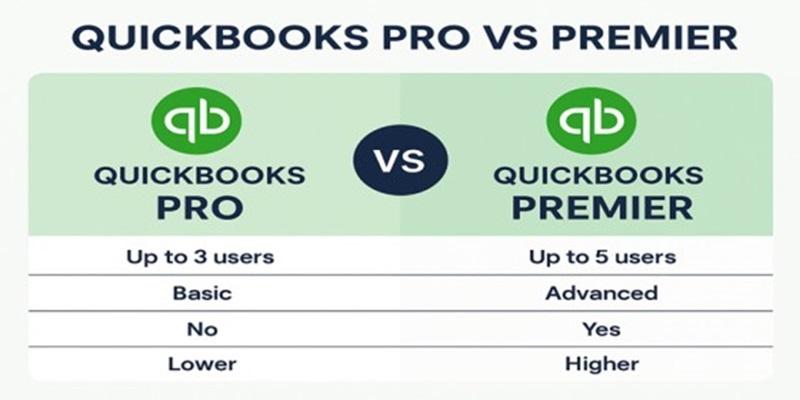
When choosing accounting software, many small and medium-sized businesses turn to QuickBooks Desktop for its reliability and rich features. However, deciding between QuickBooks Pro and QuickBooks Premier can be confusing. Both versions are part of Intuit’s desktop lineup, but they differ in functionality, pricing, and scalability.
In this blog, we’ll break down the key differences between QuickBooks Pro and QuickBooks Premier, helping you decide which version best fits your business needs.
1. What is QuickBooks Pro?
QuickBooks Desktop Pro is designed for small businesses that need essential accounting features without complex industry tools. It helps manage income, expenses, payroll, and basic reporting.
Key Features:
-
Up to 3 simultaneous users
-
Track income and expenses easily
-
Create invoices and estimates
-
Manage accounts payable and receivable
-
Run basic financial reports
-
Integrate with Microsoft Excel
Ideal for:
Freelancers, small retailers, and service-based businesses looking for straightforward bookkeeping.
2. What is QuickBooks Premier?
QuickBooks Desktop Premier is a more advanced version that offers everything in Pro plus industry-specific features and more detailed reporting.
Key Features:
-
Up to 5 simultaneous users
-
All features of QuickBooks Pro
-
Industry-specific editions: Manufacturing & Wholesale, Nonprofit, Retail, Contractor, and Professional Services
-
Create custom reports
-
Track inventory assemblies
-
Forecast sales and expenses
-
Job costing and project profitability tracking
Ideal for:
Medium-sized businesses or those needing specialized accounting tools for their industry.
3. QuickBooks Pro vs Premier: Detailed Comparison Table
| Feature | QuickBooks Pro | QuickBooks Premier |
|---|---|---|
| User Limit | Up to 3 users | Up to 5 users |
| Industry-Specific Reports | No | Yes |
| Inventory Management | Basic | Advanced (with assemblies) |
| Forecasting Tools | No | Yes |
| Job Costing | Limited | Detailed |
| Price | Lower | Higher |
| Best For | Small businesses | Growing or specialized businesses |
4. Pricing and Subscription
QuickBooks Desktop is now subscription-based under QuickBooks Desktop Plus.
As of the latest pricing:
-
QuickBooks Pro Plus: Starts around $549 per year
-
QuickBooks Premier Plus: Starts around $799 per year
(Prices may vary depending on Intuit’s latest updates and offers.)
5. System Requirements
Both QuickBooks Pro hosting and Premier require a Windows system with the following minimum setup:
-
Operating System: Windows 10 or later
-
Processor: 2.4 GHz minimum
-
RAM: 8 GB or more (16 GB recommended for multi-user)
-
Disk Space: Minimum 2.5 GB
-
Display: 1280 x 1024 resolution or higher
-
Internet: Required for updates and payroll services
6. Which One Should You Choose?
-
Choose QuickBooks Pro if you’re a small business needing basic accounting at a lower cost.
-
Choose QuickBooks Premier if you require advanced inventory management, job costing, or industry-specific tools.
If your business is expanding or you operate in a specialized industry, QuickBooks Premier will offer better scalability and control.
7. FAQs
Q1: Can I upgrade from QuickBooks Pro to Premier?
Yes, you can easily upgrade your QuickBooks Pro company file to Premier without data loss.
Q2: Is QuickBooks Premier worth the extra cost?
If your business requires advanced reporting, inventory assemblies, or job costing, Premier’s features justify the additional price.
Q3: Does QuickBooks Pro support multiple currencies?
Yes, but the feature must be manually enabled in settings.
Q4: Can I access QuickBooks Pro or Premier on the cloud?
Yes. You can host either version on a QuickBooks Cloud Hosting platform like Winscloud Matrix for remote access, data backup, and multi-user collaboration.
Q5: Which version is better for contractors or manufacturers?
QuickBooks Premier offers dedicated editions for contractors and manufacturers, making it the ideal choice.
Conclusion
Both QuickBooks Pro and QuickBooks Premier hosting are excellent tools for managing your business finances. Your choice ultimately depends on your company size, budget, and industry needs.
If you want basic accounting features, go for QuickBooks Pro.
If you want advanced tools and industry-specific reporting, choose QuickBooks Premier.
You can also host your QuickBooks Desktop on a cloud platform to gain the flexibility of remote access, better security, and scalability.

Post Your Ad Here
Comments