MacBook Pro Cracked Screen Repair in Adelaide: What to Do First (Step-by-Step Guide)
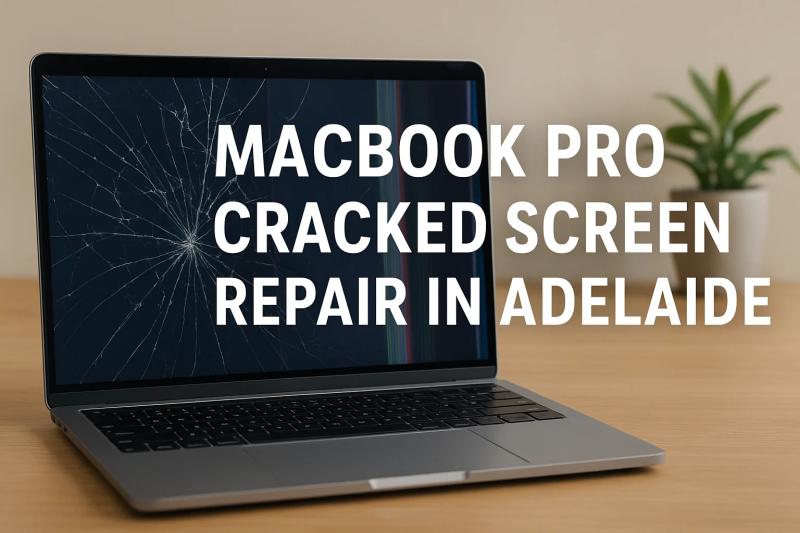
Introduction
A cracked MacBook Pro screen is more than just an inconvenience; it can instantly disrupt your productivity, creativity, and day-to-day workflow. For tech professionals, small business owners, and digital creatives across Australia, a damaged display can halt everything from client presentations to design projects and administrative tasks. Whether the screen shattered after a drop, developed lines from pressure, or suddenly went black, knowing what to do next is crucial.
In cities like Adelaide where many small companies rely heavily on MacBook Pros for essential business operations, getting fast, reliable repairs is a top priority. But before you rush to a repair centre, there are a few essential steps to follow to prevent further damage, secure your data, and determine the most cost-effective repair path.
This comprehensive step-by-step guide is designed to help you navigate the situation calmly and confidently. Whether you're dealing with minor cracks, flickering lines, backlight issues, or a completely shattered display, we’ll walk you through exactly what to do and how to ensure you get the best MacBook Pro cracked screen repair in Adelaide. We’ll also cover comparisons with other major cities like Brisbane and Melbourne, so you understand your options nationwide.
Step-by-Step Guide to MacBook Pro Cracked Screen Repair in Adelaide
A cracked MacBook Pro display can present itself in different ways spiderweb cracks, a half-black screen, coloured vertical lines, or a fully dead panel. Regardless of the type of damage, the steps you take immediately afterward can influence the repair cost, the safety of your device, and whether your data stays protected.
Below, you’ll find a structured, professional walkthrough of what to do first, what to avoid, and how to prepare your MacBook Pro for repair.
Step 1 — Assess the Type and Severity of Screen Damage
Not all cracked screens are the same. Understanding the type of damage helps estimate repair costs and urgency.
Common types of MacBook Pro screen damage:
Hairline cracks: Thin cracks that may still allow the screen to function normally. These can spread quickly.
Shattered display: A fully cracked panel where large portions of the display show black or coloured distortions.
Internal LCD damage: No visible crack on the glass, but the screen displays vertical lines, flickering, or black patches.
Backlight failure: The screen remains extremely dim even though the MacBook is on.
Display hinge pressure cracks: Appears when the display experiences excessive pressure around the hinge area.
How to determine if the screen is safe to keep using:
If glass pieces are falling out, stop using the device immediately.
If internal lines or flickering are increasing, power off the laptop to prevent further panel damage.
If the screen is partially functional, avoid touching cracked areas.
This initial assessment is crucial when seeking MacBook Pro cracked screen repair in Adelaide because it allows a technician to diagnose more accurately.
Step 2 — Back Up Your Data Immediately
Before doing anything else, safeguard your information. A cracked screen can quickly progress into full display failure.
Recommended backup methods:
1. Time Machine Backup (Preferred)
Connect an external drive
Visit System Settings → Time Machine
Select “Back Up Now”
2. iCloud Backup for Essential Files
Upload documents, photos, or desktop folders
Ideal for business owners who rely on cloud access
3. USB-C external drive transfer
Drag important files manually
Useful if your screen is partially visible
If the screen is completely black:
Use an external monitor through USB-C to HDMI
Put your Mac in clamshell mode using an external keyboard and trackpad
Proceed with backups
Backing up at this stage ensures no data loss before you seek MacBook Pro cracked screen repair in Adelaide.
Step 3 — Avoid DIY Fixes (Here’s Why)
When the screen cracks, the first instinct for many tech-savvy users is to search YouTube for tutorials. But unlike older laptops, the MacBook Pro’s display assembly is extremely complex.
Why DIY screen repair is not recommended:
Display assembly is delicate: New-gen MacBook Pros use laminated Retina displays that are nearly impossible to separate without proper tools.
Risk of damaging internal components: The Taptic Engine, True Tone sensors, and FaceTime camera cables are fragile.
Static discharge can fry the logic board
Incorrect repairs void future support options
Warning signs of cheap DIY kits online:
Non-genuine panels with poor colour accuracy
No True Tone support
Weak hinges
Low-quality backlights
Dead pixel clusters
Your best option remains professional MacBook Pro cracked screen repair in Adelaide to ensure original quality and long-term reliability.
Step 4 — Power Down and Protect Your Device
Once the damage is assessed and data backed up, your next task is protecting the machine.
What to do:
Shut down the MacBook completely
Disconnect all accessories
If glass shards are loose, place a gentle screen protector or microfiber over the display
Store the MacBook in a padded sleeve or hard case
Avoid applying pressure on the lid or hinge
These steps help prevent the crack from worsening during travel to the repair centre.
Step 5 — Compare Repair Options in Adelaide
When seeking MacBook Pro cracked screen repair in Adelaide, you’ll find three primary service options:
1. Apple Store / Apple Authorised Service Provider
Pros:
Genuine Apple parts
Certified technicians
Warranty-friendly repairs
Cons:
Most expensive option
No repairs for accidental damage under standard warranty
Longer wait times (3–10 business days)
Apple often replaces the entire display assembly, which increases cost significantly.
2. Independent MacBook Repair Specialists in Adelaide
These professional repair centres offer high-quality repairs at a more affordable price.
Pros:
Faster turnaround (same-day or 1–2 days)
Affordable pricing compared to Apple
Access to high-grade OEM displays
Flexible service options (walk-in, mail-in, express service)
Cons:
Quality varies depending on provider
Not all offer genuine or OEM displays
Look for technicians who specialise specifically in MacBook Pro cracked screen repair in Adelaide, not general laptop repair.
3. Nationwide mail-in repair services
Ideal if local options are limited.
Pros:
Access to highly specialised Mac repair centres
Often more cost-effective
Australia-wide coverage
Cons:
Added postage time
Requires careful packaging
Step 6 — Request a Repair Quote (What to Ask)
Before committing to any repair centre, gather essential information:
Questions to ask:
Do you use OEM or genuine Apple displays?
Is True Tone preserved after repair?
What is the turnaround time?
Do repairs come with a warranty?
Are there additional diagnostic fees?
Can you provide a written quote?
Internal linking suggestion:
While researching options, customers may search for related services like:
MacBook Pro Cracked Screen Repair in Adelaide
MacBook Pro cracked screen repair Brisbane
MacBook Pro cracked screen repair Melbourne
These can link to your service category page or blog posts about cracked screen repair across Australia.
Step 7 — Prepare Your MacBook Pro for Repair
Before sending or taking your device for service:
Checklist:
Remove external accessories
-
Post Your Ad Here