Which Type of POS Printer Delivers the Best Performance for Retail Stores?
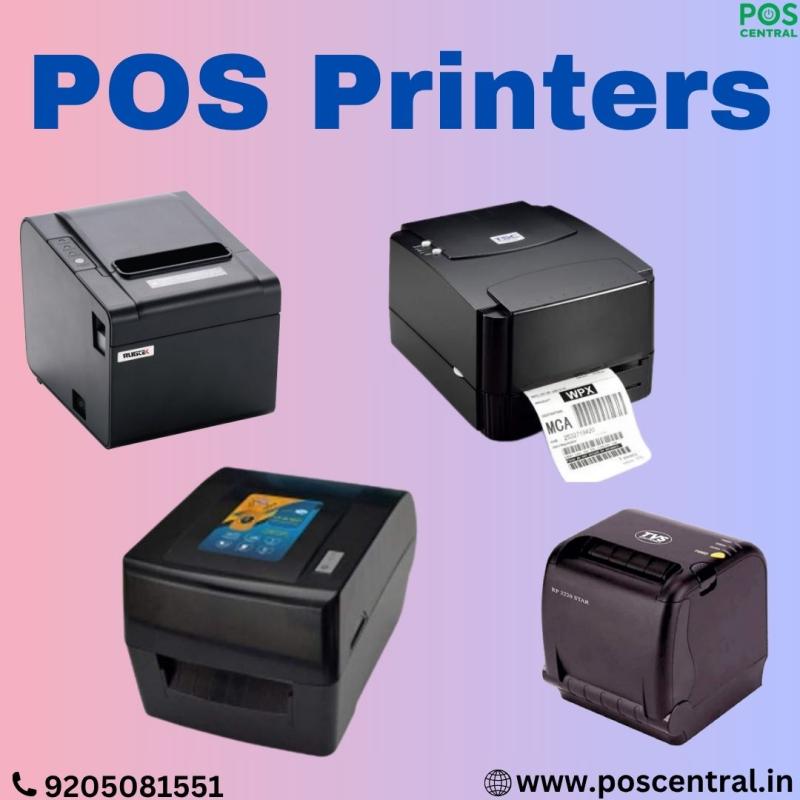
Running a retail store means every second counts. Whether you are managing a busy supermarket, a boutique shop, or a quick-service counter, the speed and accuracy of your checkout process directly influence customer satisfaction. One device that quietly plays a major role in shaping this experience is the POS printer. It may look like a small component at the billing desk, but its performance affects your daily operations more than you might realise.
If you are trying to figure out which POS printer delivers the best performance for retail stores, this guide will simplify everything for you. We will look at different types of POS printers, how they work in real retail settings, and which one suits your business best. The goal is to help you make a confident decision without getting lost in technical language.
Why Choosing the Right POS Printer Matters
Before exploring the types, it’s important to understand why the choice matters.
A reliable POS printer helps you:
- Speed up checkout
- Maintain clean, readable receipts and labels
- Reduce long-term printing expenses
- Avoid breakdowns during busy hours
- Improve customer trust through professional documentation
In short, the better your printer performs, the smoother your store runs.
Types of POS Printers and Their Performance in Retail Stores
Retailers generally choose from five major types of printers. Each plays a different role in the store and offers specific advantages depending on your daily tasks.
1. Receipt Printer – Ideal for Fast Billing
Receipt printers are the most common POS printers in retail. They are designed for quick, everyday use. Most retail stores use them for printing customer bills, payment confirmations, and transaction summaries.
Performance Factors
- Speed: Extremely fast, making them perfect for high-traffic counters.
- Cost-Efficiency: Low operating cost since they usually don’t require ink.
- Durability: Built to withstand continuous printing throughout the day.
- Use Case: Supermarkets, pharmacies, clothing stores, cafés, and petrol pumps.
Best For
Retailers who need quick receipts without any delay.
2. Label Printer – Perfect for Pricing, Barcoding, and Product Tags
Label printers help retail stores manage inventory better by printing price tags, barcodes, and shelf labels. These printers are essential for businesses where products frequently change prices or require clear identification.
Performance Factors
- Print Quality: Crisp labels that stay readable even when handled often.
- Efficiency: Helps speed up stock management and reduces human error.
- Durability: Built for long hours of operational use in back-end areas.
- Use Case: Grocery stores, electronics shops, warehouses, apparel outlets.
Best For
Retailers who need organised shelves and accurate product labelling.
3. Multifunction Printer – One Device, Multiple Tasks
A multifunction printer handles printing, scanning, and sometimes copying. Although not always used at the billing counter, it plays a crucial role in the store’s general operations.
Performance Factors
- Versatility: Handles invoices, vouchers, staff paperwork, and occasional reports.
- Convenience: One machine takes care of multiple tasks, saving space.
- Print Quality: Produces clear documents suitable for internal use.
- Use Case: Retail stores with administrative needs.
Best For
Businesses that require one device to handle both customer-facing and internal tasks.
4. LaserJet Printer – Best for Bulk Document Printing
LaserJet printers are known for high-speed printing and professional-quality documents. These are mostly used in the back office rather than at the checkout counter.
Performance Factors
- Speed: Very fast, ideal for printing large volumes.
- Cost Efficiency: Lower cost per page compared to many ink-based systems.
- Durability: Designed for consistent, high-volume use.
- Use Case: Printing reports, tax invoices, staff communication, and bulk documents.
Best For
Retailers who regularly print reports, documentation, or long paper records.
5. Card Printer – For Loyalty Cards and Membership Stores
Many modern retail stores offer loyalty cards, gift cards, or membership IDs. A card printer helps produce these plastic cards in-house.
Performance Factors
- Professional Output: Clean, high-quality cards that look professional.
- Customisation: Retailers can add names, barcodes, or store branding.
- Reliability: Designed to handle repeated card printing without wear.
- Use Case: Gyms, fashion stores, convenience stores, and loyalty programs.
Best For
Stores offering membership or reward programs that require physical cards.
How to Choose the Best POS Printer for Your Store
With so many types available, choosing the right one may feel overwhelming. Here are some quick guidelines based on real retail scenarios.
1. Evaluate Your Daily Tasks
Ask yourself:
- Do you print more receipts or more labels?
- Do you need quick billing or accurate product tagging?
- Do you print reports regularly?
This helps you decide whether you need a receipt printer, label printer, or multifunction device.
2. Consider the Volume of Printing
Busy stores need fast printers that can run all day without slowing down. A small boutique may manage with a basic model, but a supermarket requires high-speed receipt and label printers.
3. Think About Long-Term Costs
Ink-based printers cost more over time. Thermal receipt and label printers are usually more economical because they do not require ink cartridges.
4. Look for Ease of Use
Retail staff often work in a fast-paced environment. Choose a printer that:
- Starts quickly
- Loads paper easily
- Requires minimal maintenance
This saves time and reduces errors.
5. Check Compatibility with Your POS System
Make sure the printer connects smoothly with your billing software. Most modern POS printers are plug-and-play, but verifying compatibility avoids frustration later.
Which Printer Delivers the Best Performance Overall?
There is no single “best” printer for all retail stores. Instead, the best choice depends on your daily workflow:
- For fast billing: Receipt Printer
- For shelf and product organisation: Label Printer
- For multi-purpose needs: Multifunction Printer
- For heavy paperwork: LaserJet Printer
- For loyalty and membership programs: Card Printer
Each type has a unique role in making your store more efficient. A well-equipped retail store often uses more than one, such as a receipt printer at the counter and a label printer in the stockroom.
A POS printer is more than just a billing accessory—it’s a tool that shapes your customer experience, store management, and overall productivity. When you choose the right type, your store becomes more organised, your staff work more confidently, and your customers enjoy a smoother checkout experience. For high-quality POS printers and accessories, you can explore the wide range of options available at POS Central India.
Post Your Ad Here
Comments