Connecting Shopify Plus with ERP
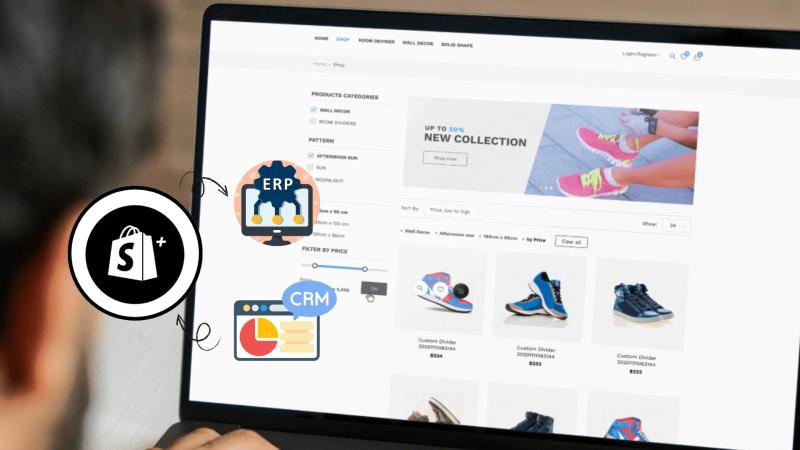
For growing eCommerce brands, Shopify Plus handles everything from product listings to high-volume checkouts. But when your inventory, finance, and customer data stay scattered across different systems, operations become difficult to manage.
That’s where ERP (Enterprise Resource Planning) and CRM (Customer Relationship Management) integrations come in. By linking these systems with Shopify Plus, you gain one source of truth for every order, customer, and payment record.
This article explains, step by step, how to connect Shopify Plus with ERP and CRM platforms effectively.
Why Integrate Shopify Plus with ERP and CRM Systems?
As sales increase, managing orders, refunds, and stock across multiple systems becomes time-consuming. Without integration, teams manually update data, which often causes delays and reporting errors.
By connecting Shopify Plus with ERP and CRM platforms, you can:
Sync stock levels automatically to prevent overselling or stockouts.
Track customers and orders in real time for better service and marketing insights.
Simplify accounting and billing by syncing invoices, taxes, and payments.
Unify reporting to see business performance at a glance.
Example: A fashion retailer using Shopify Plus and NetSuite ERP can automatically transfer order details from the store to NetSuite, where fulfillment and accounting teams work in sync — saving hours each day.
Step 1 — Define Integration Goals
Start by identifying what your business wants to achieve from the connection.
Some brands want a single view of inventory across warehouses. Others aim to connect their CRM with customer orders to track purchase patterns or automate loyalty campaigns.
Key actions at this stage:
List which data must sync — orders, returns, inventory, or invoices.
Decide if the flow will be one-way (Shopify → ERP) or two-way (Shopify ↔ ERP).
Assign owners for each platform (ERP admin, Shopify developer, etc.).
Set measurable results such as fewer manual updates or faster order processing.
Clear goals keep the integration focused and prevent unnecessary complexity later.
Step 2 — Map Data Between Shopify Plus and ERP/CRM
Data mapping defines how information from Shopify Plus aligns with fields in your ERP or CRM. Each order, product, or customer record must match correctly to avoid sync errors.
Example mappings:
Shopify Orders → ERP Sales Orders
Shopify Customers → CRM Contacts
Shopify Products → ERP Inventory Items
To prepare for a clean sync:
Keep SKU codes and naming formats consistent.
Eliminate duplicate field names.
Standardize customer IDs across systems.
Review mandatory fields on both sides before integration.
Accurate data mapping reduces integration failures and ensures transactions appear correctly in your ERP or CRM.
Step 3 — Choose the Right Middleware or Connector
There are three main ways to connect Shopify Plus with ERP and CRM systems. Each suits different business needs:
1. Native Integrations
Some platforms, such as Microsoft Dynamics 365 or NetSuite, offer built-in Shopify Plus connectors. These are easier to set up but limited in flexibility.
Best for: Businesses using standard workflows and supported ERP/CRM tools.
2. Third-Party Middleware
Integration platforms like Celigo, Mulesoft, or Zapier bridge data between Shopify and ERP/CRM systems. They provide ready-made templates and dashboards to manage flows.
Best for: Medium-sized enterprises that need scalability without custom code.
3. Custom API Integration
For complex operations — such as multi-store, custom pricing, or regional tax handling — a developer can build a custom integration using Shopify APIs and ERP web services.
Best for: Large or specialized brands that need full control over data flow and automation.
When choosing your approach, consider data volume, technical capability, and long-term maintenance costs.
Step 4 — Configure and Test the Integration
Once the connection method is finalized, the setup process begins.
Configuration Steps
Generate API credentials from Shopify Plus and your ERP/CRM.
Create webhooks to send order, product, and customer data automatically.
Validate field mappings using sample data.
Testing Phase
Sandbox testing: Connect a test Shopify store to verify field sync.
Partial live sync: Move limited real orders to confirm workflow accuracy.
User Acceptance Testing (UAT): Finance, warehouse, and sales teams verify results together.
Common Issues to Check
Duplicate records in ERP/CRM.
Delayed updates due to API rate limits.
Incomplete customer data transfer.
By testing across departments, you confirm that automation works end-to-end before the system goes live.
Step 5 — Go Live and Monitor Data Flow
When testing is complete, the integration can move to production. This stage needs active monitoring during the first few weeks.
Pre-launch checklist:
Back up all data before activation.
Sync a small batch of orders first.
Enable automatic logs for every sync event.
After going live:
Track daily sync reports for orders and inventory.
Monitor API errors through dashboards.
Schedule monthly maintenance checks.
Consistent monitoring helps detect issues early and keeps operations stable.
Common Challenges in Shopify Plus–ERP/CRM Integration
Even well-planned integrations face a few hurdles:
Field mismatch: ERP or CRM may store data differently than Shopify Plus.
API limits: Shopify restricts the number of API calls per minute.
Custom pricing or tax logic: Requires extra scripting.
Multiple stores: Managing data across several Shopify Plus instances needs advanced mapping.
The key is to document every workflow and maintain a change log so future updates don’t disrupt the connection.
Real-World Example — Shopify Plus x Zoho Integration
A retail brand using Shopify Plus and Zoho Books wanted to centralize accounting, stock management, and CRM activities.
The integration connected product listings, invoices, and customer profiles automatically. Orders created in Shopify Plus appeared instantly in Zoho Books, while the CRM tracked repeat buyers.
Within two months, manual entry time dropped by 70%, and daily order reconciliation became fully automated — freeing the team to focus on customer service.
Maintenance and Future Scalability
Integration isn’t a one-time project. Systems evolve, and APIs update regularly. Schedule periodic reviews to keep everything in sync.
You can later extend the same setup to:
Add new sales channels like Amazon or eBay.
Integrate BI tools for analytics dashboards.
Automate order routing between multiple warehouses.
A scalable integration lets your Shopify Plus store grow without rebuilding from scratch.
How CartCoders Helps with Shopify Plus ERP & CRM Integration
At CartCoders, we specialize in connecting Shopify Plus with major ERP and CRM systems — from NetSuite and SAP to Zoho and Microsoft Dynamics. Our team manages everything from initial data mapping to post-launch support, ensuring your store runs with consistent data and fewer manual steps.
Whether you’re building a new Shopify Plus store or expanding an existing one, our experts can plan, configure, and support a reliable ERP or CRM integration tailored to your business goals.
Also Read: A Complete Guide to Custom Shopify Development
Connect Smarter, Sell Faster
Integrating Shopify Plus with ERP and CRM systems builds a connected backbone for your business — linking sales, operations, and customer management in real time.
FAQs
1. What is the best ERP for Shopify Plus?
Systems like NetSuite, SAP, and Microsoft Dynamics 365 work well due to their strong API support and scalability.
2. How long does a Shopify Plus–ERP integration take?
Depending on complexity, it usually takes 4–8 weeks, including mapping, configuration, and testing.
3. Can I connect multiple stores to one ERP?
Yes, through middleware or custom APIs that handle multi-store logic and centralized reporting.
4. What data syncs between Shopify Plus and CRM?
Customer profiles, orders, communication history, and refunds can all sync automatically.
5. How does CartCoders handle post-integration support?
CartCoders provides monitoring, troubleshooting, and future updates for every integration project to maintain performance.
Post Your Ad Here
Comments