How to Run Powerful Software and Games on Any Device in 2025 - The Cloud PC Revolution
The Struggle with Modern Technology
Technology moves faster than ever. Every year, new software and games demand higher specifications, bigger memory, and stronger graphics cards. For professionals, creators, and gamers alike, keeping up feels impossible. A brand-new laptop that seems powerful today may struggle to handle tomorrow’s updates.
The truth is simple: not everyone can afford to upgrade their devices every two or three years. High-end computers often cost over $1,500, and professional workstations can easily cross the $3,000 mark. Meanwhile, many people still own older laptops, budget desktops, or even just tablets and smartphones.
Does this mean you’re locked out of advanced software, modern video editing tools, or AAA gaming? Not anymore. Thanks to cloud computing, there’s now a smarter solution.
What Is a Cloud PC?
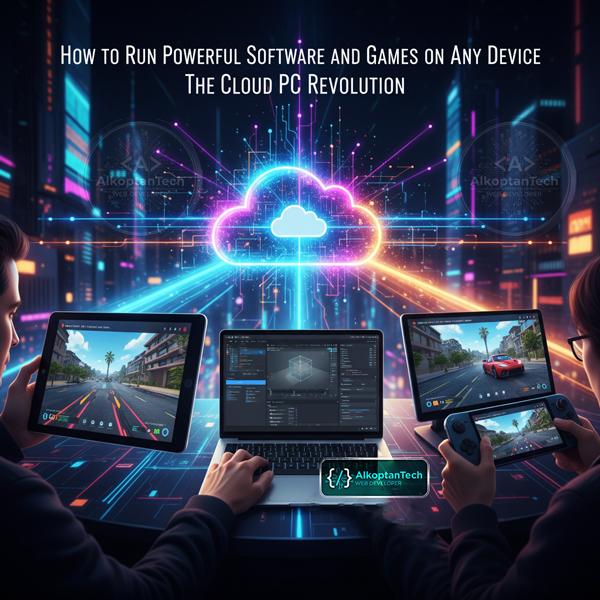
A Cloud PC (also called a virtual computer in the cloud) is exactly what it sounds like: a fully functional Windows computer running on powerful servers in data centers. Instead of buying expensive hardware, you simply stream your computer from the cloud to any device you own.
Imagine Netflix, but instead of streaming movies, you stream a high-performance computer.
Here’s how it works:
-
You connect to the cloud through your laptop, tablet, or even your phone.
-
The heavy processing (CPU, GPU, RAM) is done on a remote server.
-
Your screen, keyboard, and mouse are streamed back and forth with ultra-low latency.
-
The result: you experience a blazing-fast PC, even if your device is ten years old.
Why Cloud PCs Are Game Changers
Cloud PCs are no longer futuristic they’re here, and they’re transforming how we work, play, and create. Here are some of the biggest benefits:
1. Cost Savings
-
No need to spend thousands of dollars on hardware.
-
Subscription plans are usually a fraction of the cost of buying a new machine.
-
Perfect for students, freelancers, and small businesses on a budget.
2. Accessibility Anywhere
-
Work from any device, anywhere in the world.
-
Switch seamlessly between your laptop at home, your office desktop, or your tablet on the go.
3. High Performance Without the Bulk
-
Run demanding software like Photoshop, Blender, or Premiere Pro.
-
Play the latest AAA games with high graphics settings.
-
No overheating laptops or loud cooling fans.
4. Scalability and Flexibility
-
Upgrade resources instantly need more RAM or a stronger GPU? Just scale your subscription.
-
No waiting weeks for parts or wasting money on permanent upgrades.
5. Security and Backup
-
Your files are stored securely in data centers.
-
Even if your laptop breaks or is stolen, your cloud PC remains untouched.
-
Automatic backups mean you never lose your work.
Who Can Benefit Most from Cloud PCs?
Cloud PCs are not just for tech enthusiasts they solve real problems for different groups of people.
Professionals Working Remotely
Remote work is the new normal. A cloud PC lets you carry your “office” everywhere. Your local device no longer matters whether you’re on a cheap laptop or tablet, you can still access enterprise-level performance.
Creators and Designers
Video editors, graphic designers, and 3D modelers know how demanding creative software can be. Instead of investing in an expensive editing rig, creators can render videos, edit photos, and design graphics directly in the cloud.
Gamers
Why spend $2,000 on a gaming PC when you can play the latest games on almost any device? With a stable internet connection, you can enjoy smooth frame rates and fast load times without investing in costly hardware.
Students and Casual Users
Students often need reliable computers for projects, coding, or multimedia tasks. A cloud PC provides access to premium computing power without breaking the bank.
Common Misconceptions About Cloud PCs
Even though cloud computing is growing, many people still hesitate. Let’s clear up some myths:
-
“I’ll need super-fast internet.”
- While a good connection helps, you don’t need fiber optics. Most cloud PCs run smoothly with 15-20 Mbps. -
“There will be too much lag.”
- Modern cloud PC services are optimized for low latency. The difference is barely noticeable for most tasks. -
“It’s only for tech experts.”
- Not true. Cloud PCs are designed to be plug-and-play. If you can use Zoom or Netflix, you can use a cloud PC.
How Cloud PCs Compare to Buying New Hardware
Let’s take an example.
-
High-End Laptop for Creators/Gamers: $2,000-$2,500
-
Upgrades Every 3 Years: another $1,500-$2,000
-
Total over 6 years: around $4,000-$5,000
Now compare with a Cloud PC:
-
Monthly Subscription: around $30 (varies by provider)
-
Total over 6 years: around $2,000
That’s less than half the cost, with the flexibility to upgrade instantly as technology improves.
Step by Step: How to Get Started with a Cloud PC
-
Choose your plan (basic, creator, or gaming depending on your needs).
-
Log in from your device (Windows, Mac, tablet, or even mobile).
-
Launch your virtual desktop you’ll see a familiar Windows environment.
-
Install and run your software or games as if it’s your personal computer.
It’s that simple.
FAQs About Cloud PCs
Q1: Can I use a Cloud PC for gaming?
Yes. With a stable internet connection, you can play even high-end titles without owning expensive gaming hardware.
Q2: What happens if my laptop is very old?
As long as it can run the client app and connect to the internet, it doesn’t matter. The heavy lifting is done in the cloud.
Q3: Is my data safe?
Cloud PC services usually use encrypted connections and secure data centers. Many also offer automatic backups.
Q4: Can I cancel anytime?
Most providers work on a monthly subscription model, so you can cancel or change plans whenever you want.
Conclusion: The Future of Computing Is in the Cloud
In 2025, buying a new computer every few years is no longer the only option. With cloud PCs, you can:
-
Work smarter.
-
Create faster.
-
Play harder.
-
Save money.
I personally switched to a cloud PC, and the difference was incredible. No more laggy software, no more expensive upgrades just pure performance whenever and wherever I need it.
⚡ If you want to experience the power of a high-end computer without spending thousands, click here and see it for yourself. Try it now



Comments