AI in Dynamics 365 Customer Service Explained
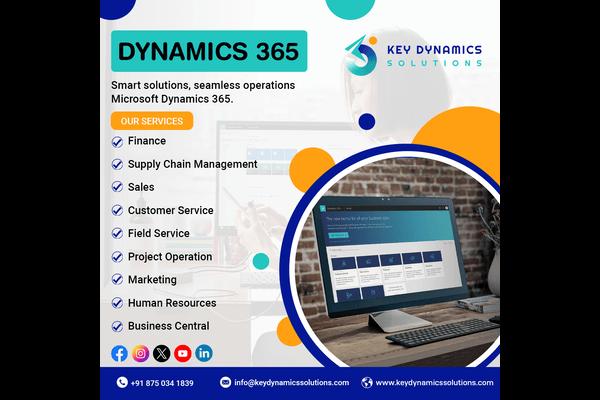
In today’s digital-first
world, customer expectations are higher than ever. People expect quick,
personalized, and consistent support across multiple channels. To meet these
demands, businesses are increasingly turning to Dynamics 365 Customer
Service, which integrates powerful AI & ML services to improve
customer experience, streamline workflows, and empower agents.
In this blog, we’ll break down
how AI in Dynamics 365 Customer Service works, explore its real-world
applications, and share actionable tips to help businesses get the most out of
this technology.
Why AI Matters in Customer Service
Customer service has moved
beyond call centers and emails. Customers now reach out via chat, social media,
SMS, and self-service portals. Handling these interactions manually is
time-consuming, costly, and prone to errors.
This is where AI & ML services
play a game-changing role:
- 24/7 Support: AI-powered chatbots
provide instant answers anytime.
- Personalization: Machine learning learns
from past interactions to predict customer needs.
- Efficiency: Automating routine tasks
frees agents to focus on complex issues.
By embedding AI directly into Dynamics
365 CRM, Microsoft enables businesses to deliver faster, smarter, and more
efficient support.
Key AI Features in Dynamics 365 Customer Service
1. AI-Powered Virtual Agents
Virtual agents are intelligent
chatbots built on Power Virtual Agents. They can resolve common queries
without human intervention. For example:
- Resetting passwords
- Checking order status
- Booking appointments
If the issue gets too complex,
the bot seamlessly transfers the case to a live agent—along with conversation
history. This ensures smooth transitions and less customer frustration.
Tip: Use virtual
agents to handle FAQs and free up agents for high-value tasks.
2. Sentiment Analysis with AI
Dynamics 365 uses AI to
analyze customer messages and detect sentiment in real-time—positive,
negative, or neutral. For example:
- If a customer writes, “I’ve been waiting for a
week, and nobody helped me,” the system flags it as negative.
- Managers can then prioritize the case for quicker
resolution.
This helps businesses not only
resolve issues faster but also improve customer satisfaction.
3. Case Routing and Assignment
Manual case assignment often
leads to delays or misrouted tickets. AI-powered case routing in
Dynamics 365 ensures that cases are automatically assigned to the right agent
based on expertise, workload, and availability.
Example:
- A billing query is routed to the finance team.
- A technical bug report goes directly to IT support.
This reduces response times
and improves first-contact resolution.
4. AI-Driven Knowledge Suggestions
When a customer raises a
ticket, Dynamics 365 instantly suggests relevant knowledge articles
using machine learning. Agents can quickly share these resources, reducing
resolution time.
For Customers:
Self-service portals also display AI-suggested articles, empowering them to
solve problems independently.
5. Predictive Analytics for Proactive Service
AI in Dynamics 365 CRM doesn’t
just react to problems—it predicts them. For instance:
- If a product shows repeated complaints, the system
can trigger a proactive recall or update.
- Service teams can alert customers before an issue
escalates.
This proactive approach turns
customer service into a brand-strengthening tool.
Practical Example: A Telecom Company
Imagine a telecom company
using Dynamics 365 CRM
Customer Service with AI:
- A customer reports slow internet through live chat.
- The AI virtual agent troubleshoots automatically by
asking diagnostic questions.
- Sentiment analysis detects growing frustration and
alerts a supervisor.
- The system routes the case to a network engineer
based on expertise.
- Meanwhile, AI suggests a knowledge article for temporary
fixes, which the agent shares.
- The issue is resolved quickly, leaving the customer
satisfied.
This example shows how AI
& ML services can transform customer support from reactive firefighting
to proactive engagement.
Benefits of AI in Dynamics 365 Customer Service
✅ Faster Resolutions
AI speeds up case handling
with automation, routing, and real-time recommendations.
✅ Improved Customer Satisfaction
Personalized interactions,
faster responses, and proactive support build trust.
✅ Reduced Costs
Virtual agents reduce call
volumes, saving on operational expenses.
✅ Smarter Insights
Analytics uncover patterns in
customer behavior, enabling data-driven decisions.
✅ Empowered Agents
AI handles routine tasks,
allowing agents to focus on meaningful conversations.
Actionable Tips to Maximize AI in Dynamics 365
- Start Small with Chatbots
Automate FAQs first, then expand to more complex scenarios. - Leverage Sentiment Analysis
Train supervisors to act quickly when cases are flagged as negative. - Integrate AI Across Channels
Use omnichannel engagement—chat, email, voice, and social—for consistent experiences. - Keep Knowledge Articles Updated
AI is only as good as the content it recommends. Regularly refresh knowledge bases. - Monitor and Improve
Use Dynamics 365 dashboards to track AI effectiveness and adjust workflows.
Future of AI in Dynamics 365 Customer Service
As AI evolves, expect even
more powerful capabilities in Dynamics 365, such as:
- Hyper-personalization:
Predicting customer intent before they even ask.
- Voice AI: Smarter virtual
assistants for call centers.
- Advanced Automation:
End-to-end resolution without human intervention.
Businesses that embrace these
technologies will stay ahead in delivering exceptional customer experiences.
Final Thoughts
AI in Dynamics 365
Customer Service is more than just a technology upgrade—it’s a strategy
to deliver smarter, faster, and more personalized support. By combining AI
& ML services with the power of Dynamics 365 CRM, businesses can
transform their customer service operations, reduce costs, and boost
satisfaction.
The future of customer service
lies in AI-driven, proactive engagement. Companies that adopt this now will build
stronger relationships and gain a competitive edge.

Comments