Multilingual User Interface
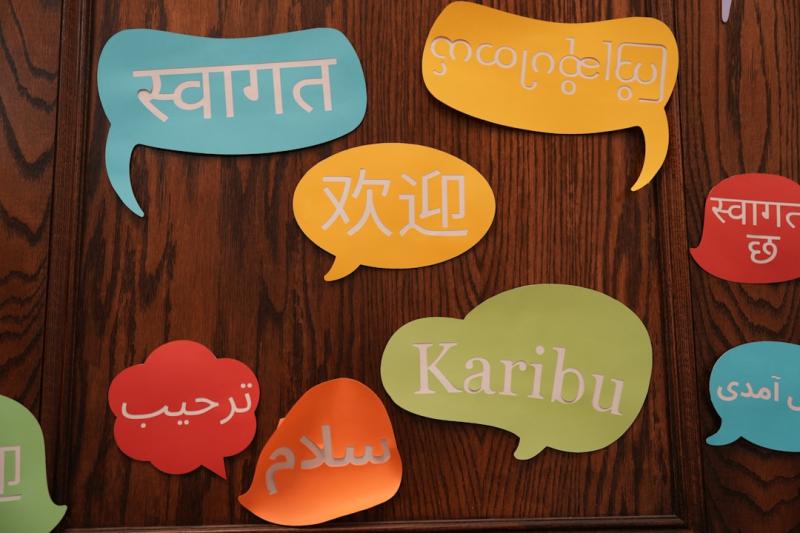
Multilingual UI vs. Localization vs. Internationalization (and why it matters)
-
Multilingual UI (MUI): The visible interface adapted to multiple languages and scripts—layouts, typography, spacing, controls, and interaction patterns.
-
Localization (L10n): Adapting content and UX to a locale (language + region) including formats, tone, imagery, and compliance.
-
Internationalization (i18n): Engineering your product so localization is possible without code rewrites (externalized strings, locale-aware formatting, RTL support).
Takeaway: i18n is the plumbing, localization is the content/UX layer, and MUI is the user-facing result. All three must align.
Why a multilingual UI is a growth lever
-
Acquisition & conversion: Native-feeling UI reduces cognitive load and form abandonment.
-
Retention: Users return to interfaces that “speak” their language conventions, not just their words.
-
Support costs: Clear labels, error states, and help text in the right tone lower tickets in new markets.
-
Brand trust: Consistent voice and culturally appropriate visuals build credibility fast.
Design rules for interfaces that work in any language
-
Design for text expansion & contraction
-
Expect +30–100% length in some locales (e.g., German) and shorter labels in others.
-
Use auto-layout, flexible containers, and avoid hard-coded heights.
-
-
Right-to-Left (RTL) as a first-class citizen
-
Mirror layout using CSS logical properties (margin-inline, padding-inline).
-
Check icon directionality (arrows, progress steps) and carousels.
-
-
Typography & font strategy
-
Choose font families with broad glyph coverage (Latin, Cyrillic, Arabic, CJK).
-
Use dynamic fallback stacks and guard against reflow when fallbacks load.
-
-
Numbers, dates, units, and currency
-
Always format via locale APIs (e.g., Unicode/CLDR rules).
-
Keep units explicit (kWh vs. BTU) and avoid ambiguous abbreviations.
-
-
Icons, color, and imagery
-
Replace text-in-images with real text.
-
Watch color meanings (e.g., red/green) and cultural signals in photography.
-
-
Compressed spaces: buttons, nav, banners
-
Prefer verb-first labels.
-
Provide long/short label variants and let the UI choose based on width.
-
Technical foundations your stack needs (before you translate a single string)
-
Externalize every string. Use resource files; never ship hard-coded text.
-
ICU MessageFormat. Handle pluralization, gender, and placeholders cleanly.
-
Locale negotiation. Detect and persist user locale (accept-language, profile, or in-app switcher) with clear overrides.
-
Routing & SEO. Use BCP-47 tags and consistent URL patterns (/ar-EG/, /fr-CA/).
-
RTL frameworks. Enable direction at the root, not per component.
-
Fonts & performance. Subset per script; preload critical fonts to avoid layout shift.
-
Safe text input. Support IMEs, bidirectional text, and different sorting/collation rules.
Content & microcopy that scales across markets
-
Write source text for translation. Short, specific, context-rich. Avoid culture-bound idioms.
-
Tone & voice. Provide a style guide; keep a consistent brand voice across languages.
-
Placeholders & variables. Keep them out of the way of grammar (“{count} files uploaded” with proper plural forms).
-
Error states & help. Front-load the action (“Try again”) and keep guidance locale-specific.
QA you can trust: the three layers teams skip
-
Pseudo-localization
-
Inflate text, add accent marks, and flip to RTL to surface broken constraints before translation.
-
-
Functional L10n QA
-
Validate formats, truncations, overlaps, and navigation parity per locale.
-
-
In-context linguistic review
-
Review inside the app/screenshots, not in a spreadsheet. Screen-by-screen sign-off stops last-minute surprises.
-
A simple workflow that actually ships
-
Design → content-first components, auto-layout, RTL tokens, dynamic spacing.
-
i18n Engineering → resource extraction, ICU patterns, locale routing, font plan.
-
Localization → termbase + glossary, translation memory, in-context review.
-
Build & QA → pseudo-loc pass → functional L10n QA → screenshot review.
-
Release & learn → monitor metrics per locale; feed issues back into design.
Governance that keeps you sane:
-
One owner for strings, one for locale rules, one for style/voice.
-
Versioned glossaries and UI copy doc.
-
A single “definition of done” that includes localization checks.
Metrics that prove impact
-
Conversion by locale (signup, checkout, upgrade).
-
Task success (e.g., first-run completion, time on task).
-
NPS/CSAT per locale and top reasons for low scores.
-
Defect rate (truncations, wrong formats, broken RTL) before vs. after process changes.
-
Page performance (CLS, LCP) after font and layout fixes.
Common pitfalls (and how to fix them)
-
Hard-coded strings: Externalize and rebuild with keys; block releases that reintroduce literals.
-
One-size fonts: Use script-aware typographic scales.
-
No RTL plan: Adopt logical properties and mirrored icons at design-system level.
-
Late localization: Start at wireframes. Localization is not a post-production task.
-
No context for translators: Provide screenshots, character limits, and notes.
Mini case example (anonymized)
A B2B SaaS shipped a “translated” UI that still used LTR spacing in Arabic. Navigation felt reversed and labels truncated. After moving to logical CSS, enabling true RTL mirroring, and rewriting microcopy with proper plural rules, trial-to-paid in Arabic locales rose, while support tickets dropped. The codebase stayed the same; the difference was treating multilingual UI and localization as one system.
Launch checklist (copy/paste for your team)
-
Strings externalized with ICU MessageFormat
-
Locale routing & switcher in place (with BCP-47 tags)
-
Fonts cover all scripts; subsets loaded early; CLS checked
-
RTL tokens + logical properties; mirrored icons validated
-
Dates, numbers, currency via locale APIs; units explicit
-
Source copy reviewed for brevity, clarity, and context
-
Pseudo-loc run passed; no truncations/overlaps
-
In-context linguistic sign-off completed
-
Metrics and dashboards segmented by locale
Conclusion & next step
A multilingual user interface isn’t a layer you slap on. It’s the visible proof that your design, engineering, and localization workflows are aligned. Get those foundations right and every new language becomes a routine release—not a fire drill.

Post Your Ad Here
Comments