AutomatorWP: Ultimate WordPress Automation
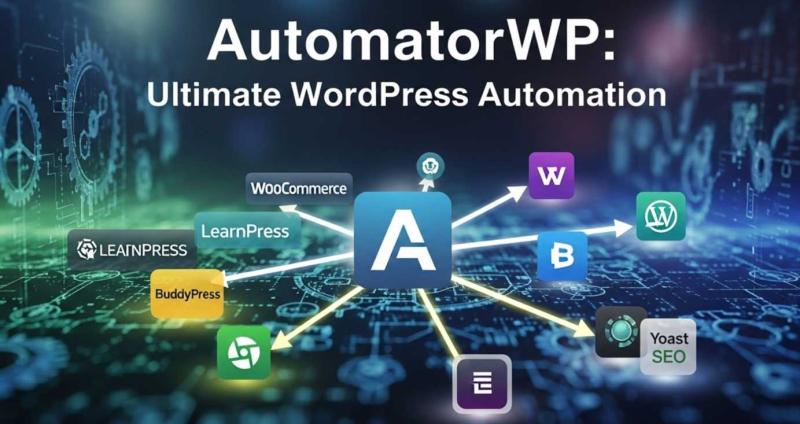
AutomatorWP: The Ultimate WordPress Automation Guide
Running a WordPress website is exciting until you realize just how many tasks pile up—emails to send, membership actions to trigger, form submissions to track, courses to unlock, coupons to generate… the list is endless. That’s exactly where AutomatorWP swoops in like a superhero with a keyboard cape.
Instead of hiring a team of coffee-fueled assistants (or endlessly juggling tasks yourself), AutomatorWP lets you automate the boring stuff and focus on what actually grows your site. In this guide, I’ll walk you through everything you need to know about AutomatorWP—features, integrations, benefits, real-life use cases, and why this plugin deserves a top spot in your WordPress toolkit.
What is AutomatorWP?
At its core, AutomatorWP is a no-code automation plugin for WordPress. Think of it as “Zapier, but built natively for WordPress.” It lets you connect your plugins, themes, and apps together to create workflows (aka automations) without touching a single line of code.
For example:
-
A user registers on your site → they’re automatically enrolled in your LearnDash course.
-
Someone buys a WooCommerce product → they get tagged in your email marketing tool.
-
A member completes a BuddyBoss activity → they’re rewarded with a custom badge.
It’s about making your site smarter and your life easier. And honestly, who doesn’t want that?
Why Use AutomatorWP for Your WordPress Site?
Let’s be real: if you’re still manually connecting actions across different plugins, you’re living in the past. AutomatorWP offers a stack of benefits:
-
⚡ Save Time: Automations run 24/7, so you don’t have to.
-
? Integrate Everything: Works with WooCommerce, LearnDash, BuddyBoss, Elementor, WPForms, and more.
-
? No-Code Simplicity: Create workflows with clicks, not code.
-
? Boost Conversions: Personalized automation = better user experience.
-
? Track Activity: Detailed logs help you know exactly what’s happening.
It’s like hiring an assistant who never takes vacations (or complains about too many tabs being open).
Key Features of AutomatorWP
Here’s what makes AutomatorWP a serious game-changer:
1. Triggers and Actions
Everything in AutomatorWP revolves around triggers (when something happens) and actions (what should follow). Example:
-
Trigger: User submits a WPForms form.
-
Action: Add them to a Mailchimp list.
2. Powerful Integrations
AutomatorWP integrates with 100+ plugins and apps, including:
-
WooCommerce
-
LearnDash
-
BuddyBoss
-
WPForms
-
Contact Form 7
-
Elementor
-
Slack
-
Zoom
-
Mailchimp
Basically, if you’re using a popular plugin, AutomatorWP probably connects with it.
3. Unlimited Workflows
Unlike some automation tools that cap your workflows, AutomatorWP lets you build as many as you like.
4. Logs & Reporting
See what automations ran, when they ran, and whether they succeeded—no guesswork needed.
5. Extendable & Developer-Friendly
Yes, even developers love it. AutomatorWP offers hooks, filters, and APIs for custom expansions.
Who Should Use AutomatorWP?
Pretty much anyone running a WordPress site. But let’s break it down:
-
? eCommerce Owners: Automate WooCommerce follow-up emails, coupon generation, and membership unlocks.
-
? Course Creators: Reward learners, enroll students automatically, send certificates.
-
? Membership Site Admins: Improve engagement with BuddyBoss, MemberPress, or Restrict Content Pro.
-
? Bloggers & Marketers: Auto-share posts, sync forms with email tools, schedule campaigns.
-
⚙️ Agencies & Developers: Save hours by automating repetitive client site setups.
If you’re thinking, “Okay, that’s me,” then AutomatorWP might just be your new best friend.
Real-Life Use Cases for AutomatorWP
Sometimes theory is boring. Let’s get practical:
-
A student completes Lesson 1 in LearnDash → Automatically unlock Lesson 2 + send a “congrats” email.
-
A customer buys a product in WooCommerce → Generate a personalized coupon for their next order.
-
A user registers → Add them to your ConvertKit list and tag them as “new member.”
-
Someone posts in a BuddyBoss forum → Reward them with points in GamiPress.
See the magic? AutomatorWP is like your silent productivity ninja.
AutomatorWP vs Competitors
You might be thinking: “Why not just use Zapier, Uncanny Automator, or WP Fusion?” Good question.
-
Zapier: Great for external apps, but not deeply tied to WordPress plugins.
-
Uncanny Automator: Strong competitor, but AutomatorWP often provides more free integrations.
-
WP Fusion: Focuses mainly on CRM and membership syncing.
AutomatorWP shines when you need WordPress-specific automations. It’s laser-focused on solving problems inside your WP ecosystem.
Pricing: Is AutomatorWP Free?
Yes! AutomatorWP has a free core plugin you can install from WordPress.org. It comes with plenty of triggers and actions to get started.
For more advanced needs, there are premium add-ons available, sold individually or in bundles. This “à la carte” model means you only pay for what you actually need—unlike bloated plugins that charge you for features you’ll never touch.
How to Get Started with AutomatorWP
Ready to try it out? Here’s the quick-start guide:
-
Install AutomatorWP from the WordPress plugin directory.
-
Choose a trigger (e.g., user submits a form).
-
Add an action (e.g., send email, enroll in course).
-
Publish your workflow.
-
Sit back and let the magic happen. ✨
Within minutes, you’ll have automations running like a well-oiled machine.
Final Thoughts: Is AutomatorWP Worth It?
Short answer: absolutely.
If you’re tired of manual work, plugin juggling, and missing out on user engagement opportunities, AutomatorWP is the sidekick you didn’t know you needed. It’s lightweight, flexible, and ridiculously powerful for anyone serious about scaling their WordPress site.
So instead of drowning in repetitive tasks, why not let AutomatorWP take over?
? For more WordPress related support and resources checkout WPExclusive ? https://wpexclusive.com/
Post Your Ad Here
Comments