Adding a Barcode Scanner to Your Website - What You Need to Know
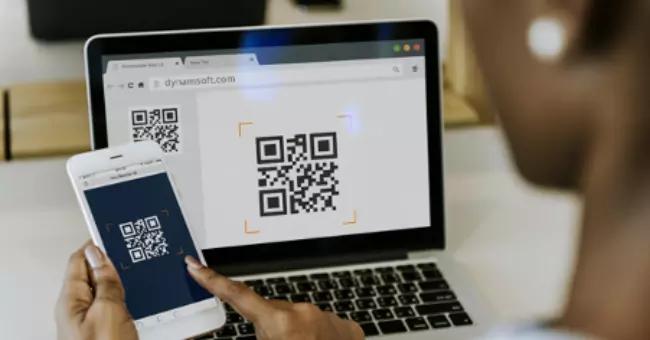
With physical and digital operations continuing to converge, businesses must optimize their processes with modern solutions. A barcode scanner integrated into your website isn’t a nice-to-have feature anymore – it’s a necessity. An integrated online barcode scanning functionality is imperative if your operational processes include scanning IDs, coupons, or product labels while using a web app. This allows you to better serve your customers and ensure a streamlined experience. Using a web barcode SDK to create scanning functionality built into your website also saves them the hassle of using third-party apps. However, it’s always crucial to make an informed decision before implementing a new system into your operations.
3 Things to Keep in Mind When Adding a Barcode Scanner to Your Website
When implementing a barcode scanning system for your website, you should keep a few things in mind.
1. Poor Quality Scanning can be Frustrating
Remember – one of the key purposes of implementing the functionality is to create a more streamlined user experience. However, low-quality scans can beat the whole purpose and frustrate your users instead. Issues with your online ID barcode scanning function may prevent users from verifying their identity or redeeming a coupon. This can potentially drive them to leave you for one of your competitors. Similarly, a web-based self-scanning solution for in-store shopping with frequent scanning errors can directly reduce sales by preventing customers from accessing product information.
Hence, your web app must be flawless when it comes to scanning barcodes. Even a single instance of failed scanning can hinder the customer’s experience. Investing in entry-level scanning software to save money is likely to cost you in lost sales. Instead, implement a reliable and proven scanning solution with high accuracy.
2. Ensure Compatibility with Various Barcode Types
Not every barcode scanning application supports every barcode symbology. A scanner can also be configured to scan specific barcode types to eliminate delays in identification. To serve your purpose properly, your web-based barcode scanner must support the barcodes it’s likely to be used for. Limited compatibility can prevent the system from successfully scanning every ID, coupon, or product label.
Make sure to invest in a web barcode SDK with robust support for various barcode types. This would enable you to seamlessly accept various forms of ID for verification purposes. For in-store scanning functions or internal processes that involve scanning product packages, ensure compatibility with all the barcode types on your product barcode labels.
3. Ease of Integration and Use
Implementing a complicated barcode scanning system isn’t just a challenge. It can also prove more expensive to set up, maintain, and modify. Similarly, the front end of the scanning software should be intuitive and easy to use. Whether it’s for your customers or employees, you need an easy-to-use scanner that simplifies barcode reading.
The best way to go about this is to use a well-made SDK with comprehensive scanning features and high customizability. Using an SDK saves you the cost and hassle of developing the scanning software from scratch. While the latter option offers plenty of freedom, you can enjoy the same with a feature-rich SDK you can customize and configure to your unique needs. Likewise, the right SDK can help you create the perfect user experience.
How to Choose the Right Barcode Scanning Solution for Your Website
As you can see, much depends on choosing the right barcode SDK for your barcode scanning functionality. From creating a smooth user experience to saving money on implementation, it all comes down to the scanning solution you choose. Here are a few things to look out for:
1. Scanning Speed and Accuracy
Having a fast and accurate barcode scanning system can go a long way in creating a great customer experience. Even for internal operations, scanning speed and accuracy can significantly boost employee productivity.
2. Image Processing Capabilities
Remember, not every barcode your users scan is going to be in optimal conditions. Barcodes damaged due to smudging, fading, or other issues can be difficult to scan. Invest in a barcode scanner software with powerful image processing capabilities to scan damaged or skewed barcodes seamlessly.
3. Robust Features
Make no compromises when it comes to implementing the best web-based barcode scanner. Look for robust SDKs with features such as customizable UI, reading textured images, and the filtering and sorting of decoded data. You may also want to future-proof your processes by using a scanning solution that supports features you might need later, even if you don’t implement them immediately.
Conclusion
Successfully implementing a barcode scanner for your website doesn’t have to be a daunting task. Investing in a well-developed SDK with a proven track record solves most of your challenges. You can build a powerful scanning software tailored to your applications. Level up your business processes today with a fast, reliable, and feature-rich web-based barcode scanning solution.
Post Your Ad Here
Comments