What is Android Kiosk Mode and How It Secures Business Devices
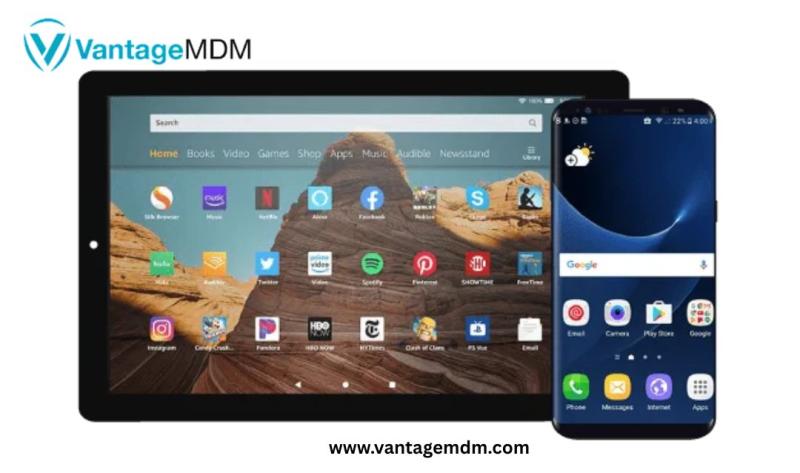
From self-service kiosks in retail stores to tablets used in education and logistics, Android devices are everywhere. But to ensure these devices are used only for their intended purposes—and to protect them from misuse—Android kiosk mode offers a secure, efficient solution.
This article will explore what Android kiosk mode is, how it works, and why Android kiosk software or kiosk lockdown software is essential for business and enterprise device management.
What is Android Kiosk Mode?
Android kiosk mode is a security feature that locks down an Android device to a single app or a specific set of apps. When enabled, users are restricted from accessing settings, making changes, or launching unauthorized applications. Essentially, the device is transformed into a dedicated-purpose tool—often for point-of-sale (POS), self-check-in, inventory management, customer feedback, or educational use.
Kiosk mode helps companies avoid distractions, prevent data breaches, and ensure that devices are used strictly as intended.
Key Features of Android Kiosk Mode
When activated through Android kiosk software or kiosk lockdown software, Android kiosk mode offers the following features:
1. Single-App or Multi-App Lockdown
You can lock the device to:
-
One specific app (e.g., a survey or point-of-sale system)
-
A list of approved apps only
2. Disable Hardware Buttons
Kiosk mode can block access to:
-
Home, Back, and Recent Apps buttons
-
Volume and Power buttons (optional)
3. Prevent Unauthorized Access
Restricts access to:
-
Settings menu
-
App store (Google Play)
-
Notifications and system UI
4. Remote Management (via MDM)
With the help of an MDM (Mobile Device Management) platform, IT admins can:
-
Deploy kiosk mode remotely
-
Monitor usage and device location
-
Push updates and manage apps from a central dashboard
Use Cases for Android Kiosk Mode
1. Retail and POS Systems
Transform tablets into checkout systems or digital catalogs, ensuring staff or customers cannot use the device for anything else.
2. Self-Service Kiosks
Allow customers to place orders, sign in, or fill out forms without the ability to tamper with the device.
3. Field Services and Logistics
Equip drivers and field workers with locked-down devices that run only logistics, delivery, or routing apps.
4. Education
Lock tablets to educational apps or test platforms to keep students focused and avoid unauthorized browsing.
5. Healthcare
Use tablets for patient check-ins, digital forms, or information displays while maintaining privacy and control.
How to Enable Android Kiosk Mode
There are two main ways to enable kiosk mode on an Android device:
1. Native Android Screen Pinning (Basic Option)
For single-app use, Android offers a built-in “screen pinning” feature:
-
Go to Settings > Security > Advanced > Screen Pinning
-
Enable screen pinning
-
Open the desired app, tap Recent Apps, then pin the app
-
This restricts users to the pinned app until a passcode is entered to exit
Note: This is a basic feature and not suitable for enterprise-level control.
2. Using Android Kiosk Software (Advanced Option)
Professional Android kiosk software or kiosk lockdown software provides full control, remote management, and scalability.
Top solutions include:
-
SureMDM by 42Gears
-
Scalefusion
-
Hexnode MDM
-
Esper
-
KioWare
-
IBM MaaS360
These tools allow IT admins to:
-
Lock devices remotely into kiosk mode
-
Set device usage schedules
-
Whitelist/blacklist apps
-
Enable device tracking and reporting
Benefits of Using Android Kiosk Software
Enhanced Security
Kiosk software prevents unauthorized access to system settings, apps, and data.
Reduced Device Misuse
Employees or customers can only access the apps and features they’re supposed to use.
Better Productivity
Eliminates distractions by removing access to games, social media, or browser apps.
Centralized Control
Admins can manage, monitor, and update all devices from a single dashboard—ideal for companies with distributed teams.
Custom Branding
Many kiosk software tools allow branding the home screen, app icons, and user interface with your company’s logo and theme.
Challenges Without Kiosk Lockdown Software
If you deploy Android devices for public or business use without kiosk lockdown:
-
Users may access settings, install unauthorized apps, or misuse the internet
-
Data leakage or accidental file deletion could occur
-
The device may be used for personal entertainment, reducing productivity
-
You risk security vulnerabilities due to unrestricted usage
That’s why Android kiosk software is vital for any business deploying Android tablets or smartphones at scale.
Whether you’re running a retail chain, managing a warehouse, or conducting surveys in the field, securing your Android devices with kiosk mode ensures they serve their exact purpose—nothing more, nothing less.
While Android offers basic built-in features for locking apps, businesses that rely on large-scale device deployments will benefit immensely from dedicated Android kiosk software or kiosk lockdown software. These solutions provide the flexibility, security, and control needed to keep your devices safe, productive, and aligned with your business goals.
Post Your Ad Here
Comments