Google Workspace to Microsoft 365 Migration: A Complete Guide for 2025
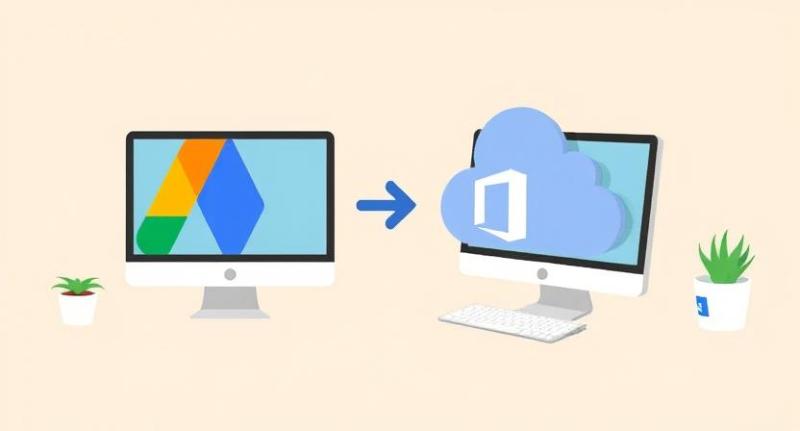
Google Workspace to Microsoft 365 Migration: A Complete Guide for 2025
Moving from Google Workspace to Microsoft 365 is a big decision for many organizations. This shift helps businesses access powerful tools in the Microsoft cloud ecosystem. In this guide, we’ll explain the process step by step. We'll also recommend a smart tool to simplify the migration journey.
Why Organizations Move from Google Workspace to Microsoft 365
Microsoft 365 offers strong collaboration and security features. It also integrates better with other Microsoft services and apps. Businesses choose Microsoft 365 for Outlook, Teams, OneDrive, and SharePoint. These tools are crucial for productivity, especially for remote teams. Cost optimization is another key reason. Some companies find Microsoft licensing more suitable for long-term use. The decision also depends on industry-specific needs or client requirements.
Common Challenges in Google Workspace to Microsoft 365 Migration
Migrating data from Google Workspace is not always simple. Here are some common challenges faced by IT teams:
-
Email migration delays
-
Calendar and contact syncing issues
-
Folder structure not retained
-
Shared drive migration errors
-
User permissions not transferring correctly
These problems may lead to data loss or business disruptions. Using the right migration tool solves most of these issues.
What Data You Can Migrate
While planning migration, it’s important to know what you can move. Most organizations choose to migrate the following:
-
Emails (Gmail to Outlook)
-
Contacts
-
Calendars
-
Google Drive files to OneDrive or SharePoint
-
Shared drives
-
Labels and metadata
Full migration includes both user and shared data. This ensures nothing is left behind during the switch.
Manual vs. Automated Migration
Manual migration is possible but not recommended for large organizations. It requires technical skills, time, and high accuracy. Errors can easily occur with manual methods. Automated tools are faster, safer, and more efficient. They also maintain file integrity and user permissions.
Best Practices for G Suite to Office 365 Migration
Here are some useful tips for a smooth G Suite to Office 365 migration:
1. Plan and Audit
- Start by analyzing your current Google Workspace setup.
- Make a list of user accounts and data to move.
- Audit unused accounts and clean up files.
2. Choose the Right Tool
- Using a reliable migration tool is essential.
- Look for tools that support emails, contacts, calendars, and drive data.
- Kernel Google Workspace to Office 365 software is a perfect choice.
3. Migrate in Batches
- Don't move everything at once.
- Break down the migration into smaller batches.
- Start with low-risk users and scale from there.
4. Maintain Data Integrity
- Ensure emails, folders, and attachments stay intact.
- Verify metadata and sharing settings after migration.
5. Inform and Train Users
- Let employees know about the change in advance.
- Offer training on Microsoft 365 tools like Teams and Outlook.
6. Monitor and Validate
- Track the progress and validate migrated data.
- Test migrated accounts before deactivating Google Workspace.
Introducing Kernel Google Workspace to Office 365 Software
Kernel Google Workspace to Office 365 is a trusted migration tool. It supports full migration of emails, contacts, calendars, and Google Drive files.
Key features include:
-
Migrate Google Workspace to Microsoft 365 seamlessly
-
Preserve folder hierarchy and metadata
-
Support for user mailboxes and shared mailboxes
-
Advanced filtering by date, folder, or item type
-
Batch migration with CSV file support
-
Easy dashboard to monitor migration status
With this software, gsuite to o365 migration becomes smooth and stress-free. It also helps to migrate G Suite to Office 365 with zero data loss. Many IT admins trust this tool for fast and secure transfers. It ensures data accuracy and complete user mapping. No need for complex scripts or manual steps.
Steps to Migrate Google Workspace to Office 365 Using Kernel Tool
Here is a quick overview of how it works:
-
Install Kernel Google Workspace to Office 365 tool
-
Add Google Workspace and Office 365 admin credentials
-
Map source and target mailboxes
-
Apply filters for custom migration
-
Start migration and track the progress live
The tool completes migration faster than traditional methods. Even large organizations can migrate thousands of mailboxes easily.
Final Thoughts
Google Workspace to Microsoft 365 migration can be complex without the right support. Using a powerful tool like Kernel Google Workspace to Office 365 makes things simple. Whether you want to migrate Google Workspace to Office 365 or switch for better tools, this migration is a smart business move in 2025.
Read also: Choosing the Right SharePoint Data Migration Tool

Post Your Ad Here
Comments