How to Get Your HubSpot to Salesforce Migration Right in the First Go?
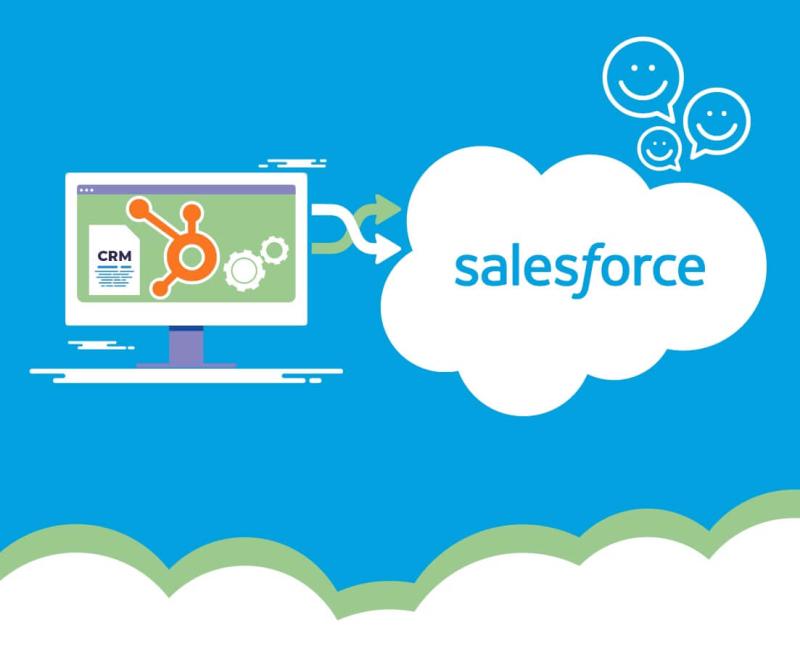
Does your CRM perform sub-optimally? Or does it fail to meet your company’s growing needs? Whatever the situation is, you’re not alone! As businesses scale, many discover that their CRM lacks the flexibility and capabilities to manage evolving needs and complexity. This negatively affects their profits, productivity, and position in the market.
That said, automation, integration, and advanced reporting aren’t just nice-to-have features anymore, but basic requirements. In response, companies often have to shift from existing systems to advanced solutions. One such scenario is HubSpot to Salesforce migration.
Both HubSpot and Salesforce are advanced CRMs with powerful features. However, HubSpot excels as an entry-level CRM solution, whereas Salesforce is the right solution for organizations focusing on growth and operational excellence.
Salesforce is a highly customizable solution. This implies that you can tailor the platform to meet your business requirements, rather than forcing your processes to fit the software's limitations. The platform offers unlimited scalability to ensure CRM is not a roadblock in business expansion. To compensate for the HubSpot to Salesforce migration case, here is a detailed comparison of both CRM solutions.
Feature Comparison
| Feature | HubSpot CRM | Salesforce CRM |
|---|---|---|
| Ease-of-Use | Intuitive, beginner-friendly interface | Steeper learning curve, more complex |
| Customization | Limited custom fields and workflows | Extensive customization options |
| Scalability | Suitable for small to medium businesses | Enterprise-grade, unlimited scalability |
| Integrations | 500+ integrations via marketplace | 5,000+ apps on AppExchange |
| Reporting | Basic to intermediate reporting tools | Advanced analytics and reporting |
| Automation | Simple workflow automation | Complex process automation capabilities |
| Support | Email and chat support | 24/7 phone, email, and premium support |
| User Capacity | Suitable for teams under 100 users | Supports thousands of users effortlessly |
In short, businesses on an expansion spree must migrate from HubSpot to Salesforce. However, migrating from one solution to another is not easy and requires careful planning and execution. Any wrong move can lead to data loss or impact business operations.
What is the Impact of Poor Salesforce to HubSpot Migration?
Migrating from HubSpot to Salesforce is not a cakewalk. Or, let’s put it this way: although switching from HubSpot to Salesforce is beneficial, the process is not without risks. Businesses must take a deliberate approach; otherwise, they may run into:
- Data inconsistencies that compromise CRM reliability
- Workflow disruptions that paralyze sales operations
- User adoption challenges that delay ROI
- Integration issues that create operational silos
A poorly executed migration impacts the entire business. It slows down processes, which frustrates users and strains customer relationships. Conversely, a planned migration helps unlock advanced CRM capabilities that drive growth and success. So, when is the right time to move? And how can you ensure your transition to Salesforce is successful from day one? Let's explore this in the next section.
When to Consider Migrating from HubSpot to Salesforce
Even though migrating from HubSpot to Salesforce is beneficial, the decision mustn’t be rushed. You must perform a thorough analysis before making the move. Or if your business checks one or more of the boxes below, it may be time to initiate the switch. Take a look:
Require Advanced Customization
If your sales workflows are complex or reporting needs are highly specific, you may have already reached the limits of HubSpot’s native features. The Salesforce CRM helps by providing extensive custom fields and object options as well as advanced business logic for industry-specific needs. Organizations with unique lead scoring models, multi-step approvals, and complex pipeline structures often find Salesforce vital for daily operations.
Scaling at the Enterprise Level
CRM limitations often create hurdles in scaling business operations. Make the move if you have a 100+ user base, millions of records to manage, or cross-departmental CRM dependencies. Salesforce supports multiple teams operating from different regions with greater stability. Thus, migrating to Salesforce is the way forward when expanding into new geographies, business units, or acquisitions.
Relying on Complex Integrations
Gone are the days when basic app connections were sufficient for businesses. If your team depends on legacy systems or industry-specific tools, HubSpot may fall short. Contrarily, Salesforce offers thousands of apps and APIs available on AppExchange for custom integrations. You can also get native support for real-time data synchronization. Whether you’re syncing with ERPs, marketing automation platforms, or proprietary software, Salesforce handles multi-directional integrations at scale.
Reporting Needs Go Beyond Dashboards
Basic charts and standard dashboards are helpful, but only to a certain extent. Organizations requiring predictive insights, revenue forecasting, and data visualization must migrate to Salesforce from HubSpot. The CRM offers AI-driven insights, dynamic dashboards, and custom reporting across large datasets. These are necessary to make informed decisions and tap into passing opportunities.
Having understood when and why a business should migrate from HubSpot to Salesforce, it is now time to explore the steps. Doing so helps businesses get the migration right the first time without any data loss or business disruption.
How to Ensure Successful HubSpot to Salesforce Migration?
Following a stepwise approach is all it takes to make the transition successful. Although every organization is unique, successful migrations follow a common framework. Here's how to migrate from HubSpot to Salesforce without compromising workflows:
Step 1: Audit and Cleanse Your Data
Clean data is non-negotiable. Therefore, start by conducting a comprehensive audit of your HubSpot database. This can be done by removing duplicates and incomplete records, standardizing field formats, and archiving or deleting outdated entries. Do not forget to establish data governance protocols, as they help ensure data privacy and integrity.
Step 2: Plan Strategically with a Realistic Timeline
Migrations, irrespective of their nature, should never be rushed, as they often lead to mistakes. Instead, stakeholders must develop a project plan that includes:
- Properly defined phases
- Team responsibilities and resource allocation
- Scheduling around business-critical periods
Don’t forget to add buffer time for testing and employee onboarding. Before moving the first data point, clearly communicate expectations to all stakeholders so that everyone is on the same page.
Step 3: Configure Salesforce to Fit Your Operations
The ideal way to ensure Salesforce mirrors your workflows is to map HubSpot fields to Salesforce and rebuild workflows and automation rules if required. Once done, the next phase is to define user roles, permissions, and layouts and tailor configurations to real-world processes. Importantly, test your setup before migration to minimize disruption once Salesforce goes live.
Step 4: Pilot Test Before Full Rollout
One common mistake most organizations make is implementing a full-scale solution all at once. This proves overwhelming and leads to business downtime. If the migration is unsuccessful, the efforts and resources go in vain. Instead, a smart approach is to begin with a controlled pilot migration.
This way, you can validate data accuracy and mapping, test workflow performance, identify and resolve unexpected issues, and obtain feedback from early users. In simple words, the pilot phase reveals gaps that can be corrected before the full rollout.
Step 5: Test All Integrations Thoroughly
CRM data rarely lives in isolation. So, to avoid surprises, run integration tests before going live. This ensures that CRM-to-marketing automation flows are intact and custom integrations function without latency. The best part is that all historical data is accessible and reports reflect accurate, connected data.
Step 6: Train Users and Manage Change Effectively
Adoption of technology is only as strong as its users. To do so, create a training program that addresses the new CRM's operational and technical aspects. Role-based training modules, live workshops and demos, and continuous support make an effective training program that empowers users to easily adopt new technology.
Wrapping Up
Switching from HubSpot to Salesforce is more than just a change of CRM systems. It changes the way organizations capture, manage, and activate customer data. And the goal of HubSpot to Salesforce migration is to build a robust, scalable platform that supports your business as it grows. The best part is that neither customer satisfaction nor efficiency is compromised during migration. When properly planned and implemented, Salesforce transcends its role as a tool into a catalyst for growth.

