How to Build and Customize an Uber Clone Script for Local Ride Services
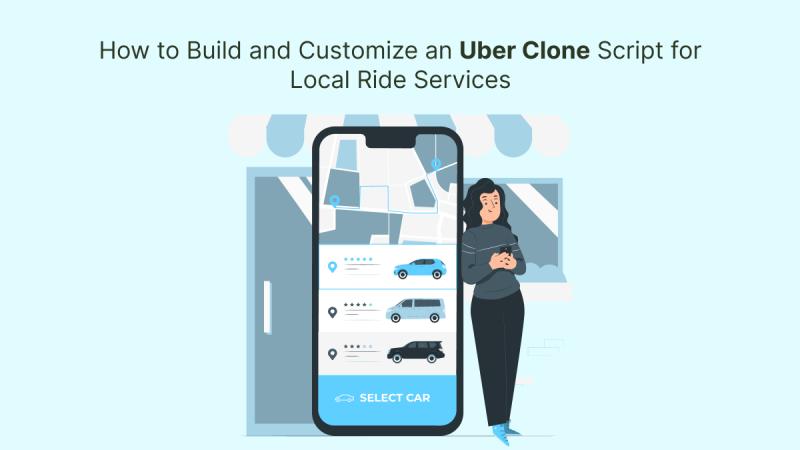
The local ride-hailing industry is thriving in 2025, and entrepreneurs are seizing the opportunity to launch niche, regional ride services. If you're looking to enter the market quickly and affordably, building a custom Uber clone app is your best bet. With the help of a reliable clone app development company, you can create a branded, scalable solution tailored to your audience's needs.
This blog will guide you through the process of building and customizing an Uber clone script for your local market—from selecting the right tech stack to adding location-specific features and monetization options.
Why Use an Uber Clone Script for Local Ride Services?
Creating a ride-hailing platform from scratch is costly and time-consuming. An Uber clone script offers a ready-to-deploy foundation with proven architecture and essential features already built-in.
Here’s why it’s a smart move for regional startups:
- Faster time-to-market (launch in weeks, not months)
- Reduced development cost compared to custom builds
- Easy localization for language, currency, routes, and pricing
- Full control over branding, features, and revenue models
Whether you're building a ride app for a small town, a busy city, or a specific niche like airport shuttles or EV taxis, a clone script gives you flexibility and speed.
Step-by-Step Guide to Building an Uber Clone Script
1. Define Your Business Model
Start by identifying your target audience and niche. Consider these local ride service models:
- Point-to-point city rides
- Bike taxi for traffic-prone areas
- EV-only or eco-friendly fleets
- Female-only drivers for safety
- Corporate or school ride contracts
Once your model is defined, map out rider needs, pricing strategies, and service types.
2. Choose a Reliable Clone App Development Company
The quality of your app depends on the expertise of your development partner. Choose a clone app development company that offers:
- Proven Uber clone script demos
- Full customization support
- Multi-language and multi-currency capabilities
- Clean, scalable code architecture
- Post-launch technical support
Ask for portfolios and test the demo before finalizing.

3. Customize the Front-End Experience
A successful local ride app must offer an intuitive and localized user experience. Work with your developers to modify:
- Branding – logo, colors, icons
- UI/UX – layout, fonts, visual hierarchy
- Languages – add regional language support
- Fare calculation – customize pricing models (base fare, distance, surge)
- Maps & routing – use local map APIs or integrate Google Maps with custom zones
Also, consider accessibility options such as larger text sizes, dark mode, and offline ride history access.
4. Add Location-Specific Features
Tailor your Uber clone app to local users with features that meet real-world needs:
- Cash payments for regions with low digital penetration
- QR-based ride verification for safety in crowded areas
- Zone-based surge pricing
- Local festivals/holiday ride bonuses
- Driver incentives for peak-hour coverage
If you’re targeting rural or low-bandwidth areas, include offline ride booking or lightweight app versions.
Read More: Roaming Around the Streets: Discover Top 10 Taxi Booking Apps in South Africa
5. Customize the Admin Panel
The admin dashboard is where you manage drivers, users, payments, promotions, and insights. Ensure it's adapted for local operations with:
- Local time zones and regional analytics
- Customized reporting filters (e.g., ride type, zone, vehicle type)
- Support for local tax/GST invoicing
- Role-based access (admin, dispatcher, support)
Your clone app development company can tailor the admin backend to simplify management tasks.

6. Integrate Local Payment Gateways
While PayPal and Stripe are global standards, your local audience may prefer:
- UPI (India)
- M-Pesa (Africa)
- GCash (Philippines)
- Mada (Middle East)
- Cash on Delivery (COD)
Offer multiple payment modes—wallets, cards, cash—to maximize adoption.
7. Ensure Legal Compliance & Safety
Operating locally means aligning with city or regional transport regulations. Make sure your app includes:
- Driver KYC and license verification
- Insurance policy uploads
- In-app SOS button
- Contact tracing (if required)
- Local ride fare policies
Consult local authorities or legal counsel before going live.
8. Launch & Scale Strategically
Begin with a soft launch in a small area or one city. Collect feedback, tweak UX, and then scale. Use marketing strategies like:
- First-ride discounts
- Refer & earn programs
- Partnerships with local businesses
- Ride passes for daily commuters
Analyze user data to optimize routes, fares, and driver availability.
Must-Have Features in a Local Uber Clone App
Rider App:
- Easy registration/login
- Live location tracking
- Fare estimation
- In-app chat & call with drivers
- Digital and cash payment options
- Ride history & invoice
- Ratings and complaints
Driver App:
- Accept/decline rides
- Daily earnings summary
- Navigation and traffic integration
- Online/offline toggle
- Payout request feature
Admin Panel:
- Real-time monitoring of rides
- Manual/automatic driver assignment
- Surge pricing configuration
- Promo code management
- Analytics dashboard
Top Tech Stack for Uber Clone App Development
For fast and scalable development, most clone app development companies use:
- Front-End: React Native / Flutter (cross-platform)
- Backend: Node.js / Laravel / Express.js
- Database: MongoDB / MySQL / PostgreSQL
- Maps: Google Maps SDK / Mapbox
- Push Notifications: Firebase / OneSignal
- Payments: Stripe / Razorpay / Paystack / Custom gateways
Make sure your tech stack can support future updates, API integrations, and third-party plugins.
FAQs
1. Can I launch an Uber clone app in just one city or region?
Yes, Uber clone scripts are highly flexible and perfect for single-city launches. You can later scale based on demand.
2. How much does it cost to build a customized Uber clone app?
Basic versions start from $5,000–$8,000. Fully customized versions with advanced features may go up to $20,000+ depending on your requirements.
3. How long does it take to launch?
If you're using a pre-built Uber clone script, it typically takes 2–4 weeks including testing and branding.
4. Can I offer both Android and iOS apps?
Yes. Most clone scripts are developed in cross-platform frameworks like Flutter, which allows you to deploy apps on both platforms.
5. Is post-launch support included by development companies?
Many clone app development companies offer 3–6 months of support and maintenance, depending on the package.
Conclusion
Launching a local ride-hailing service in 2025 doesn’t require building from scratch. With a robust Uber clone script, you can enter the market quickly, reduce upfront costs, and scale efficiently.
The key lies in customizing the script for your region—language, pricing, features, and regulations. With the help of a skilled clone app development company, you’ll be able to deliver a professional, intuitive, and competitive experience for your local users.
Post Your Ad Here
Comments