Learn How to Master Ableton Live for Fun and Profit
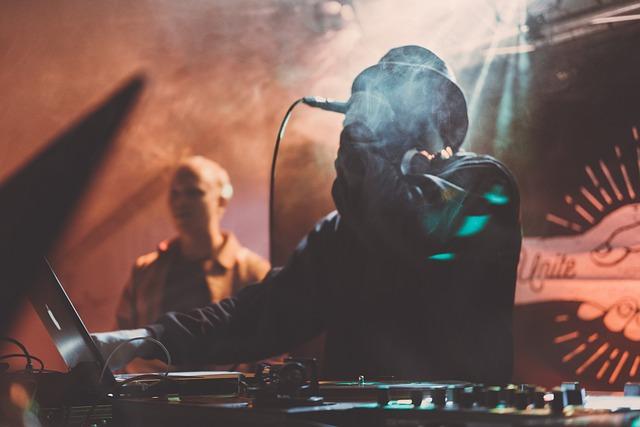
Ableton Live is a powerful, versatile Digital Audio
Workstation (DAW) designed to accommodate an impressive range of musical
applications—from studio production and sound design to live performance and
DJing. Whether you’re an aspiring music producer, audio engineer, film/game
composer, live DJ, or any combination of these, Ableton Live comes packed with
features that can elevate your craft.
However, because of its versatility, Ableton Live can have a
steep learning curve. Below, we’ll explore how Ableton Live supports different
music careers and the most common methods to learn it. We’ll then show you how
the Recording Connection’s one-on-one mentorship approach can fast-track your
success in mastering this amazing DAW.
1. Ableton Live Features by Discipline
Music Producer
- Arrangement
View: Ideal for linear production, songwriting, and fleshing out full
tracks.
- Session
View: Perfect for looping, sketching ideas, and improvising.
- Instrument
& Effect Racks: Combine layers of sounds/effects under one rack
for easy manipulation.
- MIDI
Editing & Automation: Essential for programming drums, basslines,
melodies, and effect tweaks.
Audio Engineer
- Mixing
& Mastering Tools: Built-in EQ Eight, Glue Compressor, and limiter
to polish your mix.
- Routing
& Signal Flow: Set up advanced parallel processing, sends/returns,
and sidechaining.
- Rack
Macros & Chain Splits: Simplify complex effects chains with
assignable macros.
- Session
Automation: Automate effect sends, filter sweeps, and volume changes
seamlessly.
Music Creator (Songwriter / Beatmaker)
- Audio-to-MIDI:
Convert vocal melodies or percussion loops into editable MIDI data.
- Clip
Recording & Loops: Quickly build entire songs from short loops.
- Built-in
Instruments & Samples: Tools like Simplify, Drum Rack, and
Wavetable for instant inspiration.
- Creative
Effects: Devices like Granulator or Resonators to generate new
textures and ideas.
Music Composer (Film, TV, Games)
- Arrangement
Tools & Markers: Keep track of cues and scene changes for scoring
to picture.
- MIDI
& Orchestral Libraries: Integrate external VSTs (e.g., Kontakt)
for orchestral or cinematic scoring.
- Tempo
& Time Signature Changes: Manage variable tempos or odd meters for
film and game cues.
- Max
for Live: Extend Live with generative, custom devices tailored to
scoring needs.
Live DJ
- Session
View: Trigger loops and entire tracks in real time, perfect for live
sets.
- Warping
& Tempo Control: Ensure audio stays in sync across multiple
tracks.
- Follow
Actions: Automate clip transitions for a dynamic performance.
- DJ
Templates & Controllers: Map gear (Push, DJ controllers) to
crossfade, EQ, and effects.
Live Musical Artist (Looping, Performance, Band Use)
- Session
View & Clip Launch: Jump between song sections, loops, or one-shot
samples easily.
- Loopers
& Live Instruments: Use the built-in Looper or set up audio tracks
for real-time layering.
- MIDI
Mapping & Control Surfaces: Assign foot pedals, knobs, and faders
for hands-free control.
- Max
for Live: Craft custom performance tools, from reactive visuals to
complex audio manipulations.
2. Learning Methods for Ableton Live
There are many ways to learn Ableton Live. Here’s a quick comparison of common approaches:
Learning Method |
Pros |
Cons |
Online Tutorials |
Free or low cost; learn on demand |
No direct feedback; may not address specific needs |
Online Courses |
Low cost; flexible scheduling |
Limited feedback; lessons may be generalized |
Workshops |
Moderate cost; some personalized guidance |
Not always available for every discipline or skill level |
Self-Guided Projects |
Free or low cost; highly targeted to your goals |
Requires self-motivation; lack of expert critique |
One-on-One Mentorship |
Tailored to your style & career goals; hands-on feedback |
Can be more expensive; scheduling depends on mentor availability |
While each method has its place, Recording Connection
specializes in the one-on-one mentorship model. This approach immerses you in a
professional studio environment (either in-person or remotely) with an
experienced mentor, allowing you to learn exactly what you need, at your own
pace, with personalized feedback every step of the way.
3. Why Recording Connection’s One-on-One Mentorship
Stands Out
For over 40 years, Recording Connection has been launching
music industry careers via our mentor-apprentice approach. Here’s what sets us
apart:
- Expert
Guidance: You learn from a working music professional who actively
uses Ableton Live in their day-to-day projects.
- Immediate
Feedback: One-on-one sessions give you real-time critique on your
music, mixing, or performance workflows.
- Career-Relevant
Skills: Your mentor focuses on what you need to achieve your
goals, whether it’s producing electronic music, composing soundtracks, or
engineering sessions.
- Networking
Opportunities: Gain access to a community of industry pros, which can
open doors to future gigs and collaborations.
- Career
Services: We provide a full year of job placement and career guidance
after you graduate.
- Hands-On
Training: You will produce a guaranteed number of original songs as
part of your course work, building a professional portfolio.
- Record
Deal. Upon graduation you will
be recommended to our music label connection to be signed to a record
deal. While there is no guarantee
you will get signed, the vast majority of students we recommend end up
with a record deal provided their tracks are properly mastered, do not use
samples and are original compositions.
- Industry
Recommendation: You receive an official recommendation, significantly
boosting your potential to get signed by labels or hired by studios.
For a deeper look into how
our mentor-apprentice model works, please refer to this article.
4. Recording Connection’s Ableton Live Course Options
We offer multiple one-on-one mentorship programs focused on
Ableton Live. Each program is designed for different goals and skill levels,
ensuring you get exactly what you need to succeed. The complete curriculum details
can be found here.
Ableton for Music Producers & Audio Engineers
- Designed
For: Aspiring producers/engineers seeking a solid foundation in
Ableton Live.
- Skills
Learned:
- MIDI
Recording & Editing
- Audio
Recording & Processing
- Sound
Design & Synthesis
- Sampling
& Drum Programming
- Arrangement
& Composition
- Mixing
& Automation
- Mastering
& Exporting
- Songs
Created: Complete at least 3 tracks spanning various genres by
program’s end.
Advanced Ableton for Music Producers & Audio
Engineers
- Designed
For: Experienced producers/engineers who want to deepen their Ableton
mastery.
- Skills
Learned:
- Advanced
MIDI Recording & Editing
- Audio
Recording & Processing
- Sound
Design & Synthesis
- Advanced
Sampling & Drum Programming
- Arrangement
& Composition
- Mixing
& Automation
- Mastering
& Exporting
- Songs
Created: Complete at least 4 tracks, diving into more complex
techniques and styles.
Ableton
for Music Creators & Artists
- Designed
For: Artists, songwriters, and producers aiming to refine their unique
style and prepare for a professional career.
- Skills
Learned:
- Beat
and Bassline Creation
- Studio
Preparation & Recording
- Arrangement
& Composition
- Sampling
& Sound Design
- Mixing
& Remixing Techniques
- Vocal
Editing & Processing
- Music
Video & Online Content Creation
- Career
Development & Self-Documentation
- Songs
Created: Produce 3–4 songs, including original compositions and
remixes.
Creator Pro
- Designed
For: Aspiring producers/engineers who want to learn the basics of
music production in Ableton Live or Pro Tools.
- Skills
Learned:
- MIDI
Recording & Editing
- Audio
Recording & Processing
- Sound
Design & Synthesis
- Sampling
& Drum Programming
- Arrangement
& Composition
- Mixing
& Automation
- Mastering
& Exporting
- Songs
Created: Finish 2 complete tracks across different genres.
(Bonus course not listed on our main menu)
- Designed
For: Fast-paced beginners looking to learn the basics of Ableton Live
in a short span.
- Skills
Learned:
- MIDI
Recording & Editing
- Melody
& Harmony Fundamentals
- Sampling
& Drum Programming
- Arrangement
& Composition
- Exporting
Tracks
- Songs
Created: 1 finished track (instrumental) by the end of the
course.
Creator 6 (Six-Week Course)
(Bonus course not listed on our main menu)
- Designed
For: Those who want a slightly longer intro to Ableton Live with some
additional audio recording and mixing basics.
- Skills
Learned:
- MIDI
Recording & Editing
- Audio
Recording & Processing
- Melody
& Harmony
- Sampling
& Drum Programming
- Arrangement
& Composition
- Mixing
& Exporting
- Songs
Created: At least 1 complete track (with vocal), covering a
genre of your choice.
Conclusion
Whether you’re composing cinematic soundscapes, crafting a
pop hit, creating electronic music tracks or throwing down live DJ sets,
Ableton Live has the flexibility to bring your creative vision to life. The key
to unlocking its full potential is the right learning approach—and Recording
Connection’s one-on-one mentorship offers a direct path to mastering Live
in a professional, real-world setting.
If you’re ready to transform your passion for music into a
viable career, let us guide you every step of the way. Contact the Recording
Connection to learn more about how our hands-on programs can jumpstart your
future in music production, audio engineering, or live performance with Ableton
Live.
Post Your Ad Here
Comments