Countdown Timer Marketing Strategies
The
competition is sky high at the moment in the email marketing industry and
things get more complicated with passing days.
It’s getting harder for email marketers to hold on to the attention of users and potential customers.
So, where do countdown timers come into this?
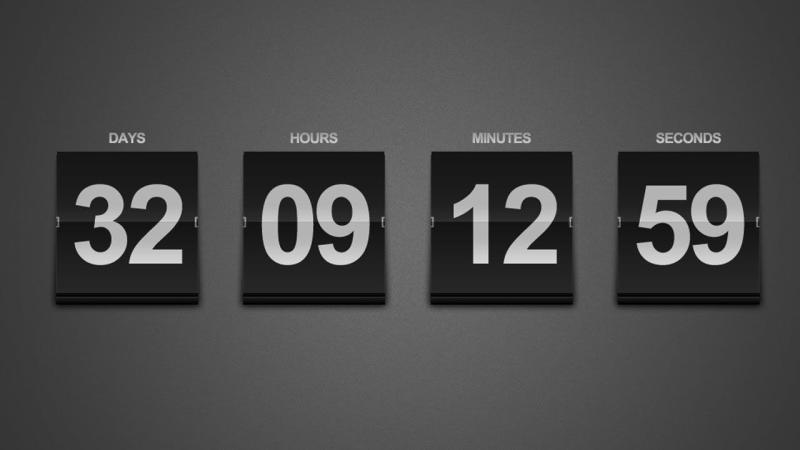
Countdown timers are digital clocks that create urgency.
They’re commonly displayed as GIFs and the purpose is to “count down” to something. This can be a particular date, event or deadline for submission, offers, sales, etc.
For example, think of a fitness studio that’s looking to promote a special weekend offer where new members can sign up for a discounted rate. Adding a countdown timer in their email campaign, the studio can do a fine job of highlighting the limited time available to join at this reduced price.
The ticking clock becomes a visual clue that the offer is temporary, and that is likely to press recipients to act quickly before the deal lapses. This may mean higher open rates, click-through rates, memberships, etc.
How do they help?
Countdown timers have the power to turn static and monotonous emails into dynamic and engaging messages.
We list three main benefits of using countdown timers in your email marketing efforts:
- Engagement: Adding a countdown timer in your emails can be the reason for higher engagement from your audience. Unlike standard emails, which may be easy to overlook, an email with a countdown timer invites interaction. The ticking clock grabs attention and draws the reader’s attention to the message and content. This makes it more probable that they’ll respond
- Psychology: The animation of a ticking clock can have an undeniable psychological influence on recipients. It can push them to act asap lest they lose the offer. The goal could be anything from encouraging a purchase to signs for an event, to taking advantage of a special deal, etc.
- Communication: Countdown timers are a clear and concise way to convey deadlines. Unlike traditional text-based reminders, with a countdown timer, there’s no room for confusion about time zones or deadlines. Recipients can see just how much time is left to take action. The message is both clear and compelling.
How can you use Sendtric timers?
Sendtric makes it super easy to create and customize countdown timers, even for those who lack technical expertise, as there’s no need for it.
Visit their website and type in the details of your countdown timer (the event or deadline). You can change the appearance of the timer to fit your brand’s style.
Once you’ve finalized the design, create a code snippet and embed it into the HTML of your email template. Every business – big or small – can make use of this to their benefit.
Sendtric is a user-friendly platform. It gives you free access to its basic tools. People looking for advanced customization options will love the Professional Edition for the additional features.
Their customer support team is known for being very helpful and responsive. All issues or questions are addressed as quickly as possible.
Their countdown timers are suitable for different platforms and do a great job of generating excitement about upcoming events or promotions.
Your messages will strike as unique and the user will not consider them part of the other promotional messages to be ignored in an overflowing inbox.
Final Thoughts
As long as you place the countdown timer in a position where it can be easily visible and keep the messaging concise with a consistent design – your email marketing campaigns will increase engagement and action.
With
Sendtric, it's easy for businesses of all sizes to add customizable countdown
timers to their email campaigns for convincing messaging.
Post Your Ad Here
Comments