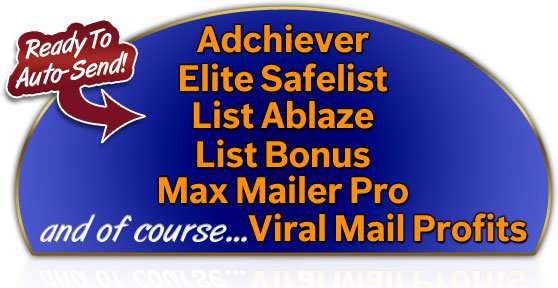
Emailing for profits just got a whole lot easier.

Not a member of Viral Mail Profits yet?
Talk
about Mailing to the Max! Now you can really
make sure you never
miss another mailing! After months of testing, you
now have access to 3 powerful new automation features
designed to help you manage
your mailings more
effectively,saving you
precious time, getting you
more leads,
traffic and money AND
ensuring you squeeze
every ounce of use out of your mailers.
No
More Copy And Paste!
You'll
love the brand new auto-paste feature! We all know what a pain it is to
manually copy and paste your email templates from Viral Mail Profits
into your favorite mailers. No
more
- now you can transfer your email straight to your mailer, ready to
send, in just
one click.
Scheduled
Auto-Send!
Want to schedule mails in advance? We can do that! Schedule your mail to 'send' multiple times. At the scheduled times, your email will be cloned and copied into your outbox ready to autopaste into the mailer and send.
Auto-Send
Integration is Here!"
(upgraded members
only)
But
best of all...if you're an upgraded member (at VMP and the mailer), you
don't even need autopaste! You
don't even need to log in!
When you hit send, that's
it
- our unique automation scheduler takes over and at the appropriate
time(s), like clockwork, automatically sends it via your mailer (with a
unique tracking link for each mail of course) and starts tracking. All
you need to do is come back and check your stats now and then.
Let's Take A Closer Look...

In the scheduled
table you'll see the
schedule icon
|
 Manual
copy and paste: this is new icon for the familiar
Manual
copy and paste: this is new icon for the familiar  icon. It means the mailer doesn't support automation (see the next
icon).
icon. It means the mailer doesn't support automation (see the next
icon). Manual
copy and paste but
the mailer supports automation and you should connect your account.
Manual
copy and paste but
the mailer supports automation and you should connect your account. Automatic
copy and paste: with one click you can transfer your mail to the
mailer. You'll just need to log in to the mailer, navigate to the send
page and your mail will be waiting. Available to free and upgraded
members of supported mailers.
Automatic
copy and paste: with one click you can transfer your mail to the
mailer. You'll just need to log in to the mailer, navigate to the send
page and your mail will be waiting. Available to free and upgraded
members of supported mailers. This
is the magic
one...when you see this icon, you don't even have to log into the
mailer to send! The email will go into the scheduled table and be sent
at the earliest opportunity completely
automatically! Only
available to upgraded members.
This
is the magic
one...when you see this icon, you don't even have to log into the
mailer to send! The email will go into the scheduled table and be sent
at the earliest opportunity completely
automatically! Only
available to upgraded members. Click
on the clock to do potentially even more
magic! - schedule multiple
hands-off mailings! Available to all members but scheduled mails will
only send automatically for upgraded members.
Click
on the clock to do potentially even more
magic! - schedule multiple
hands-off mailings! Available to all members but scheduled mails will
only send automatically for upgraded members. If
you see the red flag then this is an alert: hover over the flag to find
what the alert is. Usually it means an email was returned to the outbox
because it couldn't be sent automatically - maybe the account isn't
connected for example.
If
you see the red flag then this is an alert: hover over the flag to find
what the alert is. Usually it means an email was returned to the outbox
because it couldn't be sent automatically - maybe the account isn't
connected for example.  Means
the mail will be cloned into your outbox at the appropriate time, ready
to be sent manually. Even this saves you more time. Available to all
members.
Means
the mail will be cloned into your outbox at the appropriate time, ready
to be sent manually. Even this saves you more time. Available to all
members.
We deliberately made ViralMailProfits automation an open standard so any
mailer could plug in and provide the convenience of ViralMailProfits
automation for their members and ours.