Use This AI Tool To Remove Picture Backgrounds
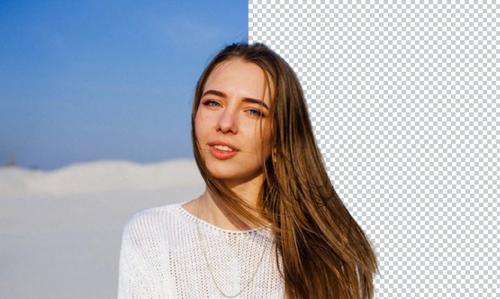
With ProductScope AI's Free Background Remover, it is simple to get rid of the background in your pictures. It just takes a few seconds.
You have the choice to choose a white background, leave it transparent, or add a custom background to the original one – and it’s super user-friendly.
The tool handles HEIC, PNG, or JPG files, and the results are high-definition.
The editing process gets simplified, and you’re free from the complexity of traditional editing software.
Steps to Remove a Photo Background
➔ Uploading Your Image: Choose your photo in JPG, PNG, or HEIC format and upload it.
➔ Erasing the Background: Our AI tool will automatically remove the background from your photo. You'll also have the chance to tweak the details.
➔ Saving Your Image: Once you download your edited photo with a transparent background, you can further edit to add any other background of your choice. For example, if you're looking for a specific theme, like a backdrop for jewelry, text backgrounds, or a white background, just search our template collection.
Adding a Shadow for Depth
Starting with a background-free image is just the beginning.
To add a bit of dimension to your product photos, you can use our shadow feature. Doing this can make your product really pop up and give your photos a professional look.
This shadow effect can make your products look better regardless of the background you choose, whether you choose transparent, white, or any other color.
AI Custom-Prompt Background Creator
Once the old background is gone, you can look through a huge library of photorealistic backgrounds that are perfect for your needs with our Custom Prompt Background Creator.
This feature is perfect for high-quality product photography or personal projects, allowing you to situate your subjects in any environment or landscape preferred.
This feature improves product photography and portraits of people, giving you a lot of freedom to be creative.
Post Your Ad Here
Comments