Once you are logged into your spree store, click on 'Insights' section in the vertical menu bar.
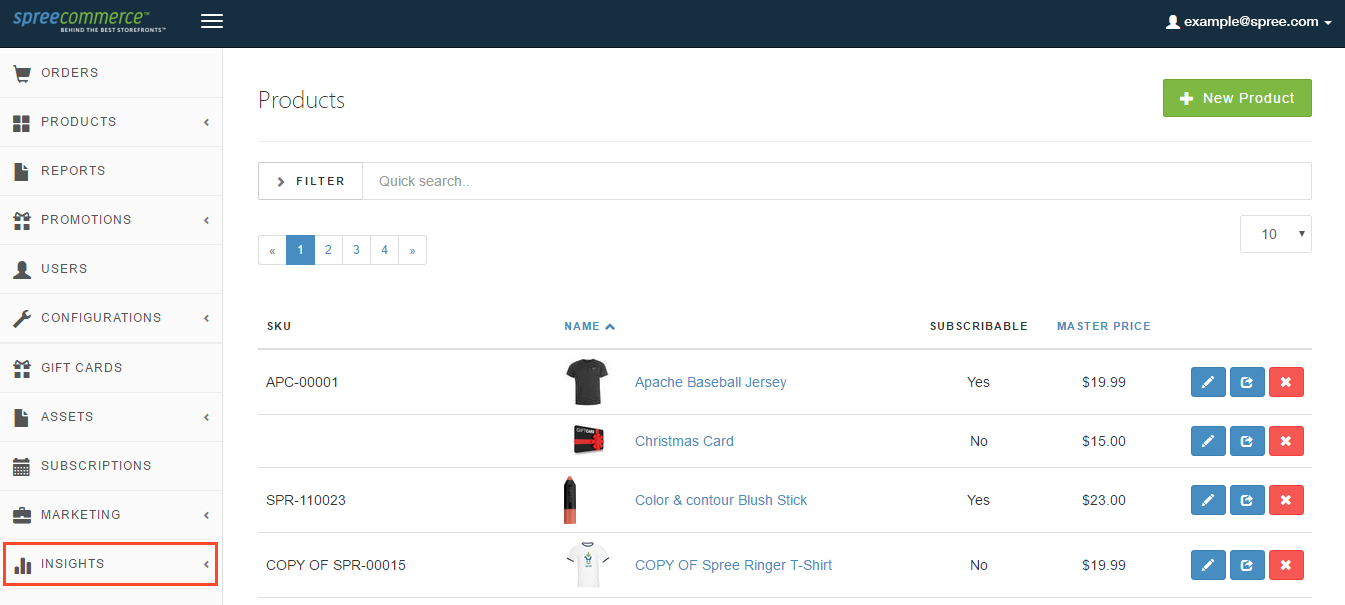
You will now be able to see the expanded 'Insights' section which lists the type of insights you can view for your SpreeCommerce store.

Let's go through all of these, one by one.
- Financial Analysis Insights
The following reports are available for financial evaluation

Payment method transaction count can help you figure out the best payments method for your store (you may want to offer discounts on a particular payment method depending on it's usage or use these in some other way)

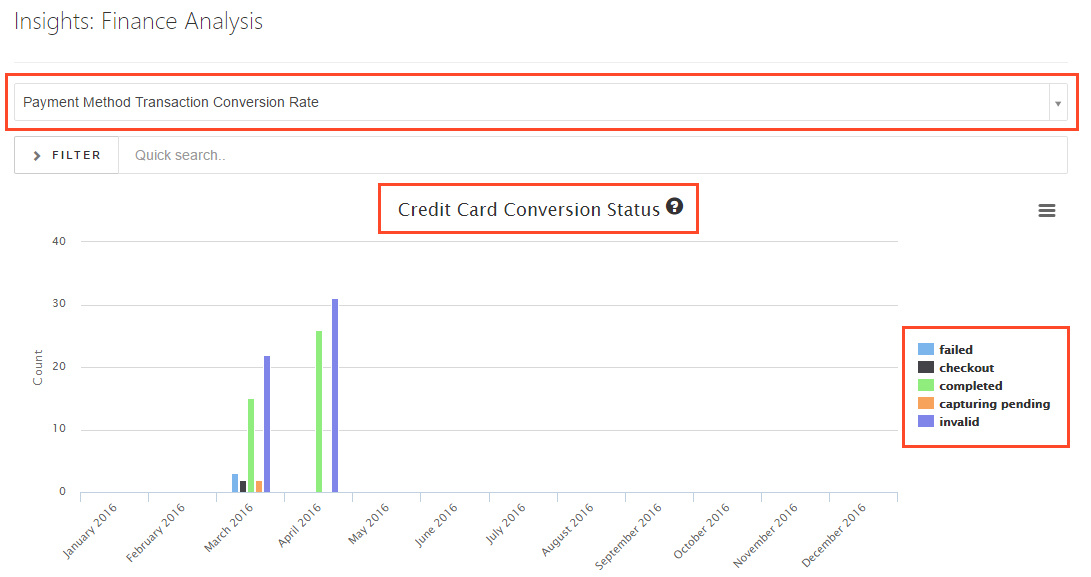
Payment Method Transaction Conversion Rate allows the admin to view success and failure statistics of all payment methods being used.

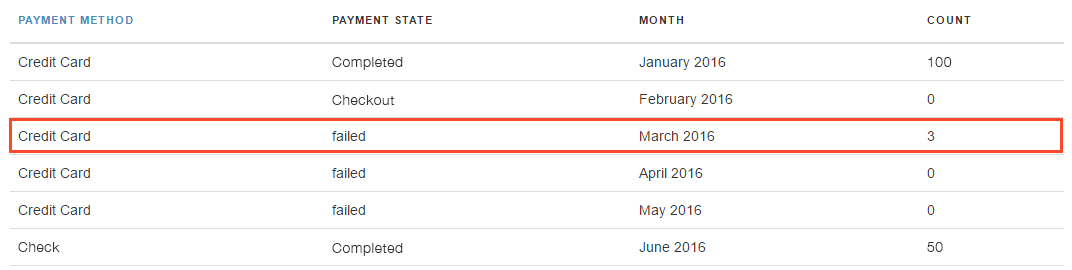
Tabular information is also available for list views.
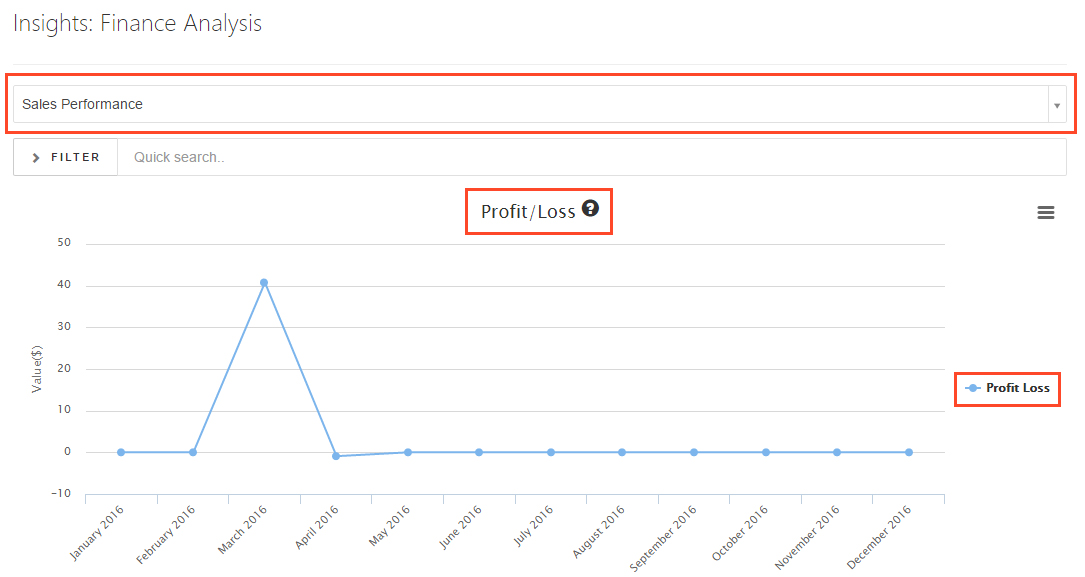
Sales performance depict the profit/loss incurred by your business over different periods of time. There are both profit/Loss and cumulative sales reports (based on Revenue, Taxes, shipping charges and refunds) available in the form of charts and tables.


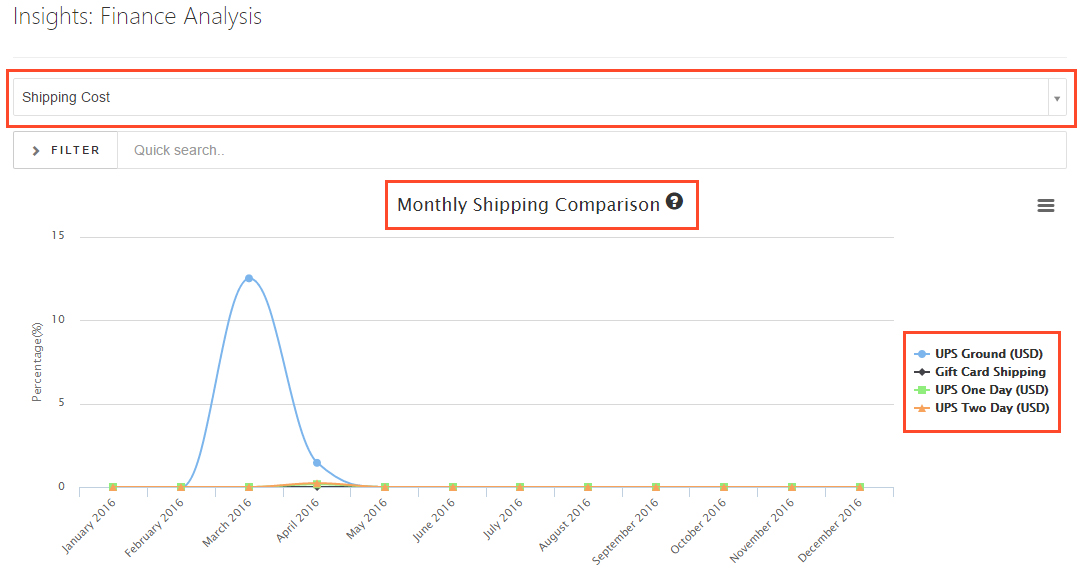
Shipping cost lets you compare monthly usage of all of shipping methods.
Sales Tax report shows total tax charges for ecommerce transactions from different geographic zones

2. Product Analysis Insights
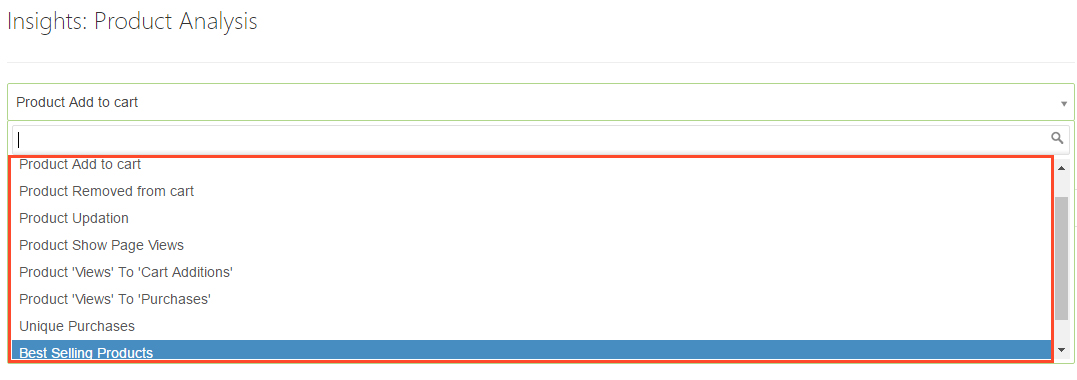
The following reports are available for Product performance analysis :
The following reports are available for Product performance analysis :
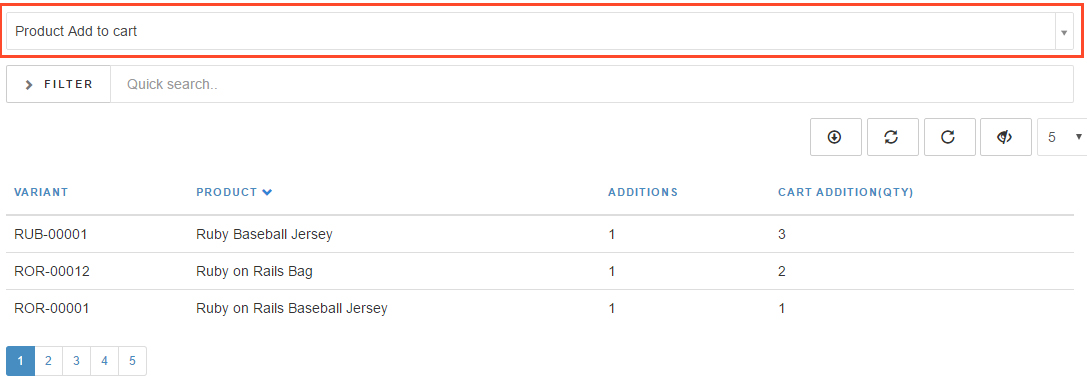
Product Add to cart projects data about how many times a product has been added to the cart.
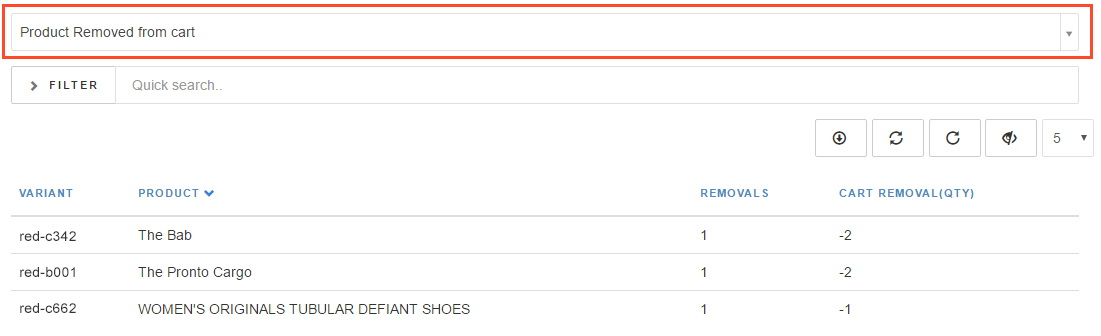
Product Removed from cart projects data about how many time product has been removed from cart.
Product Updation projects data about how many time in total was the catr updated by customers.

Product Show Page Views projects data about how many time a product page has been viewed by users.

Product View to purchases is the ratio of number of views (on product show page) to number of times product has been purchased after view.

Unique Purchases report is about how many unique users have purchased a particular product.

Best selling products, YES, it's pretty obvious that these are the best selling products of your store.

Returned Products are here! Time to check for patterns or if a particular product is being returned a lot.

3. Promotion Analysis Insights
Lets check how well are the campaigns and sales doing. The following insights are available.
Lets check how well are the campaigns and sales doing. The following insights are available.
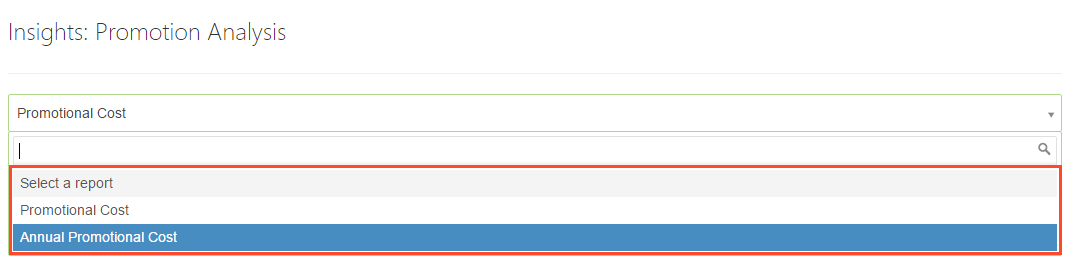
Promotional cost analysis lets you compare the costing and usage of various promotions. Thus, assisting you in in deciding their worth.


Annual Promotional cost lets you compare the investment done in promotions over a year.

4. Trending Search Analysis
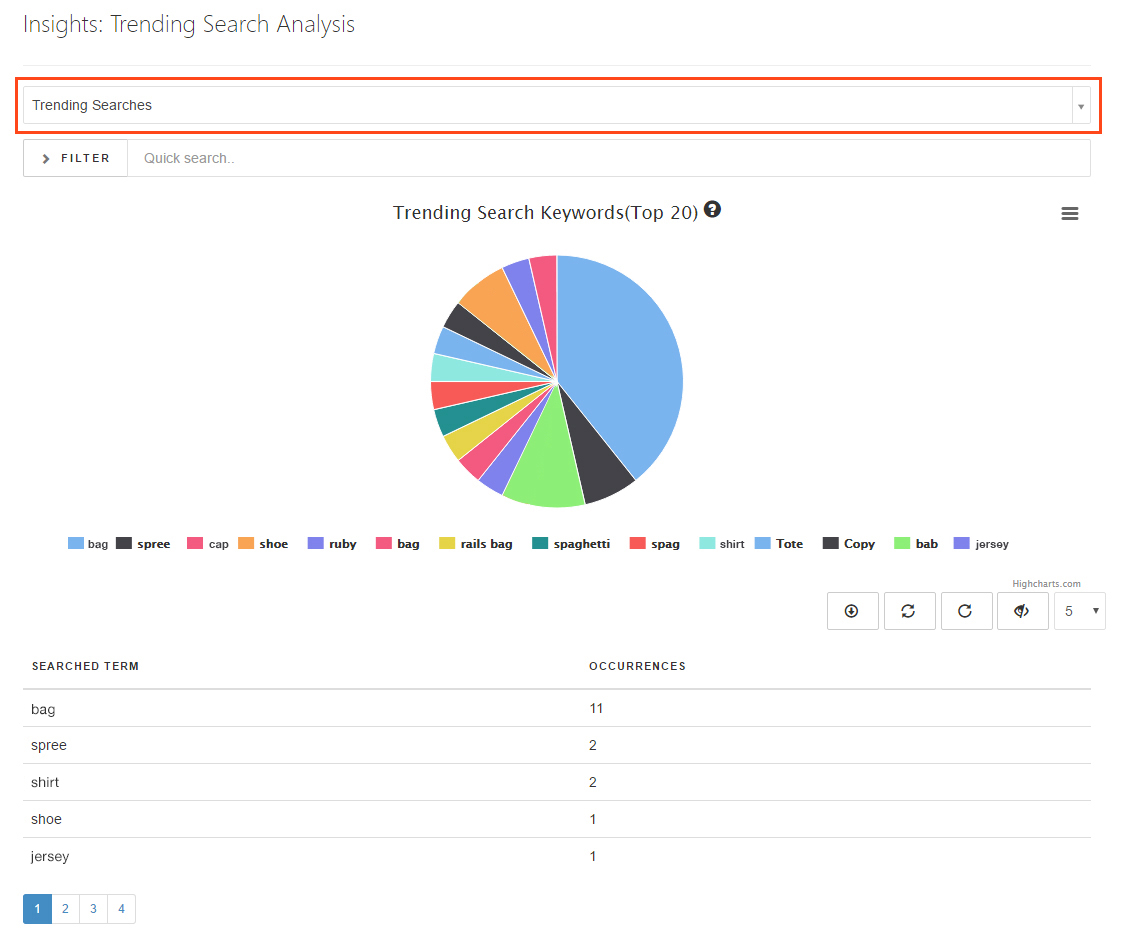
You can view statistics of the keywords which have been searched by customers. This can help you select keywords for tags for better visibility of products and is helpful for inventory forecasts.
You can view statistics of the keywords which have been searched by customers. This can help you select keywords for tags for better visibility of products and is helpful for inventory forecasts.
5. User Analysis
The following insights are available for studying user behaviour and patterns.
The following insights are available for studying user behaviour and patterns.
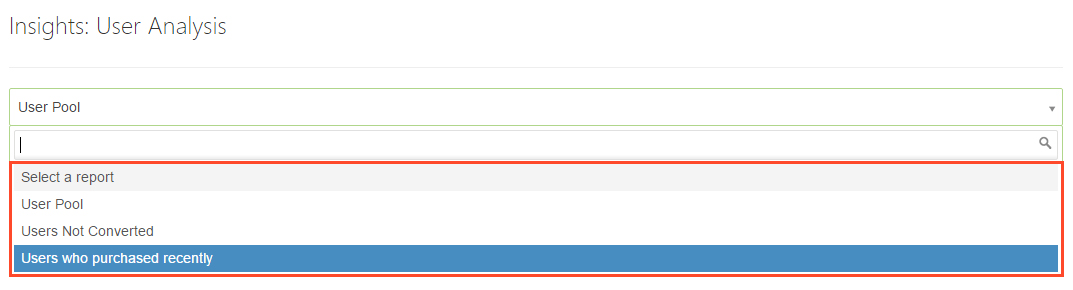
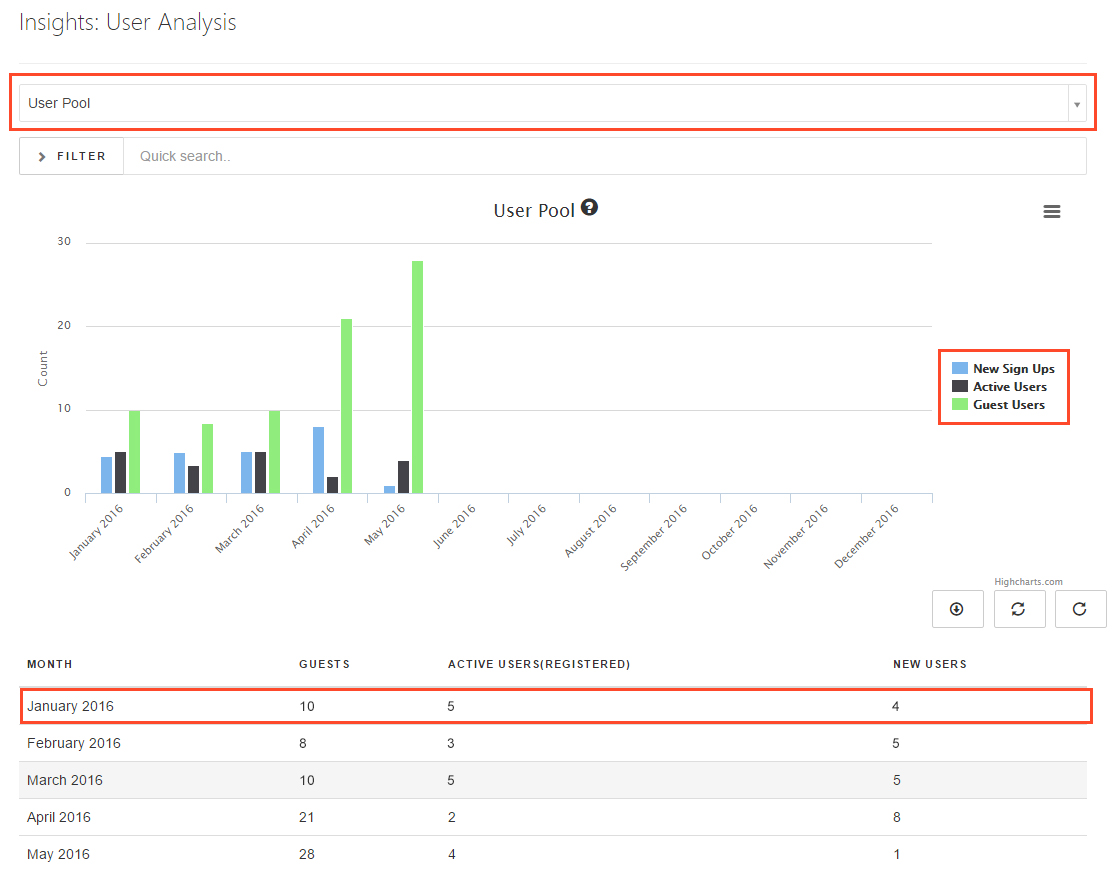
User Pool keeps a track of different types of users - guests, registered users, newly signed up ones etc.
Users Not Converted are your signed up users who never purchased anything. Time for some targeted marketing!

Users who purchased recently are your most recent customers.

Search and Filter
Search and filter facility is available for all reports. Depending upon the type of report, the parameters for each report vary. Below are a few examples.


Save Reports
All reports can be saved in various formats. Few options available are depicted in images below.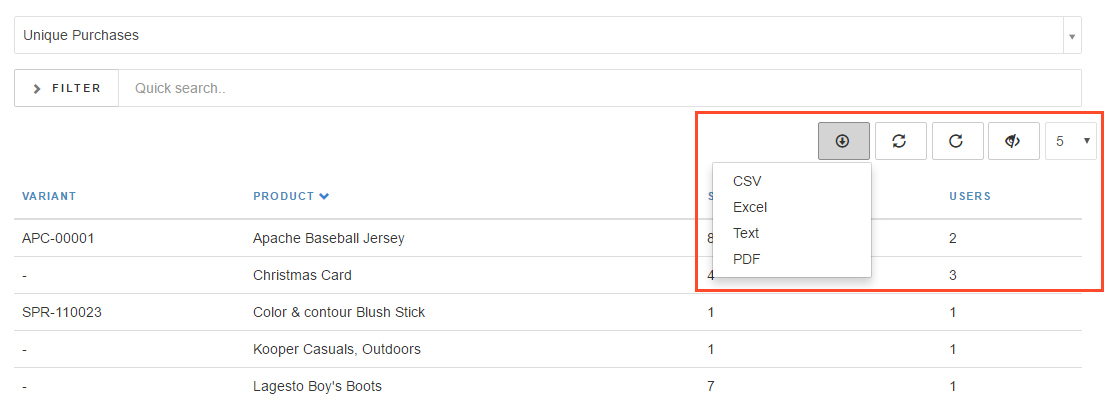

That's not all! You can also perform the following actions :

This is just the beginning. We continue to improvise further and increase reporting options for your SpreeCommerce insights.
Follow us on Twitter
Follow us on Twitter
Comments