Setting Up FindMyKids App: Ensuring Your Child's Safety
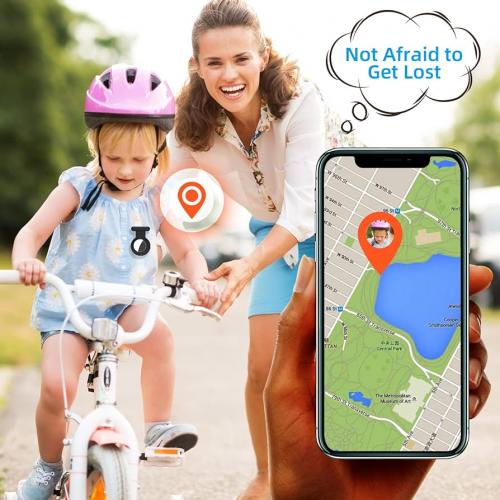
In today's digital age, ensuring the safety of our children has become more crucial than ever. With the FindMyKids app, parents can have peace of mind knowing the whereabouts of their children at all times. Let's delve into the step-by-step process of setting up this essential app on your child's device.
What is FindMyKids App?
FindMyKids is a powerful application designed to help parents keep track of their children's location in real-time. With features like geolocation tracking and SOS alerts, it provides a comprehensive solution for ensuring the safety of your loved ones.
Step 1: Download and Install FindMyKids App
The first step in setting up FindMyKids is to download and install the app on your child's device. Simply visit the App Store or Google Play Store, search for "FindMyKids," and follow the on-screen instructions to download and install the app.
Step 2: Create an Account
Once the app is installed, open it and create a new account. You'll need to provide some basic information, such as your email address and a secure password. Make sure to choose a password that is difficult to guess to ensure the security of your account.
Step 3: Set Up Your Child's Profile
After creating your account, you'll be prompted to set up your child's profile. Enter your child's name, age, and any other relevant information. This will help personalize the app and ensure accurate tracking.
Step 4: Enable Location Services
To track your child's location, you'll need to enable location services on their device. Go to the device settings, find the "Location Services" option, and make sure it is turned on. You may also need to grant permission to the FindMyKids app to access the device's location.
Step 5: Customize Settings
FindMyKids offers a range of customizable settings to tailor the app to your specific needs. From setting up safe zones to configuring SOS alerts, take some time to explore the app's settings and adjust them according to your preferences.
Step 6: Connect to Parental Control Panel
To monitor your child's location from your own device, you'll need to connect to the parental control panel. This can usually be done by logging into your FindMyKids account from another device or accessing it through the app.
Step 7: Test the App
Before relying on FindMyKids for day-to-day use, it's a good idea to test the app to ensure everything is working correctly. Take your child's device for a walk around the neighborhood and check the app to see if it accurately tracks their location.
Step 8: Set Up Find My Daughters Phone Feature
One of the most valuable features of FindMyKids is the find my daughters phone option, which allows you to locate your child's device in case it is lost or stolen. Make sure this feature is enabled in the app's settings for added peace of mind.
Conclusion
With the FindMyKids app, parents can take proactive steps to ensure the safety and well-being of their children. By following these simple steps, you can set up the app on your child's device and start monitoring their location in real-time. Invest in your child's safety today with FindMyKids.
Remember, the safety of your child is paramount. By taking advantage of tools like FindMyKids, you can stay one step ahead and provide them with the protection they need in an increasingly complex world.
Post Your Ad Here
Comments