Mutual Control of Android Car DVD and Mobile Phone
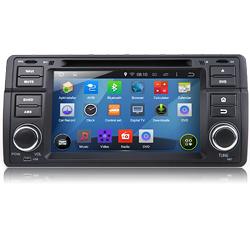
Android is easily seen in many electronic
devices everywhere, like Android phone, Android tablet PC, even Android car DVD player etc. It becomes
one of our intimate friends in life.
Why so many people are keen on <a
href=”http://www.eonon.com/Car-DVD-Players/Android-Car-DVD.html”>Android car
DVD</a>? The main reason is you can surf internet easily via WIFI or
3G network. There is one more important factor; it is mutual control of your
android car stereo and your smart phone.
Speak of mutual control function,
maybe not many people know it, but it is getting hot now. Similar as Screen
Mirroring, you can connect your phone to the car stereo directly via WiFi,
and sync any contents from your phone to display on the stereo screen. To be
exact, your car stereo just like a mirror shows everything from your phone,
including main menu of the phone, movies, pictures or music etc. But what is
the mutual control function actually? There are some differences; if you read
it you may know it better. It contains certain factors same like Android Auto. The
big difference between the screen mirroring and mutual control function are:
1. Screen Mirroring is wireless connection,
while mutual control is required a cable but only a simple USB cable will be
ok. From this point, wireless might be an advantage, that is why many car
drivers are keen on Eonon GM series, as we know, their GM products all support
Screen Mirroring function, such as their king model M1, M2.
2. Screen Mirroring can mirror your phone
contents to the radio screen, and you can control the radio via your phone
directly, but you can not control your phone on the radio screen. However, this
is the big advantage of the mutual control function.
A. Once
connected, you can also control the mobile phone via the head unit screen to
text and login Facebook etc, 2 devices are now integrated into one! More
convenient and useful! Many people require mutual control function when Screen
Mirroring function released, and now their dreams come true! Similar as
Mirror-link, there is one simple cable require realizing the mutual control, it
is easy actually.
B. Support MHL (Mobile High-Definition Link)
Display
Any content in the mobile device can be
mirrored on the head unit, neither software, nor HDMI cable is needed.
C. No Delay for the Video Play. You can watch
the videos smoothly. Great chance to date your girl friend in your car now, as
you can prepare any interesting or romantic images, music or movies in your
phone, and just mirror it to your android car stereo for a larger screen
display, to enjoy a wonderful visual feast!
D. Applicable for smart phones with Wireless
Display function and Android version above 4.2. Do not support iOS system.
Require USB cable to connect the head unit with smart phone.
You may be clearer about Mutual Control
function of <a
href=”http://www.eonon.com/Car-DVD-Players/Android-Car-DVD.html”>Android car
DVD</a> and the smart phone now. Mutual Control function
becomes hot nowadays. It takes you to lead the extraordinary trend of
personalized & fashionable <a href=”http://www.eonon.com”>Car DVD
Players</a>!
Time to upgrade your loved ride now! Treat yourself and family with a fashionable Android unit in this Summer, and everyone would get cheerful in your cool ride with Eonon!
Post Your Ad Here
Comments