How to Use OPCOM VAXU-COM to Coding/Reset Electronic Throttle Body
Here i want to show a single guide on how to use OPCOM VAXU-COM to reset electronic throttle body.
 When this is needed
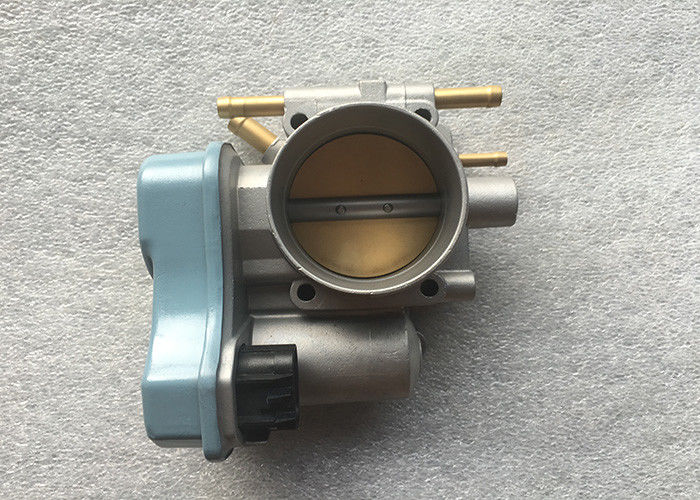
After replacement,or cleaning of the electronic throttle body, the Adaptation of the electronic
Throttle Body must be performed.
This procedure must also be carried out, when you take off the negative battery terminal, or
replace the engine control unit!
When this is needed
After replacement,or cleaning of the electronic throttle body, the Adaptation of the electronic
Throttle Body must be performed.
This procedure must also be carried out, when you take off the negative battery terminal, or
replace the engine control unit!
Preparations: Newest OPCOM VAUX-COM All Version Free Download OPCOM Clone
Which engine codes are supports this operation
When this is needed
After replacement,or cleaning of the electronic throttle body, the Adaptation of the electronic
Throttle Body must be performed.
This procedure must also be carried out, when you take off the negative battery terminal, or
replace the engine control unit!
Preparations: Newest OPCOM VAUX-COM All Version Free Download OPCOM Clone
Which engine codes are supports this operation
- Z10XE
- Z12XE
- Z18XE
- Z18XEL
- Z20LET
- The ECT (coolant temperature) is at normal (warm, about 85 °C)temperature.
- The engine is not running.
- Throttle pedal is idle position (please, do not operate the gas pedal during )
- Battery voltage is greater, than 11 V
- There is no DTC stored in the engine control unit
- Choose the engine
- Click on the [Special function] button.
- Click on the [Reset learned values] button.
- Click on the [Start] button.
Advertise on APSense
This advertising space is available.
Post Your Ad Here
Post Your Ad Here
Comments